Fastest VPN for Gaming: My 6 Speed Picks for Smoother, Snappier Play

Eneba Hub contains affiliate links, which means we may earn a small commission if you make a purchase through them—at no extra cost to you. Learn more



Finding the fastest VPN for gaming matters when your setup lives on 100GB patches, 4K streams, and a dozen devices all fighting for bandwidth.
Most VPNs fold the second you hit “download.” A few don’t, and those are the ones I pushed hard. I ran dozens of services through massive game installs, long sessions, and peak-hour servers to see which ones could actually hold onto gigabit speeds.
These are the ones I’d trust to keep things fast when it matters.
Jump to:
My Top 3 Picks for Fastest VPN for Gaming
I ran these VPNs on a 1 Gbps line, hammering them with big game downloads, long sessions, and To find the fastest VPN for gaming, I ran every service on a 1 Gbps line and hammered it with every test I could think of. These three kept it closest to my baseline.
- NordVPN – NordLynx was absurdly quick in my tests, averaging around 970Mbps on nearby servers. It barely touched my baseline and never felt like it was dragging the connection behind it.
- ExpressVPN – If you want a gaming VPN that’s quick, stable, and annoyingly hard to break, this is it. It wasn’t the fastest in my testing, but definitely the most consistent.
- Proton VPN – It held up especially well on longer routes. Accelerator gave it a real boost, and the drop-off felt much less brutal than with most VPNs I tested.
These are the ones I’d trust for fast downloads, smoother matches, and less waiting around for your connection to get its act together.
Fastest VPN for Gaming: 6 Speed-Tested Picks
I tested real speeds across different regions, checked long-session stability, looked at server quality, and made sure each service was using the fastest VPN protocol for gaming available.
That said, the ranking isn’t just about raw Mbps. Price, device limits, and how well each VPN handled extended use also shaped the final order. If you’re after the best VPN for fastest gaming, this is where the real contenders begin to stand out.
1. NordVPN [The Fastest VPN for Gaming]

| Feature | Details |
|---|---|
| Servers | 9,000+ servers in 100+ countries |
| Speed | 970 Mbps average on nearby servers on a 1 Gbps connection (600–870 Mbps on faraway locations) |
| Simultaneous connections | Up to 10 devices |
| Protocols | NordLynx (WireGuard-based), OpenVPN, NordWhisper (restricted network protocol) |
| Security | AES-256 encryption, kill switch, Threat Protection, dark-web monitoring, MFA, Double VPN |
| Privacy | Audited no-logs policy, RAM-only servers, based in Panama |
| Gaming speed performance | Near-gigabit regional speeds, 10 Gbps servers, minimal throttling |
| Starting price | $0.90/mo (2-year plan) |
NordVPN finished first because it’s the best VPN for gaming, hands down. On my 1 Gbps line, NordLynx averaged around 970Mbps on nearby servers, which is ridiculous for a VPN and close enough to baseline that I barely felt the hit. Big downloads moved fast, region switches were easy, and it never turned patch day into a chore.
NordLynx is the reason this one pulled ahead. It was the fastest VPN protocol for gaming I tested, and it gave NordVPN the cleanest mix of speed and low overhead in the group. If you want the fastest VPN for online gaming, you need a protocol that does its job and gets out of the way. That’s exactly what happened here.
Don’t stop at the first nearby server that looks fine. Test a few in the same region. I’ve had “slightly farther” servers beat the closest one because the routing to the actual game server was cleaner.
I also wasted less time hunting for a usable server with NordVPN than I did with most of the others. One nearby server underperformed, I switched, problem solved. That sounds small until you test a bunch of VPNs back to back and realize how many of them look great in a headline speed test, then start acting up when the route gets crowded.
| Pros | Cons |
|---|---|
| ✅ Fastest speeds in my tests ✅ NordLynx performs great for gaming ✅ Handles huge game downloads easily ✅ Strong nearby server performance ✅ Consistent speeds across regions | ❌ UI feels dated |
Final Verdict: If you’re comparing the best VPN for fastest gaming or trying to answer which VPN offers the fastest servers for gaming, this is the one that set the pace in my tests. It was the quickest, the easiest to work with, and the least likely to get in my way once I started downloading or playing.
2. ExpressVPN [Fastest VPN for Gaming Across Different Regions]

| Feature | Details |
|---|---|
| Servers | 3,000+ servers in 100+ countries |
| Speed | 800–900 Mbps average on nearby servers on a 1 Gbps connection (550–750 Mbps on faraway locations) |
| Simultaneous connections | Up to 14 devices |
| Protocols | Lightway (proprietary), OpenVPN, IKEv2/IPSec |
| Security | AES-256 encryption, Network Lock kill switch, Threat Manager, split tunneling |
| Privacy | Audited no-logs policy, TrustedServer RAM-only technology, based in the British Virgin Islands |
| Gaming speed performance | Excellent with Lightway protocol, sub-2-second connection times |
| Starting price | $1.05/mo (28-month plan) |
ExpressVPN didn’t beat NordVPN in raw speed, but it came closer than most, and it’s still my favorite VPN for PS5. In my tests, it pushed 800–900Mbps on nearby servers, which kept large downloads moving quickly and didn’t cause any lag.
Where it really stood out was consistency. Speeds felt reliable and predictable even after hours of use, and switching regions didn’t trigger the sudden drops I saw with weaker services.
When testing ExpressVPN servers for gaming, check your in-game ping instead of the VPN’s latency indicator. The fastest route to the game server isn’t always the server with the lowest load in the app.
Lightway plays a big role here. It’s one of the fastest VPN protocols for gaming I tested and connects almost instantly (under two seconds), which makes server hopping painless when you’re checking routes or trying to improve ping. That kind of responsiveness is exactly what I want from a fastest VPN for online gaming.
The other advantage showed up once I started testing distant routes. ExpressVPN held onto far more speed than expected, which makes it a good option if you play on international servers or switch regions regularly.
| Pros | Cons |
|---|---|
| ✅ Very fast speeds in my tests ✅ Lightway is one of the fastest VPN protocols for gaming ✅ Strong long-distance performance ✅ Stable connectivity ✅ Quick reconnects | ❌ Not for budget users |
Final Verdict: If you’re comparing the best VPN for fastest gaming setups and want something that stays predictable under load, ExpressVPN is a very safe pick. It’s quick, stable, and rarely behaves in weird ways once you start pushing it.
3. Proton VPN [Best for Private Gaming Without Slowing Down]

| Feature | Details |
|---|---|
| Servers | 15,000+ servers in 100+ countries |
| Speed | 700–850 Mbps average on nearby servers on a 1 Gbps connection (450–650 Mbps on faraway locations) |
| Simultaneous connections | Up to 10 devices |
| Protocols | WireGuard, OpenVPN, IKEv2/IPSec, Stealth (obfuscation protocol) |
| Security | AES-256/ChaCha20 encryption, kill switch, NetShield ad/malware blocker, Secure Core, Tor over VPN |
| Privacy | Court-tested no-logs policy, open-source apps, based in Switzerland |
| Gaming speed performance | Good regional speeds with VPN Accelerator optimization technology |
| Starting price | $0.90/mo (2-year plan) |
Proton VPN landed in this lineup because it managed something a lot of privacy-focused VPNs struggle with: keeping speeds high enough for gaming. In my tests on a 1 Gbps fiber line, nearby servers usually kept around 700–850Mbps, which is more than enough headroom for huge downloads and long sessions.
Proton handled longer routes like a boss, which makes it one of the best VPNs for low-ping gaming. Many services lose a ton of speed once you start crossing continents, but Protonheld onto far more bandwidth than I expected.
If you’re gaming on distant servers, make sure VPN Accelerator is turned on. In my testing, it noticeably improved performance on long routes.
A big part of that comes from VPN Accelerator. It adjusts routing and traffic behavior so distant connections don’t collapse under encryption overhead. When I enabled it, speeds on faraway servers improved noticeably, especially once the distance climbed past the usual comfort zone for VPN performance.
WireGuard also helps here. It’s one of the fastest VPN protocols for gaming, and it gave Proton VPN its best results during my tests. When the route lined up well, speeds climbed surprisingly close to what I normally expect from the fastest VPN for online gaming.
| Pros | Cons |
|---|---|
| ✅ VPN Accelerator improves long-distance performance ✅ Strong speeds in my tests ✅ WireGuard performs well for gaming ✅ Great privacy protections ✅ Free tier lets you test the service | ❌ Secure Core is too slow for gaming |
Final Verdict: If you want strong performance but also care about privacy while gaming, Proton VPN is an easy recommendation. It’s one of the few services where privacy features and real-world speed coexist without turning your connection into a mess. It’s also the fastest free VPN for gaming you can realistically use.
4. CyberGhost [Fastest VPN With Specialized Gaming Servers]

| Feature | Details |
|---|---|
| Servers | 11,000+ servers in 100 countries |
| Speed | 650–800 Mbps average on nearby servers on a 1 Gbps connection (400–600 Mbps on faraway locations) |
| Simultaneous connections | Up to 7 devices |
| Protocols | WireGuard, OpenVPN, IKEv2/IPSec |
| Security | AES-256/ChaCha20 encryption, kill switch, NoSpy servers, ad blocker |
| Privacy | Audited no-logs policy, RAM-only servers, based in Romania |
| Gaming speed performance | Dedicated gaming servers optimized for low latency |
| Starting price | $0.66/mo (26-month plan) |
CyberGhost makes gaming servers easy to find, and it’s one of the easiest VPNs to pick up if you’re new to all this. Instead of guessing which location might work best, you can jump straight to servers labeled for gaming and start testing routes immediately. That saves a surprising amount of time when you’re trying to shave a few milliseconds off your ping.
In my tests, nearby servers usually sat around 650–800Mbps, which is plenty fast for big downloads and long gaming sessions. That puts CyberGhost a step behind the absolute speed leaders, but still comfortably in the range where you won’t feel the VPN slowing things down.
Try two gaming servers in the same region before settling on one. Even optimized servers can route traffic differently, and a second option often gives you a slightly cleaner path to the game server.
WireGuard delivered the best results here. It’s one of the fastest VPN protocols for gaming, and it helped CyberGhost keep speeds high enough for smooth play. If you want the fastest VPN for online gaming without spending time hunting for the right server, CyberGhost keeps the whole process simple.
Another advantage is how easy the apps make server switching. You can quickly jump between optimized locations, which helps when a route becomes crowded or you want to test a different connection path.
| Pros | Cons |
|---|---|
| ✅ Gaming-optimized servers ✅ Solid speeds in my tests ✅ WireGuard performs well for gaming ✅ Stable during long sessions ✅ Simple server switching in the apps | ❌ Slower than the top-speed leaders |
Final Verdict: If you’re comparing the best VPN for fastest gaming setups and want something straightforward to use, CyberGhost is a solid option. It may not top the raw speed charts, but the optimized server categories make it very practical for gaming.
5. Private Internet Access (PIA) [Best for Gaming on Multiple Devices]

| Feature | Details |
|---|---|
| Servers | 35,000+ servers in 90+ countries (all 50 US states) |
| Speed | 600–750 Mbps average on nearby servers on a 1 Gbps connection (400–550 Mbps on faraway locations) |
| Simultaneous connections | Unlimited devices |
| Protocols | WireGuard, OpenVPN, IKEv2/IPSec |
| Security | AES-256/AES-128/ChaCha20 encryption (configurable), kill switch, MACE ad blocker, Multi-hop, port forwarding |
| Privacy | Court-proven no-logs policy, open-source apps, based in the United States |
| Gaming speed performance | Servers in all 50 US states for optimal regional routing |
| Starting price | $0.61/mo (3-year plan) |
Private Internet Access offers an insane number of servers, which also makes it one of the best VPNs for torrenting. When you’re testing routes to find the best latency, having a lot of nearby locations makes life easier.
On my 1 Gbps line, nearby servers usually landed around 600–750Mbps. That’s not chasing the top speed charts, but it’s still fast enough that downloads move quickly, and gameplay stays smooth once you’re connected.
Switch encryption to AES-128 with WireGuard. It reduces encryption overhead slightly and can give you a bit more headroom for gaming traffic.
WireGuard delivered the best performance in my tests. Connections came online quickly, speeds were consistent during longer sessions, and the overhead was low enough.
What I liked most about PIA was how easy it was to experiment with routes. With so many nearby server choices, you can bounce between them until you find the one that lines up best with the game server you’re connecting to.
| Pros | Cons |
|---|---|
| ✅ Biggest server network ✅ WireGuard performs well for gaming ✅ Solid speeds in my tests ✅ Easy to experiment with nearby locations ✅ Very flexible configuration options | ❌ Interface might overwhelm beginners |
Final Verdict: PIA gives you a huge number of server options, which makes it easier to experiment with routes and find the best path to a game server. If you like tweaking your setup and testing different locations, PIA makes that process simple.
6. Surfshark [Fastest VPN for Gaming on a Budget]

| Feature | Details |
|---|---|
| Servers | 4,500+ servers in 100 countries |
| Speed | 750–900 Mbps average on nearby servers on a 1 Gbps connection (500–700 Mbps on faraway locations) |
| Simultaneous connections | Unlimited devices |
| Protocols | WireGuard, OpenVPN, IKEv2/IPSec |
| Security | AES-256/ChaCha20 encryption, kill switch, CleanWeb ad blocker, Dynamic MultiHop, Camouflage Mode |
| Privacy | 2x Deloitte audited no-logs policy, RAM-only servers, based in the Netherlands |
| Gaming speed performance | Excellent speeds with 10 Gbps servers, 100 Gbps experimental servers in Amsterdam |
| Starting price | $0.60/mo (2-year plan) |
Surfshark delivers strong speeds without forcing you to worry about device limits. In my testing on a 1 Gbps line, nearby servers usually landed around 750–900Mbps, which kept downloads quick and gameplay smooth even during longer sessions. It’s among the best VPNs for multiple devices that can cover your entire household with just one subscription.
I ran downloads, gaming sessions, and background traffic at the same time, and the connection remained stable instead of falling apart once things got busy. That kind of behavior matters if you’ve got multiple devices pulling bandwidth on the same network.
If you’re gaming on a shared network, enable CleanWeb. It blocks ads and tracking domains before they load, which can slightly reduce background traffic and keep connections a bit cleaner during long sessions.
WireGuard produced the best results during my tests. Connections came online quickly, and speeds were high enough that the VPN never felt like it was holding the connection back.
Surfshark also benefits from a strong server infrastructure. In practice, that meant speeds stayed surprisingly close to baseline even when I started pushing downloads or switching regions.
| Pros | Cons |
|---|---|
| ✅ Very fast speeds in my tests ✅ Great performance with WireGuard ✅ Handles multiple active devices well ✅ Strong server infrastructure ✅ Good stability during long sessions | ❌ Slightly less consistent than NordVPN |
Final Verdict: Surfshark delivers excellent speeds while letting you run as many devices as you want, which makes it a great fit for busy gaming setups.
Why Speed Matters for Gaming VPNs
Using the fastest VPN for gaming makes a big difference once you start doing real gaming tasks. Modern games are huge, updates arrive without warning, and most players are juggling downloads, streams, and voice chat at the same time.
If your VPN can’t keep up, everything slows down. Downloads take forever, streams buffer, and background traffic starts competing for bandwidth.
Here’s a quick look at the kinds of speeds that make gaming setups run smoothly.
| Gaming Activity | Required/Recommended Speed | Why It Matters |
|---|---|---|
| Game downloads (100GB+) | 500+ Mbps | Large games and updates finish quickly instead of taking hours |
| Patch updates | 300+ Mbps | Seasonal updates and patches install fast so you can jump back in |
| 4K stream uploads | 50+ Mbps upload | Keeps Twitch or YouTube streams stable |
| Multiple devices | 500+ Mbps | Prevents bandwidth fights in busy households |
| Cloud gaming | 100+ Mbps | GeForce NOW, Xbox Cloud Gaming, and PlayStation Plus require consistent bandwidth for smooth gameplay |
| Voice chat quality | 5+ Mbps | Keeps Discord and in-game chat clear |
This is why fast VPNs matter. When Destiny 2 drops a new season or Warzone pushes a monster update, you’re loading in within minutes – not staring at a progress bar while everyone else jumps ahead.
And when you’re building out your library, a good VPN also opens the door to the best regions for cheap Steam games, letting you stretch your budget without nuking your download speeds.
How I Tested and Reviewed VPNs for Gaming Speed
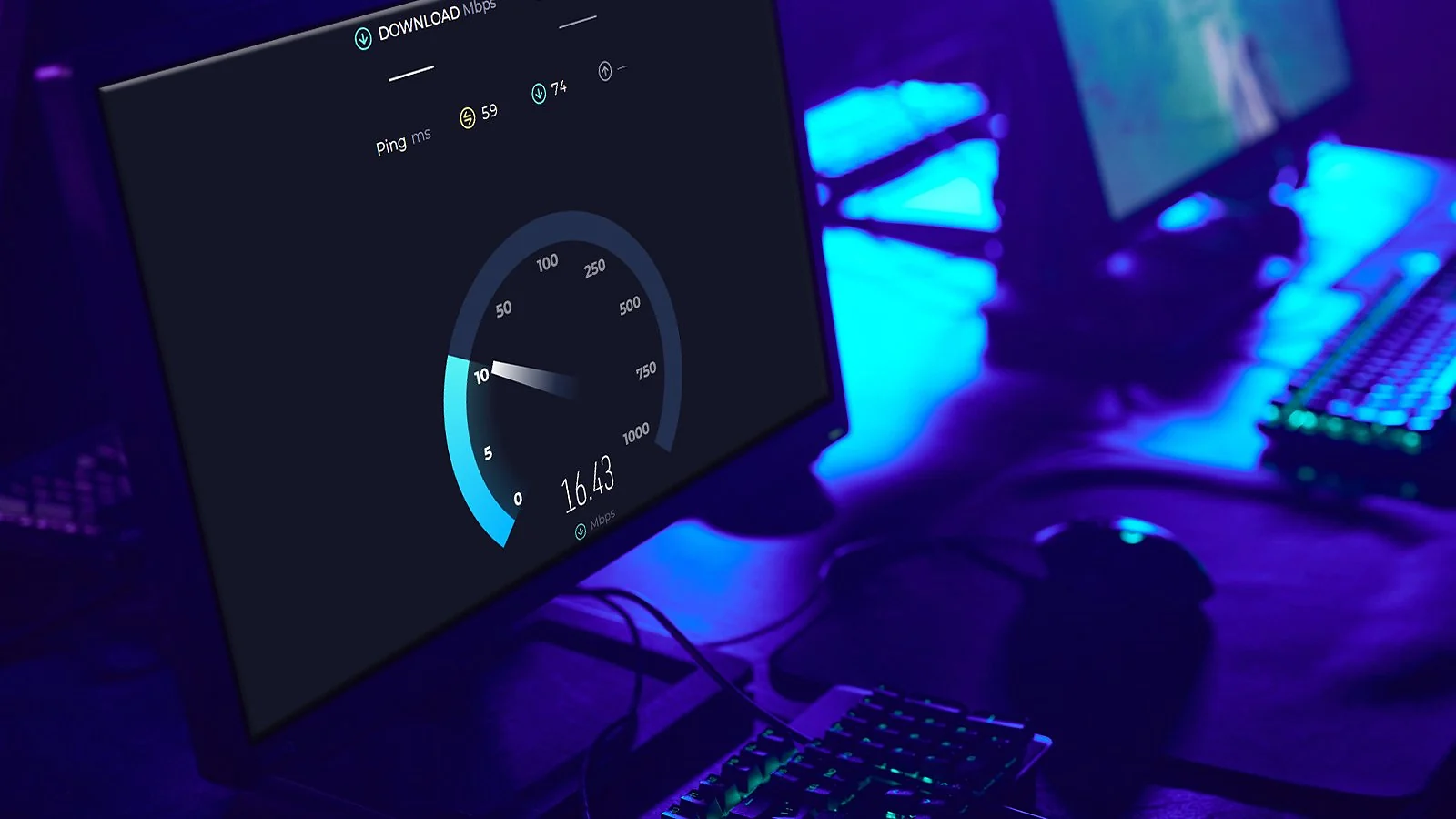
To find the fastest VPNs for gaming, I ran each service through a series of real-world tests designed to simulate how gamers actually use a VPN.
- Baseline speed testing: I used Ookla Speedtest across different regions and times of day. My 1 Gbps fiber connection typically delivers 940–980Mbps, so I could clearly see how much speed each VPN reduced. If you’re new to this, you can learn how to use a VPN before running similar tests yourself.
- Fastest protocol configuration: Every VPN was tested using its fastest available protocol, usually WireGuard or a WireGuard-based variant.
- Distance-based server testing: I tested connections to nearby, mid-distance, and long-distance servers.
- Real game downloads: Synthetic benchmarks weren’t enough. I downloaded large titles like Modern Warfare III, Baldur’s Gate 3, and Microsoft Flight Simulator to expose bottlenecks that simple speed tests often miss.
- Multi-device stress testing: I simulated a gaming household by running downloads on three to four devices simultaneously.
- Upload and streaming performance: I streamed Elden Ring and Starfield to Twitch in 4K while monitoring upload stability, latency spikes, and frame consistency.
- Long-session stability testing: Each VPN ran for 6–8-hour sessions to see which ones maintained speed over time.
My Overall Verdict on the Fastest VPN for Gaming
After all my testing, here’s what the hunt for the fastest VPN for gaming comes down to:
- Best VPN for gaming speed → NordVPN. It was the fastest service I tested. NordLynx keeps speeds extremely close to baseline, downloads finish quickly, and the connection rarely gets in the way once you start playing.
- Best for cross-region gaming → ExpressVPN. Speeds were impressively consistent, especially on long-distance routes. If you frequently connect to servers in other regions, this is the tool for you.
- Best for privacy while gaming → Proton VPN. It focuses heavily on privacy and transparency, but still delivers strong speeds. VPN Accelerator also helps distant servers maintain usable bandwidth.
No single VPN wins everything. NordVPN is the speed king, ExpressVPN shines on long routes, and Proton VPN is the privacy-first option. Pick one that matches your needs and enjoy smooth, lag-free gameplay.
FAQs
NordVPN is the fastest VPN for gaming, thanks to its optimized protocol and massive high-bandwidth server network. ExpressVPN is right behind it, especially if you like playing on foreign servers.
A VPN doesn’t make your connection faster than what you pay for, but it can remove ISP throttling and routing hiccups that tank performance. If your speeds dip during peak hours or big updates, a VPN often restores your line to what it should be.
It depends on your network. Most VPNs introduce a bit of overhead, but the top gaming VPNs barely affect your connection. With the right provider, gameplay, downloads, and streams feel almost identical to your normal line.
For optimal gaming experiences, target VPN speeds of 300+ Mbps for smooth game downloads, patch updates, and simultaneous device usage. Competitive online gaming requires 50+ Mbps with stable latency, while 4K stream broadcasting needs 50+ Mbps upload speeds sustained throughout sessions.
Proton VPN is the fastest free VPN for gaming. Its free version gives you unlimited bandwidth (which is rare) and a handful of servers to play with. However, it picks the server automatically and puts server switching on a timer. Good for quick testing, not for heavy gaming.