

9 Best Monitor Arms in 2025 For Every Monitor Type

Eneba Hub contains affiliate links, which means we may earn a small commission if you make a purchase through them—at no extra cost to you. Learn more

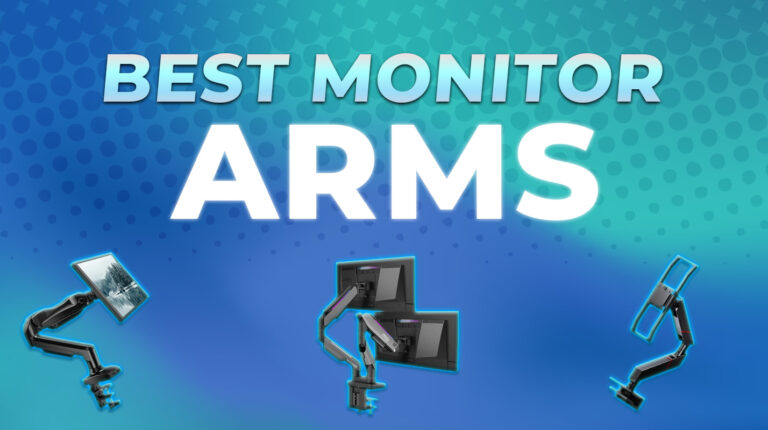
The best monitor arm completely changes how you work. It clears up space and lets you adjust the height and angle without hassle. That means less neck strain and a setup that feels more natural.
Even if your desk isn’t big, a solid monitor arm helps you make the most of it. The early monitor arms were basic. Hard to adjust, and often more trouble than they were worth. But now, they come with features that are actually useful.
In this guide, I’ll walk you through the top monitor arm options available today, focusing on details that impact daily use. So, you can skip the hype and pick the one that fits your workflow.
Jump to:
Our Top Picks for Monitor Arm
Build quality and balance vary a lot between brands. Some monitor arms look great, but they can’t hold their position. Others feel clunky but end up being the most reliable. I have gone through a wide range, and the following stood out for their build and how well they held up after daily use:
- HUANUO 13 to 32 inch Gas Monitor Arm – This one works well for most setups. The gas spring holds its position once adjusted. It’s smooth to move and doesn’t droop, even with heavier screens. For the price, it gives you real stability and a clean desk layout.
- Suptek Monitor Mount 17 to 32 inch – Simple, affordable, and does the job. Suptek Mount doesn’t have much advanced features to offer. But it’s sturdy enough for light to mid-size monitors. So, if you are after just getting your screen off the desk, this mount handles it without fuss.
- Secretlab MAGNUS Monitor Arm – Built for heavier setups, this arm feels solid and locks into place with no wobble. It’s more work to install. Yet, once it’s set up, you won’t need to adjust it much. Ideal if you want something reliable with premium hardware.
Of course, not every good monitor arm makes the front page. Some of the more interesting options are buried deeper, and they’re worth checking out. If you’ve got a unique setup or a second screen in mind, keep scrolling; the right match might be a few rows down.
Best Monitor Arm – 9 Awesome Mounting Solutions For Single and Multiple Monitors
Each arm in this list solves a different problem. And whatever you’re working with, you’ll find an option here that does the job without any extra fuss. Now, let’s get going in detail.
1. HUANUO 13 to 32 inch Gas Monitor Arm [Best Monitor Arm Overall]
| Specs | Details |
|---|---|
| Construction Material | Alloy Steel |
| Mounting Type | Tabletop Mount (C-Clamp or Grommet Base) |
| Max. Screen Size | 32 Inches |
| Min. Weight Capacity | 4.4 lbs |
| Max. Weight Capacity | 19.8 lbs |
| Height Adjustment | Up to 39.6 cm |
| Extended Arm Reach | Around 17 inches (may vary slightly by model) |
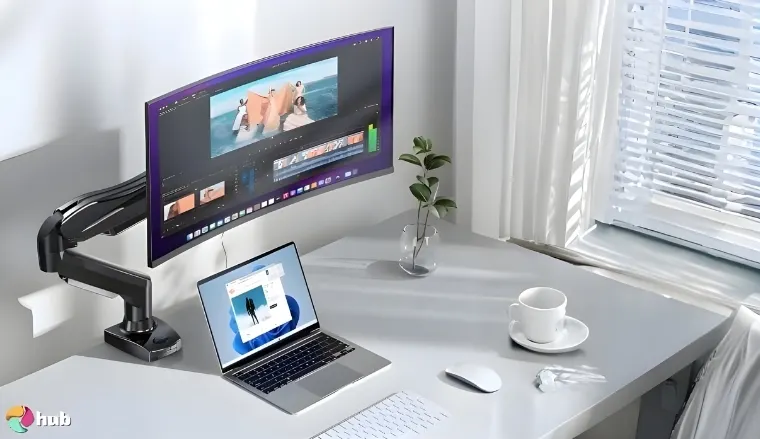
The HUANUO Gas Monitor Arm stands out as the top overall pick for the best gaming monitors. I’ve tested mounts that cost twice as much. But this one holds up just as well. It supports screens from 13 to 32 inches, up to 9kg. That covers most standard and widescreen monitors.
And the thing that actually impressed me is its adjustability (rotation adjustments). You get full tilt, swivel, and rotation. Moving the screen around feels smooth, thanks to the gas spring system. Once it’s in place, it stays there. No slipping and no wobbles. The tension can be adjusted too, which helps a lot if you’re switching between lighter and heavier screens.
You won’t need extra help with cable management either. It’s got built-in clips that actually work. You won’t have to worry about any loose cords hanging around your desk. You also get both clamp and grommet mounting options. This makes it fit most desk types. The metal build feels strong, much better than arms that use too much plastic.
Before you start adjusting, make sure the tension is right. If the arm keeps moving on its own, that’s usually the reason.
Overall, if you want the best monitor arm that won’t sag or shake over time, this one’s hard to beat. It’s not just for work, though. I used it with my gaming monitor, and it handled the weight with no issue. For the price, HUANUO offers real value.
| Pros | Cons |
|---|---|
| ✅ Solid build for daily use ✅ Easy to adjust, easy to install ✅ Good tension control ✅ Doesn’t shake, gives smooth height control ✅ Works with VESA 75×75 and 100×100 | ❌ Basic cable cover, but keeps wires tucked well |
Final Verdict: The HUANUO Monitor Arm combines sturdy build quality with smooth, reliable adjustability that works for both work and gaming setups.
For its price, it delivers outstanding value and long-term stability that rivals more expensive options.
2. Suptek Monitor Mount 17 to 32 inch [Best Budget Monitor Arm]
| Specs | Details |
|---|---|
| Construction Material | Alloy Steel |
| Mounting Type | Tabletop Mount |
| Max. Screen Size | 32 Inches |
| Min. Weight Capacity | 4.4 lbs |
| Max. Weight Capacity | 22 lbs |
| Height Adjustment | Up to 15.74 inches |
| Extended Arm Reach | Up to 22.24 inches |
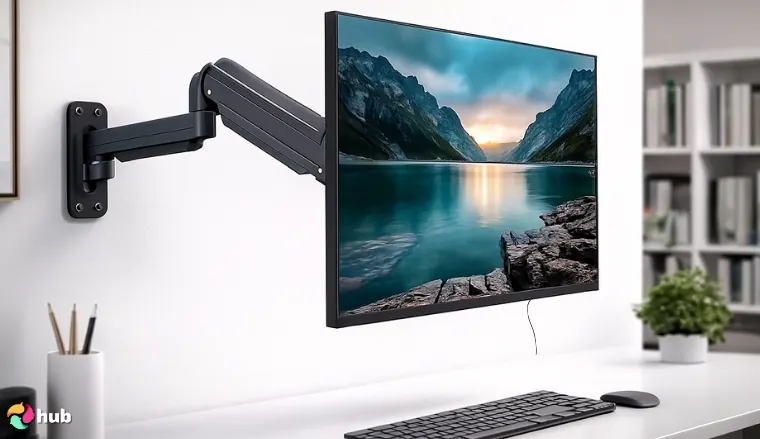
Suptek Monitor Mount gives you more strength than you’d expect. It works with 17 to 32-inch screens and supports up to 8kg. If you’re building a setup for work or light gaming, this arm fits right in. Pair it with an economical gaming PC, and your complete low-cost rig is ready.
Despite the lower price, it moves well enough. Tilt, swivel, and 360° rotation are all included. And this budget monitor arm may not be as fluid as high-end gas arms, but you can still find a comfortable angle without much effort. The tension is easy to dial in. So, you’re not constantly readjusting.
Its upper arm desk clamp feels stable, even on thinner desks. You also get grommet mounting if you prefer a cleaner desk surface. Build quality is mostly metal with a few plastic bits. Still, nothing that feels weak. It is surprisingly solid for how little it costs.
Don’t skip the final adjustments. Tighten each joint once the monitor is set up. This makes a big difference if your desk shakes easily.
Suptek has dual-arm options too, in case you’re thinking of expanding your setup with additional monitors or perhaps with some top gaming laptops. You won’t get fancy finishes or premium touches here, yet what you do get is a mount that simply works. For budget users who care more about function than flair, there’s not much to complain about.
| Pros | Cons |
|---|---|
| ✅ Very affordable ✅ Good stability ✅ VESA mount support ✅ Rotates smoothly ✅ Compact base saves desk surface | ❌ No USB ports yet offers a cleaner look without clutter |
Final Verdict: The Suptek Monitor Mount delivers impressive strength, stability, and adjustability for a fraction of the cost of premium arms. If you want a no-frills, budget-friendly solution that simply works, this one is hard to beat.
3. Secretlab Magnus Monitor Arm [Best Heavy Duty Monitor Arm]
| Specs | Details |
|---|---|
| Construction Material | Metal |
| Mounting Type | Tabletop Mount (Top-screw C-clamp with 2-step hook-and-lock design) |
| Max. Screen Size | 57 Inches (Designed for ultrawide monitors) |
| Min. Weight Capacity | 18 lbs |
| Max. Weight Capacity | 35 lbs |
| Height Adjustment | Allows dynamic range |
| Extended Arm Reach | Full articulation |
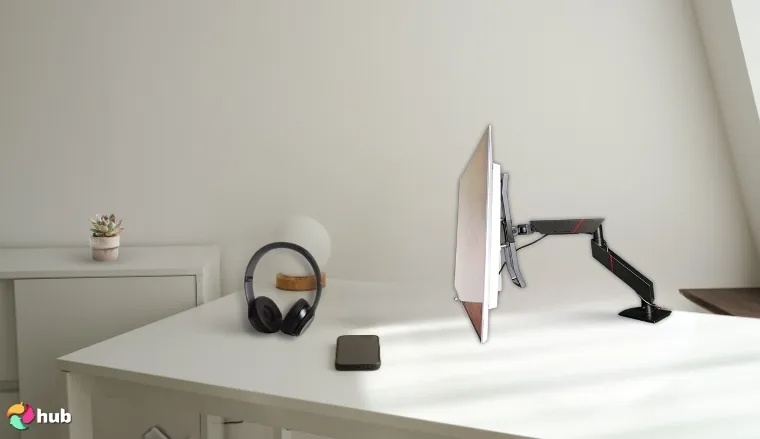
The Secretlab Magnus Monitor Arm is what happens when raw strength meets sharp design. Holding up to 16kg with ease, this heavy-duty arm is engineered for the heaviest ultrawide monitors. The magnetic mount system locks in cleanly, and once it’s set, this thing doesn’t move (unless you make it).
And worry not about movements. It is built like a tank but moves like a scalpel. Adjustments are smooth and satisfyingly stiff. When the arm feels this strong, it only makes sense to pair it with a screen that can keep up. So, go for something big. And check out these ultrawide monitors that are built to match its strength.
Another small yet smart detail about this monitor arm mount is how the arm lines up perfectly with the Magnus desk’s back channel for cables. Instead of clashing or forcing awkward placement, the arm’s base lines up with the built-in tray cutout. This gives your setup a clean look from the back. There is no visible clutter even if your desk is against a wall.
This one works best when paired with the Magnus desk. Line it up with the rear tray, and you won’t have gaps or tilt issues.
About its price, yes, you’re right. It is a bit more expensive than the average monitor arm. But the quality speaks for itself. The arm holds large and heavy monitors without wobbles. If you want strength without messy wires, this one checks both boxes.
| Pros | Cons |
|---|---|
| ✅ Excellent for any monitor setup ✅ Strong enough for heavy displays ✅ Cable routing is well-designed ✅ Ergonomic height ✅ No flex or sag even with 49″ ultrawide monitors | ❌ Setup can be a bit awkward but once done, it is very easy to adjust |
Final Verdict: The Secretlab Magnus Monitor Arm is a powerhouse built for ultrawide and heavy monitors, offering unmatched strength with smooth, precise adjustments. If you want rock-solid stability, smart cable integration, and premium design, this arm is worth the higher price.
4. MSI MPG MT201DR V2-Premium RGB Dual Monitor Stand Arms [Best Premium Monitor Arm]
| Specs | Details |
|---|---|
| Construction Material | Metal (Heavy-duty gas spring design) |
| Mounting Type | Tabletop Mount (Clamp and Grommet options) |
| Max. Screen Size | 35 Inches per arm |
| Min. Weight Capacity | 4.4 lbs |
| Max. Weight Capacity | 44 lbs |
| Height Adjustment | Fully adjustable |
| Extended Arm Reach | Supports wide range of motion and ergonomic setups |
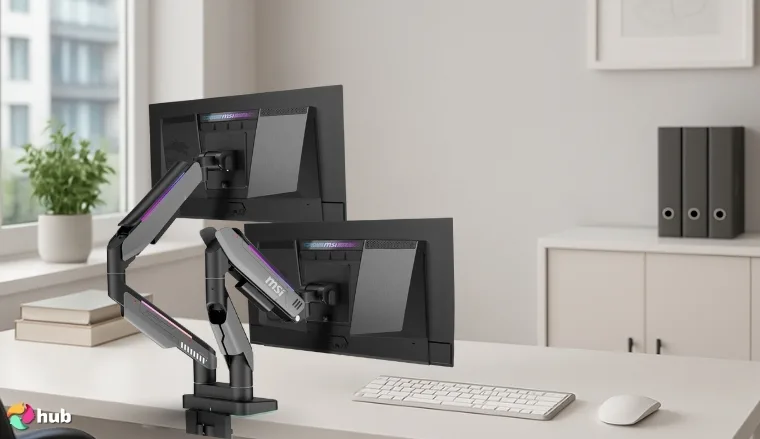
If you’re going all in on style and performance, this dual monitor arm mount from MSI fits the bill. The MSI MPG MT201DR V2 supports two 27 to 32-inch monitors with ease. And each arm handles up to 20kg per screen. This gives you strong support for most gaming or editing setups.
It lights up with built-in RGB that adds a whole vibe to your setup. So, your monitor arm becomes part of your RGB setup.
Install the Mystic Light software early on. It’s what controls the RGB. You’ll need it if you want to sync with your other MSI gear. No extra software hassles; just plug in, set your colors, and it’s part of the show.
On top of that, the cable management is super clean. Wires disappear into the arm and stay out of sight, keeping your desk tidy. It offers 90° tilt, 180° swivel, and 360° rotation. That means you get full flexibility.
The gas spring makes it easy to adjust, even with heavy dual monitors. It clamps on. Or you can drill through and grommet-mount it. Neither option feels flimsy. It’s not built for bargain hunters. It’s a premium product built to turn heads and feels rock-solid every time you move your screens.
| Pros | Cons |
|---|---|
| ✅ Unique RGB lighting ✅ Great for a dual monitor setup ✅ Strong build ✅ Easy to assemble out of the box ✅ Holds ultrawide monitors without issue | ❌ Slightly bulky but adds visual presence |
Final Verdict: The MSI MPG MT201DR V2-Premium RGB Dual Monitor Arms combine strength, flexibility, and style, making them ideal for high-end gaming or editing setups.
With solid dual-monitor support, smooth adjustments, and customizable RGB lighting, they deliver both performance and visual flair.
5. Ergotron LX Single Monitor Desk Mount [Best Ergotron Monitor Arm]
| Specs | Details |
|---|---|
| Construction Material | Polished Aluminum |
| Mounting Type | Tabletop Mount |
| Max. Screen Size | 32 Inches |
| Min. Weight Capacity | Typically 5 lbs for LX arms |
| Max. Weight Capacity | Up to 25 lbS |
| Height Adjustment | Yes – patented motion technology |
| Extended Arm Reach | Up to 25 inches |
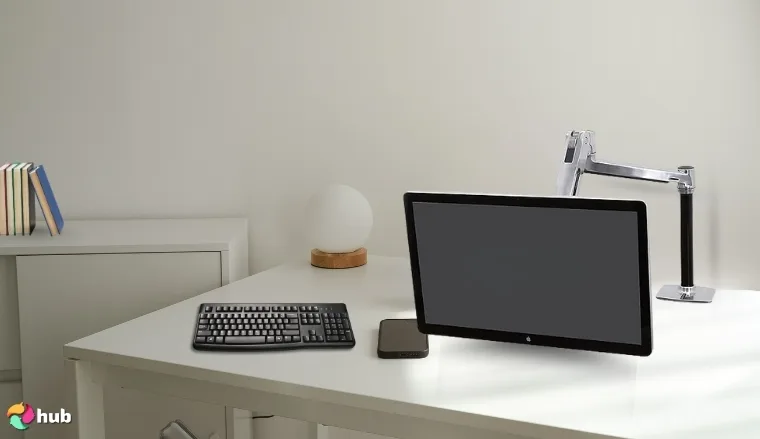
The Ergotron LX isn’t just a monitor arm, it’s a throne for your screen. This thing lifts, bends, twists, and floats like it’s straight out of a sci-fi control room. Once you attach your monitor to it, you’ll be wondering how you ever settled for that rigid, dead stand your monitor was shipped with.
The desk space it frees up is no joke either. Suddenly, you have space for speakers, notebooks, snacks, and maybe even a second monitor. You won’t be knocking into a clunky stand or untangling cables all day. Everything looks sharper, leaner.
Pair it with one of the best curved monitors, and you’ll feel the difference right away. The build quality screams professional. It has mostly aluminum construction, which means this isn’t some average plastic accessory. The arm feels substantial without being heavy, engineered rather than merely manufactured.
This arm can handle heavier and larger monitors, but you’ve got to balance it right. Use the guide they give you. It actually helps.
It is a pro-level arm, yet color options are limited. Mostly silver and black. But those neutrals mean it’ll look good in any professional workspaces. Would I recommend it? Absolutely. For anyone serious about their workspace, the Ergotron LX is an investment in comfort and productivity.
| Pros | Cons |
|---|---|
| ✅ Trusted brand in ergonomic products ✅ 360-degree rotation ✅ Adjustable tension settings ✅ Easy to reposition monitor ✅ Holds up to 25 lbs | ❌ Industrial look but perfectly suits office setups |
Final Verdict: The Ergotron LX Single Monitor Desk Mount delivers professional-grade build quality, smooth motion, and ergonomic flexibility that elevates any workspace. If you want a durable, premium arm that maximizes comfort and desk space, this is a smart long-term investment.
6. Humanscale M2.1 Adjustable Monitor Arm [Best Humanscale Monitor Arm]
| Specs | Details |
|---|---|
| Construction Material | Metal |
| Mounting Type | Tabletop Mount (Two-Piece Clamp with Base) |
| Max. Screen Size | Typically supports up to 27 inches |
| Min. Weight Capacity | 4 lbs based on spring tension range |
| Max. Weight Capacity | 15 lbs |
| Height Adjustment | Yes – via patented Weight-Compensating Spring Technology |
| Extended Arm Reach | Optimized for sit/stand desk compatibility |
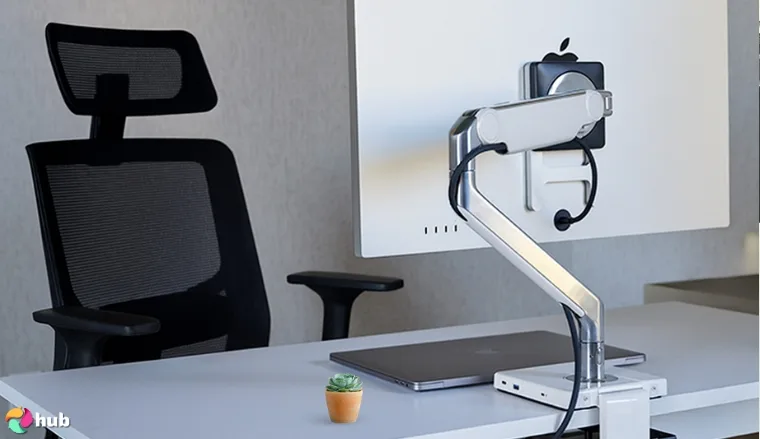
Stiff neck, poor posture, limited screen space, and cluttered desk; all of it starts to disappear with the Humanscale M2.1. Built for full-time desk duty, this arm supports up to 15.5 lbs and fits most 17–32 inch screens. The design is subtle and blends into professional spaces without drawing attention.
The movement feels smooth. And due to spring-assisted adjustment, you can shift your screen’s position with just one hand. Many users say it holds position well, even after months of daily use. Setup is also fast, with smart cable routing that keeps your space tidy.
I’ve noticed how it improves posture. Long-term users’ reviews have mentioned less neck strain and more free desk space. It comes standard with a VESA mount, and the clamp fits most desks without issues.
Don’t rush the first setup. Mount your screen, then tweak the height using the tool that comes in the box. It only takes a minute.
You won’t find RGB lights or flashy colors here. But if you care about durability and comfort, this one delivers. The 15-year warranty says a lot. You also don’t have to constantly readjust it once it’s set, it stays put. It’s the kind of tool you forget is even there, which is exactly the point.
| Pros | Cons |
|---|---|
| ✅ Minimal design ✅ Built for ergonomic setups ✅ Moves easily with little force ✅ Good cable routing ✅ Excellent durability | ❌ Supports lighter screens only which makes it perfect for slim, single monitors |
Final Verdict: The Humanscale M2.1 Adjustable Monitor Arm is a sleek, ergonomic solution that prioritizes comfort, posture, and long-term durability. With smooth spring-assisted adjustments and a 15-year warranty, it’s ideal for professionals who want a minimalist yet reliable setup.
7. NB Ergonomic Gaming Monitor Arm 32 to 60 inch [Best Monitor Arm for Ultrawide Monitors]
| Specs | Details |
|---|---|
| Construction Material | Aluminum |
| Mounting Type | Tabletop Mount |
| Max. Screen Size | 60 inches |
| Min. Weight Capacity | Spring tension adjustable |
| Max. Weight Capacity | 44 lbs |
| Height Adjustment | Upright movement up to 250 mm |
| Extended Arm Reach | Up to 630 mm / 24.8 inches |
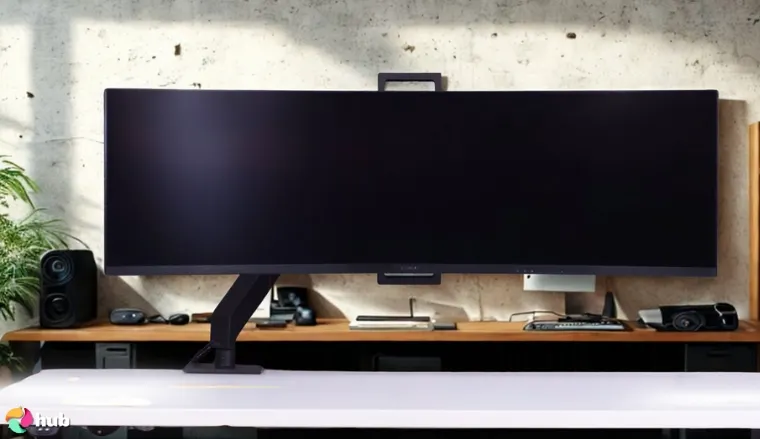
The NB Ergonomic Gaming Monitor Arm isn’t just another monitor mount. It’s designed for gamers with heavy rigs, not casual screens. Most monitor arms tap out at 27 or 32 inches; this beast confidently handles screens up to 60 inches.
Right out of the box, you can tell it’s built to last. The metal feels sturdy, and the joints don’t wobble. The whole thing holds firm even with ultra-wide or curved displays. At a 20 kg weight capacity, it laughs at cheap monitor arms that struggle to hold even lighter screens.
Match it with a proper gaming desk, and you’ve got a setup that feels built, not thrown together. With it, you don’t have to wrestle with tangled cables either. The arm tucks them in neatly.
For big screens, set the tilt first, not the height. That usually gets the viewing angle closer to what feels natural.
The setup’s solid on ergonomics as well. You get 250mm of up-and-down range, plus a 630mm arm extension.
So, it’s easy to tweak things mid-session. Your screen goes where you need it, without effort. Gamers who spend hours playing great PC games or competitive shooters will appreciate this level of adjustability.
| Pros | Cons |
|---|---|
| ✅ Strong joints ✅ Clean cable routing ✅ Supports heavier screens ✅ Offers gas spring motion ✅ Holds position even after hours of use | ❌ Takes desk space but allows a wide monitor fit |
Final Verdict: The NB Ergonomic Gaming Monitor Arm is a heavy-duty, ultrawide-ready solution that supports massive monitors up to 60 inches with ease. Its sturdy build, smooth adjustments, and clean cable management make it ideal for gamers and power users who need maximum flexibility and stability.
8. EVEO 14 “-32” Dual Monitor Arm [Best Dual Monitor Arm]
| Specs | Details |
|---|---|
| Construction Material | Alloy Steel |
| Mounting Type | Desk Clamp or Grommet Mount |
| Max. Screen Size | 32 Inches |
| Min. Weight Capacity | 4.4 lbs |
| Max. Weight Capacity | Dual arms usually support 17.6 lbs |
| Height Adjustment | Yes – gas spring mechanism allows vertical adjustment |
| Extended Arm Reach | Dual arms typically extend 18–20 inches |
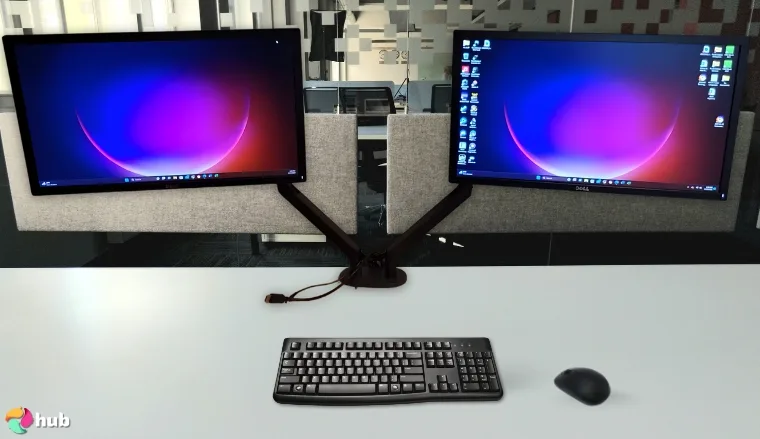
If you’ve ever juggled two monitors on a cramped desk, you know the chaos: cables everywhere, awkward angles, and zero space for anything else. The EVEO Dual Monitor Arm fixes that. Not in a flashy way, but in a “finally, I can breathe” way.
It’s built to support two 14″ to 32″ screens, and the arms move easily without creaking or losing grip. The design doesn’t scream “tech gadget” either. Unlike many dual-monitor arms that require advanced engineering degrees to install, this one aims for simplicity.
The C-clamp base adapts to desk thicknesses between 0 and 3.5 inches, which means most standard desks are compatible. Installation typically takes about 15-20 minutes, even for those who aren’t particularly tech-savvy. All of this makes it one of the best dual monitor arms out there.
Once it is mounted, you notice the difference right away. Just two floating screens and room to actually work, or game, or watch Formula 1 during lunch. Whatever your thing is, this setup gives it space.
Before clamping, check that your desk edge isn’t too thick. These arms have a limit, and if it doesn’t fit, the whole dual monitor setup leans.
Long-term users love it for that reason. It makes multitasking smoother, and the desk finally feels like it’s working with you, not against you.
Also, don’t forget to check these Mac games for your new setup. Dual monitors can make a big difference in gameplay and multitasking.
| Pros | Cons |
|---|---|
| ✅ Easy to set up ✅ Holds dual monitors well ✅ Clean cable system ✅ Provides a perfect viewing angle ✅ Saves desk space | ❌ A bit heavy to move but this shows its heavy build |
Final Verdict: The EVEO 14″-32″ Dual Monitor Arm offers a simple, sturdy, and space-saving solution for managing two screens up to 32 inches each. With smooth adjustments, easy installation, and reliable stability, it’s a great choice for multitaskers who want a clutter-free dual-monitor setup.
9. Dell Mounting Arm for Monitor [Best Dell Monitor Arm]
| Specs | Details |
|---|---|
| Construction Material | High-grade aluminum or alloy |
| Mounting Type | Desk Mount |
| Max. Screen Size | 38 Inches |
| Min. Weight Capacity | 4.4 lbs |
| Max. Weight Capacity | 22 lbs |
| Height Adjustment | Yes – supports ergonomic vertical positioning |
| Extended Arm Reach | 20–22 inches |
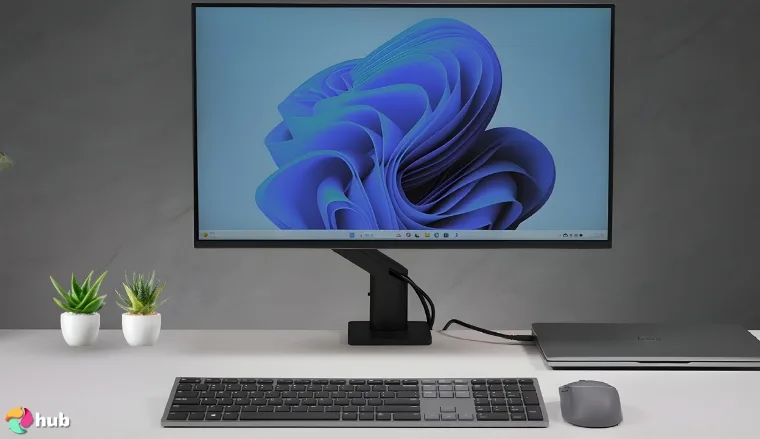
If you’ve got a Dell monitor, pairing it with a Dell mounting arm just makes sense. And the Dell Single Monitor Arm – MSA20 stands out as the best pick from the brand’s lineup. It supports up to 42-inch displays and 22 lbs in weight, which covers most Dell UltraSharp and P-series monitors with ease.
With it, you won’t need to fight with the height anymore. The spring does most of the work for you. With micro-adjustable settings, you can fine-tune the arm’s movement to match your exact preferences. Want your monitor to float with minimal resistance? A few quick turns of the tension screw, and it’s done.
What sets the MSA20 apart is its built-in counterbalance indicator, a rare feature in monitor arms. This visual guide helps you dial in the perfect tension based on your monitor’s weight. Dell also includes a factory-calibrated tension setting for its own monitors, meaning many users won’t need to adjust anything at all.
If you’re using a Dell screen, skip the VESA plate. It slots straight into the mount and locks with a click. No tools needed.
Finally, neat cable paths and a snap-on cover make the MSA20 feel well thought-out. The base attaches directly to Dell’s docking monitor stands too, which saves time and reduces clutter. The arm’s finish also blends in well with most office setups, so it doesn’t look out of place next to other Dell gear.
| Pros | Cons |
|---|---|
| ✅ Made to match Dell monitors ✅ Compact base ✅ Clean and sharp design ✅ Smooth tilt and height options ✅ Easy setup with VESA | ❌ No extras but this makes it ideal for those looking for simplicity |
Final Verdict: The Dell Mounting Arm for Monitor (MSA20) is a sleek, reliable choice that pairs perfectly with Dell displays, offering smooth adjustments and hassle-free setup.
With its counterbalance indicator, clean cable management, and seamless Dell integration, it’s the best fit for Dell users seeking a streamlined workspace.
How To Choose the Best Monitor Arm?
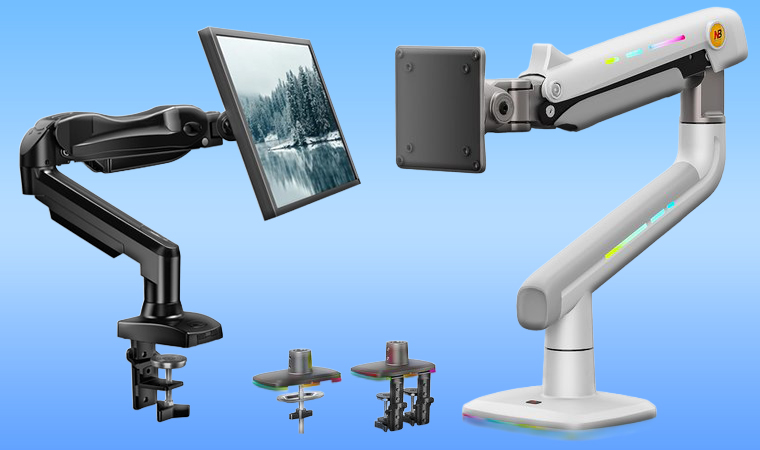
Your setup only works as well as the gear holding it up. A weak or clunky mount can undo the benefits of a great display. Before you lock in your pick, take a minute to check these factors:
1. Pay Attention to Monitor Weight & Size Compatibility
Make sure the arm can handle your monitor’s size and weight. Every arm has a weight limit. If you go over it, expect some wobble or slipping, especially if you use ultra-wide monitors or multi-monitor setups.
2. Choose the Best Build Quality & Material
Try to pick a monitor that feels sturdy. Arms made of metal often hold their position better than plastic ones.
3. Select the Right Mounting Type
Choose between a clamp, grommet, or wall mount based on your desk and room layout. Each has pros and cons.
4. Account for Adjustability & Range of Motion
Tilt, swivel, rotation, and height control all matter. The more it moves, the easier it is to place your screen right. Full rotation capabilities are particularly important when you plan to set up the best vertical monitor for tasks that require a portrait orientation.
5. Adjust for Number of Monitors
Single arms are fine for focused work. But if you use two or more screens, you’ll need a dual-monitor arm or a multi-arm setup.
6. Consider Ease of Installation
Some arms are plug-and-play, while others take more time to mount. Check the process before you commit.
7. Think About Cable Management
It’s easier to stay organized if the arm has a way to manage cables. Look for clips or hidden tracks.
One last thing: don’t forget how much your desk setup affects the whole experience. A good monitor arm makes a difference, but it works even better when paired with a smart desk choice.
If you’re still deciding, take a look at these best gaming desk ideas. They’re solid picks that actually leave room for cables, accessories, and whatever else you need within reach.
FAQs
What is the best monitor arm?
The best monitor arm is the HUANUO 13 to 32-inch Gas Monitor Arm. Still, the right choice depends on your needs. A single monitor arm works well for focused tasks. A dual monitor mount is better if you multitask often or use stacked screens. Look for one that fits your screen size. And make sure it supports the weight.
Is it worth getting a monitor arm?
Yes, it is worth getting a monitor arm. A good mount can free up desk space and help you sit better. It also makes it easier to adjust your screen as you work or game.
What is the lifespan of a monitor arm?
The lifespan of a monitor arm is 5 to 10 years with normal use. The build quality and how often you adjust it can affect its wear. Heavy screens or poor materials shorten the life.
Do monitor arms lose strength over time?
Yes, they can. Overloaded arms or low-quality builds may start to sag or loosen. If you choose one with strong adjustability and durable joints, it’s more likely to hold up over time.
Is a monitor arm good for gaming?
Yes, a monitor arm is good for gaming. It gives you more screen control, which helps with comfort and focus during long sessions. Moreover, it places your monitor at an ergonomic height and provides good stability.