

13 Best Motherboards for Gaming 2025: Future-Proof Your PC

Eneba Hub contains affiliate links, which means we may earn a small commission if you make a purchase through them—at no extra cost to you. Learn more


If you are building a gamer PC, you also need to find the best motherboard for gaming, because it is your foundation. It connects every component and determines what your system can handle.
However, choosing a motherboard can be overwhelming. With so many options, how do you know which one fits your needs?
This guide aims to simplify that process. I’ll walk you through what to look for based on your specific requirements, be it performance, budget, or the latest technology.
In the following sections, we’ll explore top picks for various setups. If you’re aiming for high-end performance or a budget-friendly build, there’s a motherboard here for you. Let’s dive in and find the perfect match for your gaming rig.
Jump to:
Our Top Picks for Gaming Motherboards
Want only the best among the best mobos for your rig? Here are our team’s top picks for gaming motherboards that’ll be perfect for AMD or Intel builds:
- ASUS TUF GAMING B650-PLUS – an all-around great value board with DDR5 and PCIe 5.0 support, and is compatible with AMD’s high-end 7000, 8000, and 9000 series processors.
- GIGABYTE B760M Gaming Plus – a very attractive must-buy for gamers on a budget, featuring a cost-effective mATX build compatible with Intel’s 12th-14th Gen, non-K CPUs, and great gaming performance without overclocking.
- GIGABYTE Z690 AORUS ULTRA – great for high-performance setups with 12th-14th Gen Intel CPUs, featuring overclock support, streamlined thermal design, seamless power delivery, and plenty of PCIe 5.0 and 4.0 expansion slots.
- ASUS ROG Strix X870-A – the go-to board for ultra-high-end AMD rigs, thanks to its powerful latest-gen AMD X870 chipset, capable of AI overclocking, AI cooling II, AI networking, and AEMP.
- MSI PRO Z790-A MAX WiFi ProSeries – comes with Intel’s previous-gen Z790 chipset and is a very solid choice if you want seamless overclocking for 13th and 14th Gen Intel processors.
Now, how about scrolling further down and checking out eight more motherboards I’ve prepared that have similarly fantastic, gaming-optimized specs?
13 Best Gaming Motherboards for High-Performance PC Builds
Listed below are the best gaming motherboards you can get your hands on right now, with each board offering seamless compatibility with all the latest AMD and Intel processors, lightning-fast transfer speeds, and plenty of upgrade slots.
Let’s look at all of these essential gaming PC elements in more detail.
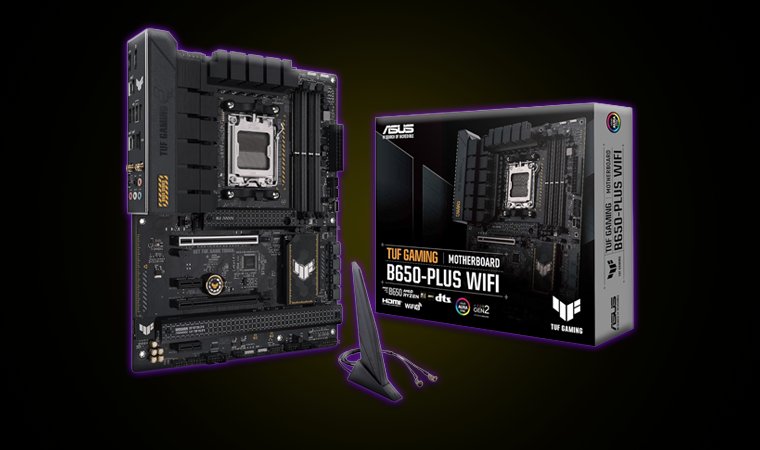
1. ASUS TUF GAMING B650-PLUS [Best Overall Gaming Motherboard]
| Specs | Details |
|---|---|
| Form Factor | ATX, mATX |
| Chipset | AMD B650 |
| CPU Socket Compatibility | AMD Socket AM5 (AMD Ryzen 9000, 8000, and 7000) |
| Supported Speeds | DDR5, PCIe 5.0, PCIe 4.0 |
| RAM Slots | x4 DDR5 DIMM Slots (up to 128GB) |
| Expansion Slots | x1 M.2 PCIe 5.0 x4 x2 M.2 PCIe 4.0 x4x4 6GB/s SATAx1 PCIe 4.0 x16 (GPU) |
| Connectivity | WiFi 6, Bluetooth 5.2, Realtek 2.5 GB Ethernet, TUF LANGuard, USB 3.2 Gen 2×2, USB 3.2 Gen 2, USB 2.0 |
| RGB? | Yes (Built-in RGB, Aura Sync Support) |
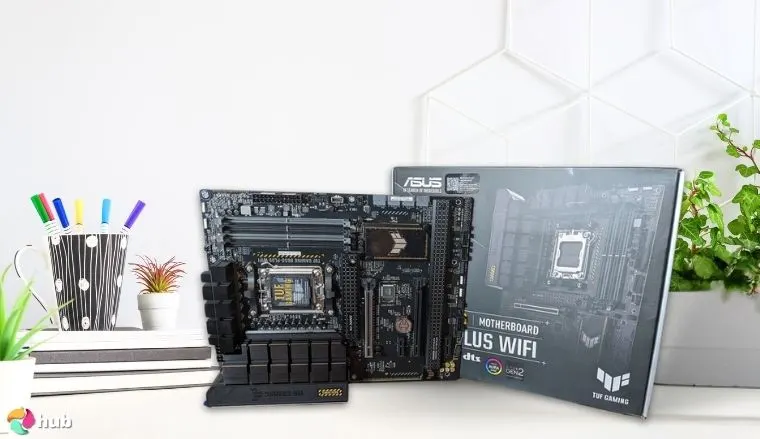
The ASUS TUF Gaming B650-PLUS motherboard strikes the perfect balance between performance and affordability. Designed for AMD’s Ryzen 7000 series processors, it offers future-proofing with excellent support for DDR5 memory and PCIe 5.0. The four DDR5 DIMM slots provide up to 128GB of RAM, which makes it ideal for gaming, multitasking, or content creation, while also ensuring smooth performance in 2026
This motherboard also stands out for its fast storage capabilities, with support for PCIe 5.0 x4 and PCIe 4.0 x4 M.2 slots. It gives you lightning-fast read and write speeds and even makes your system feel more responsive. Additionally, with Wi-Fi 6, Bluetooth 5.2, and a 2.5Gb Ethernet port, your internet connectivity is covered since it ensures minimal lag during online gaming sessions.
What I appreciate most about the TUF Gaming B650-PLUS is its durability. ASUS’s TUF branding is known for tough, military-grade components, which means you can rely on this motherboard to last through years of gaming and use.
Though it lacks PCIe 5.0 support for the GPU slot, this motherboard remains a solid choice for gamers looking for excellent value and solid features.
ASUS has released BIOS Version 3222 for the TUF B650-PLUS, which incorporates AMD’s AGESA ComboAM5 PI 1.2.0.3e. This update enhances compatibility with upcoming Ryzen processors and improves overall system performance. It’s important to note that this update is irreversible; rolling back to older BIOS versions is not supported.
| Pros | Cons |
|---|---|
| ✅ Excellent price-to-performance ✅ User-friendly UEFI BIOS interface for easy overclocking and manual tweaks ✅ Amazing build quality ✅ TUF LANguard offers fantastic protection against static discharge and lightning strikes ✅ DDR5, PCIe 5.0, and USB 3.3 Gen 2×2 support ✅ Great VRM optimization | ❌ Some users have reported slower boot times after certain BIOS tweaks or a fresh install, but the issue goes away over time or by toggling Memory Context Restore |
Final Verdict: The ASUS TUF GAMING B650-PLUS is my number one recommendation for those who want the perfect balance between price and performance. Suppose you’re looking for a great motherboard for Ryzen 7 7800x3d or other high-end x3d CPUs, this value beast definitely won’t let you down.
kubi
☆
★
☆
★
☆
★
☆
★
☆
★
Have no issues with my b650 plus wifi paired with a 7800x3d.
|
2. GIGABYTE B760M Gaming Plus WiFi DDR4 [Best Budget Gaming Motherboard]
| Specs | Details |
|---|---|
| Form Factor | Micro ATX |
| Chipset | Intel B760 |
| CPU Socket Compatibility | Intel Socket LGA 1700 (Intel Core 14th, 13th, and 12th Gen) |
| Supported Speeds | DDR4, PCIe 4.0, PCIe 3.0 |
| RAM Slots | x4 DDR4 DIMM Slots (up to 128GB) |
| Expansion Slots | x2 M.2 PCIe 4.0 x4x4 6GB/s SATAx1 PCIe 4.0 x16 (GPU)x2 PCIe 3.0 x16 (GPU) |
| Connectivity | WiFi 6, Bluetooth 5.0, Realtek GbE LAN (1 Gbps), USB 3.2 Gen 1, USB 2.0/1.1 |
| RGB? | Yes (ARGB Fusion Support) |
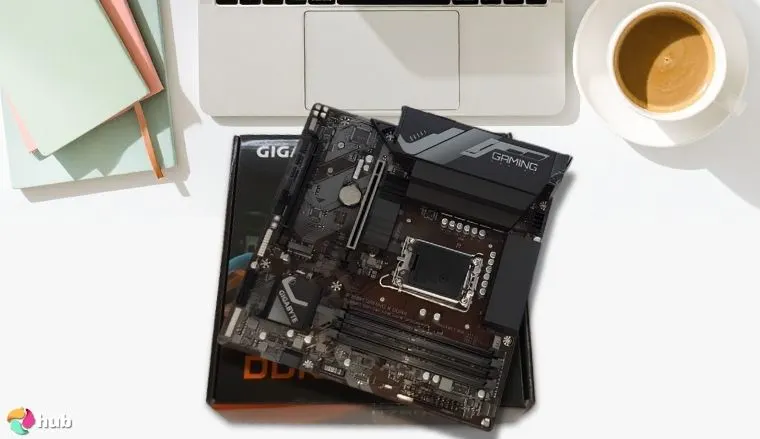
If you are looking for a top budget motherboard for gaming that works really well for an Intel build in [2025], you should know that the GIGABYTE B760M Gaming Plus WiFi DDR4 offers impressive performance at an unbeatable price.
Designed for Intel’s 12th and 13th Gen CPUs, this motherboard provides everything you need for a smooth gaming experience, all without breaking the bank. Its Micro ATX form factor is compact but offers all the essentials for a powerful build.
This motherboard’s DDR4 support, paired with PCIe 4.0, gives you the bandwidth needed for top-tier gaming without pushing your budget. You won’t be left behind by newer tech because DDR4 is still more than capable for today’s most demanding games. Its high-speed capabilities, reaching up to 5333MHz with DDR4 XMP, ensure responsive performance, while its Smart Fan 6 feature makes managing cooling easy, even during intense gaming sessions.
You’ll appreciate the convenience of GIGABYTE’s Q-Flash Plus, which allows for BIOS updates without needing a CPU, and gives you flexibility when upgrading. And with built-in WiFi 6 and Bluetooth 5.0, you get fast and stable connectivity, making online gaming lag-free.
GIGABYTE has launched BIOS Version F4 for the B760M Gaming Plus WiFi DDR4 motherboard. This update includes CPU microcode enhancements to support Intel’s 14th Gen processors, which ensure optimal performance and stability. The motherboard continues to support DDR4 memory and PCIe 4.0, making it perfect for users who seek budget-friendly options without compromising on essential features.
| Pros | Cons |
|---|---|
| ✅ Good price point ✅ Its Smart Fan 6 makes fan speed tweaks a lot less of a hassle ✅ GIGABYTE’s Q-Flash Plus feature allows for easy BIOS updates even without a CPU ✅ Can go up to 5333MHz in RAM speed via DDR4 XMP ✅ Comes with the PCIe EZ-Latch feature ✅ Minimal throttling for high-end Intel CPUs | ❌ Lacks DDR5 and PCIe 5.0 support, but DDR4 and PCIe 4.0 speeds are more than enough even for the most demanding games at this time |
Final Verdict: It may be cheap, but GIGABYTE B760M Gaming Plus WiFi doesn’t skimp on its MSI-exclusive features, power efficiency, and board quality. This is the board to buy if you’re looking to reallocate as much of your budget to your CPU and GPU.
megatron63696
☆
★
☆
★
☆
★
☆
★
☆
★
It’s nothing that’ll blow you away but it’ll absolutely do what a motherboard should do with usually no problems. Pc’s are simple, don’t over think too much.
|
3. GIGABYTE Z690 AORUS ULTRA [Best Intel Z690 Motherboard]
| Specs | Details |
|---|---|
| Form Factor | ATX |
| Chipset | Intel Z690 |
| CPU Socket Compatibility | Intel Socket LGA 1700 (Intel Core 14th, 13th, and 12th Gen) |
| Supported Speeds | DDR5, PCIe 5.0, PCIe 4.0, PCIe 3.0 |
| RAM Slots | x4 DDR5 DIMM Slots (up to 192GB) |
| Expansion Slots | x4 M.2 PCIe 4.0 x4x6 SATA 6Gb/sx1 PCIe 5.0 x16 (GPU)x2 PCIe 3.0 x16 (GPU) |
| Connectivity | Wi-Fi 6, Realtek 2.5GB LAN, Bluetooth 5.2, USB 3.2 Gen 2×2, USB 3.2 Gen 2, USB 3.2 Gen 1, USB 2.0/1.1 |
| RGB? | Yes (Built-in RGB, RGB Fusion 2.0 Support) |
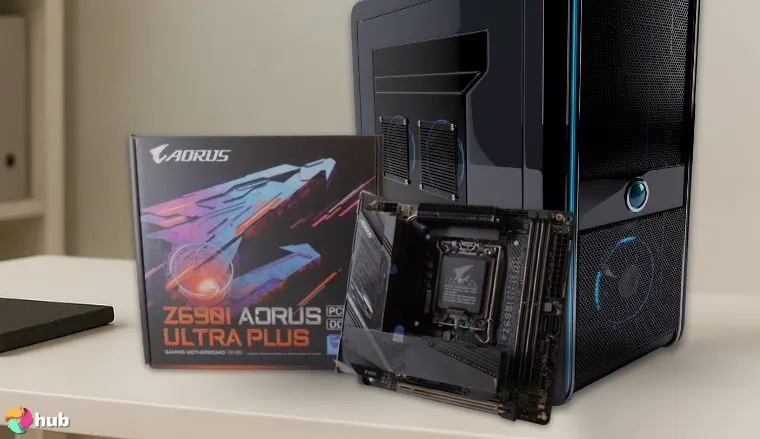
The GIGABYTE Z690 AORUS ULTRA stands out as a premium motherboard designed to unlock your system’s full potential, especially for Intel’s 12th and 13th Gen CPUs. With support for DDR5 memory, PCIe 5.0, and a robust 16+1+2 VRM Phase, it’s built for gamers and enthusiasts who want to push their systems to the limit far beyond 2026.
If you’re overclocking or just want a motherboard that can handle heavy workloads, this board provides the stability and performance you need.
What makes this motherboard truly shine is its extensive storage options. With four M.2 slots and six SATA ports, you’ll have more than enough room for fast storage drives. This ensures you won’t be limited when it comes to game installs or media storage.
Plus, its advanced cooling system keeps your system running efficiently, even during intense gaming sessions or when pushing the system to its limits.
GIGABYTE has released BIOS Version F30a for the Z690 AORUS ULTRA motherboard. This update incorporates microcode changes to support Intel’s 14th Gen CPUs, maintaining compatibility with the latest processors.
| Pros | Cons |
|---|---|
| ✅ Comes with GIGABYTE’s Q-Flash Plus and EZ Latch ✅ Excellent cooling ✅ Its 16+1+2 twin hybrid VRM design and 105A power stages supports intensive overclocking ✅ Great aesthetics ✅ Has many USB ports for you to connect to ✅ Ridiculously expansive – has four M.2 slots and six SATA ports | ❌ It’s costlier than other great-value boards, but its expansiveness alone makes it a worthy buy for those who prefer having plenty of fast M.2 NVMe SSD slots |
Final Verdict: I highly recommend GIGABYTE Z690 AORUS ULTRA if you want to upgrade your motherboard but keep your 12th or 13th gen CPU. With this board, you can easily maximize your rig’s performance via intensive overclocking and have plenty of storage for your media files and games.
Masih
☆
★
☆
★
☆
★
☆
★
☆
★
I built my very first system 2 months ago, with Z690 at its centre and believe me when I say, I haven’t heard or had any thermal throttling at all, with a i7-13700 to top it off my whole system is aircooled, This thing disperses heat like a terminator.
|
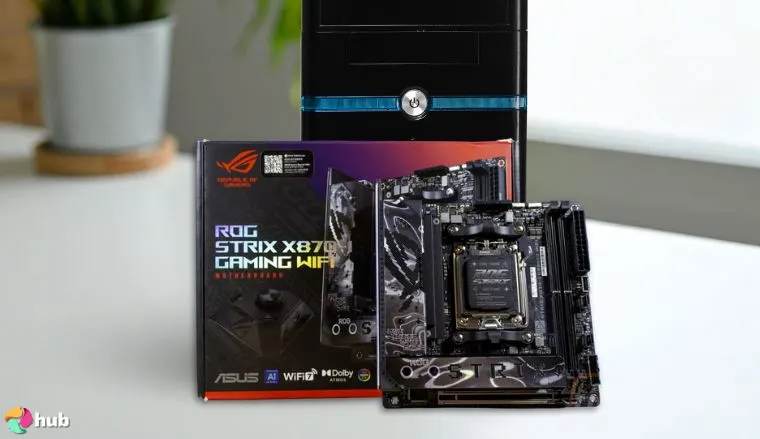
4. ASUS ROG Strix X870-A Gaming WiFi [Best AMD X870 Motherboard]
| Specs | Details |
|---|---|
| Form Factor | ATX |
| Chipset | AMD X870 |
| CPU Socket Compatibility | AMD Socket AM5 (AMD Ryzen 9000, 8000, and 7000 Series Desktop Processors) |
| Supported Speeds | DDR5, PCIe 5.0, PCIe 4.0 |
| RAM Slots | x4 DDR5 DIMM Slots (up to 192GB) |
| Expansion Slots | x2 M.2 PCIe 5.0 x4x2 M.2 PCIe 4.0 x4x2 SATA 6Gb/sx1 PCIe 5.0 x16 (GPU)x1 PCIe 4.0 x16 (GPU) |
| Connectivity | WiFi 7, Intel 2.5Gb Ethernet, Bluetooth 5.4, USB4, USB 20Gbps Type-C, USB 10Gbps Type-A and Type-C, USB 5Gbps Type-A |
| RGB? | Yes (Built-in RGB, Aura Sync ARGB Support) |
The ASUS ROG Strix X870-A Gaming WiFi motherboard is the perfect choice for gamers looking to build a high-end, future-proof system with cutting-edge features.
Designed for AMD’s Ryzen 7000, 8000, and 9000 series processors, this board is built to take advantage of the latest technology. With support for DDR5, PCIe 5.0, and WiFi 7, it provides ultra-fast data transfer, seamless connectivity, and smooth gaming performance.
What makes this motherboard truly stand out is its beautiful, sleek white aesthetics combined with a top-tier performance profile. Also, this motherboard supports PCIe 5.0 and has four M.2 slots, which ensures you can load up on high-speed storage for your games and media without worrying about running out of space.
Its AI-driven tools optimize cooling, overclocking, and networking for a hassle-free experience. The tool-less installation features, like PCIe Slot Q-Release Slim and M.2 Q-Latch, make setup easy and save you tons of time and effort.
While it offers fewer SATA ports than other models, the four M.2 slots make it a solid choice for anyone prioritizing performance and future-proofing.
| Pros | Cons |
|---|---|
| ✅ Features AMD’s latest-gen X870 chipset ✅ Gorgeous white aesthetics ✅ Fantastic future-proofing ✅ Offers user-friendly, tool-less installation features such as PCIe Slot Q-Release Slim and M.2 Q-Latch ✅ Has ASUS’ AI-driven tools for cooling, overclocking, and networking | ❌ Only has two SATA ports, but its four M.2 ports remediate this well enough |
Final Verdict: Planning a high-end, white-themed gaming PC build? ASUS ROG Strix X870-A Gaming will rock your world with its design, not to mention its WiFi 7, PCIe 5.0, USB 4, and DDR5 support, all of which are must-haves for future-proof, premium builds.
benisdictions
☆
★
☆
★
☆
★
☆
★
☆
★
If you get the asus make sure it’s the revised version without the metal in the pcie slot that can damage your gpu. Of three Asus has ecc memory support if that’s important to you.
|
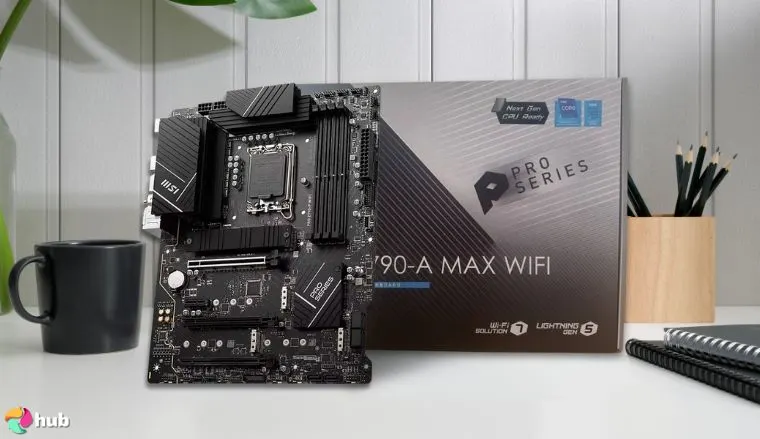
5. MSI PRO Z790-A MAX WiFi ProSeries [Best Intel ATX Z790 Motherboard]
| Specs | Details |
|---|---|
| Form Factor | ATX |
| Chipset | Intel Z790 |
| CPU Socket Compatibility | Intel Socket LGA 1700 (Intel Core 14th, 13th, and 12th Gen Processors) |
| Supported Speeds | DDR5, PCIe 5.0, PCIe 4.0, PCIe 3.0 |
| RAM Slots | x4 DDR5 DIMM Slots (up to 192GB) |
| Expansion Slots | x4 M.2 PCIe 4.0 x4x6 SATA 6Gb/sx1 PCIe 5.0 x16 (GPU)x1 PCIe 4.0 x16 (GPU) |
| Connectivity | WiFi 7, Intel 2.5Gb Ethernet, Bluetooth 5.4, USB 3.2 Gen 2×2, USB 3.2 Gen 2, USB 3.2 Gen 1, USB 2.0 |
| RGB? | Yes (ARGB Support) |
The MSI PRO Z790-A MAX WiFi ProSeries is a powerful motherboard designed for Intel’s 12th, 13th, and 14th Gen CPUs, and it offers exceptional performance for both gaming and creative work.
With its combination of DDR5 support, PCIe 5.0, and WiFi 7, it ensures that you can handle demanding games and resource-heavy tasks without a hitch. If you’re editing videos, rendering 3D graphics, or playing the latest AAA titles, this motherboard provides the reliability and speed you need to keep up with your work and play.
What sets this motherboard apart is its extensive connectivity options and robust storage capabilities. With four M.2 slots and six SATA ports, you’ll have more than enough room to store large game libraries, media files, and productivity software, without worrying about running out of space.
Also, the heat-resistant thermal pads and M.2 Shield Frozr heatsinks ensure that your system remains cool, even during intensive gaming or multitasking sessions. While it lacks native USB4 support, the USB 3.2 Gen 2 ports, combined with WiFi 7 and PCIe 5.0, offer more than enough speed for most users.
| Pros | Cons |
|---|---|
| ✅ ProSeries boards are optimized for both gamers and creative professionals ✅ Offers easy troubleshooting and BIOS management for most users ✅ Four M.2 and six SATA slots will give you all the storage you need ✅ Heat-resistant MOSFET thermal pads and M.2 Shield Frozr heatsinks ✅ Comes with high-end features like WiFi 7, DDR5, PCIe 5.0 | ❌ Native USB4 support would’ve been nice to have, but its USB 3.2 Gen 2 in addition to WiFi7, DDR5, and PCIe 5.0 support makes this less of an issue |
Final Verdict: MSI PRO Z790-A MAX WiFi ProSeries is a great buy if you handle large amounts of data for content creation, in addition to gaming.
Spagooter2000
☆
★
☆
★
☆
★
☆
★
☆
★
Sorry for the delay. I fixed the wi-fi issue. It was a loose connection on the motherboard itself. Otherwise, no issues with the product. Does what I need it to. Supports two 16GB DDR5 ram, rtx4080, and my i9 13900KF. Thankfully, no issues with the 13900, yet. I’ve updated the MSI BIOS a few times over time. I mostly use the setup for gaming.
|
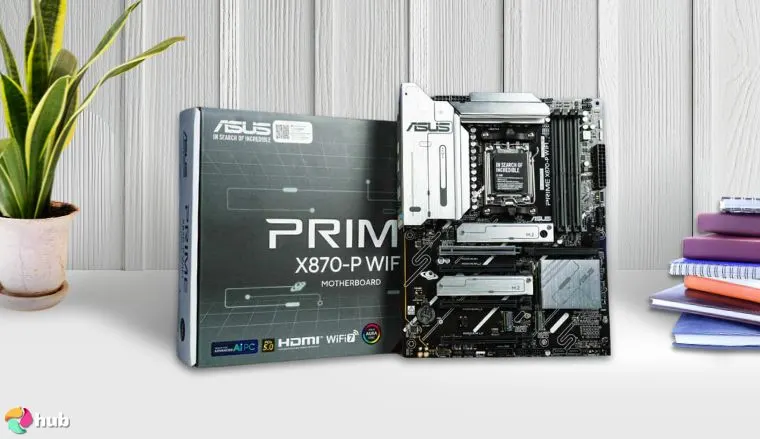
6. ASUS PRIME Z890-P WIFI [Best Intel Z890 Motherboard]
| Specs | Details |
|---|---|
| Form Factor | ATX |
| Chipset | Intel Z890 |
| CPU Socket Compatibility | Intel Socket LGA 1851 (Intel Core Ultra Processors, Series 2) |
| Supported Speeds | DDR5, PCIe 5.0, PCIe 4.0 |
| RAM Slots | x4 DDR5 DIMM Slots (up to 192GB) |
| Expansion Slots | x1 M.2 PCIe 5.0 x4x3 M.2 PCIe 4.0 x4x4 SATA 6Gb/sx1 PCIe 5.0 x16 (GPU)x1 PCIe 4.0 x16 (GPU) |
| Connectivity | WiFi 7, Bluetooth 5.4, Realtek 2.5Gb Ethernet, USB4, USB 20Gbps Type-C, USB 10Gbps Type-A and Type-C, USB 5Gbps Type-A, USB 2.0 |
| RGB? | Yes (Built-in RGB, Aura Sync Support) |
The ASUS PRIME Z890-P WIFI is a powerhouse for Intel Core Ultra and Series 2 processors. As someone who values both performance and future-proofing, I can say this motherboard delivers.
With DDR5, PCIe 5.0, and WiFi 7, it ensures smooth, fast performance regardless of whether you’re gaming or handling demanding tasks. It’s built to last and keep up with new tech for years.
What really impressed me was the motherboard’s versatility. It supports the latest Intel processors, and its six-layer PCB design makes it perfect for overclocking. The speeds and stability are impressive, especially when you’re pushing your system.
With USB4, Thunderbolt 4, and PCIe 5.0 for storage and graphics, you’ll be ready for whatever new tech comes your way. If you’ve had issues with compatibility in the past, don’t worry. This board’s occasional compatibility quirks can usually be solved with a firmware update.
| Pros | Cons |
|---|---|
| ✅ Features Intel’s latest-gen Z890 chipset ✅ A high-end board with WiFi 7, DDR5, PCIe 5.0, and Thunderbolt 4 ✅ Supports all current-gen processors, as well as the upcoming Arrow Lake lineup ✅ Its six-layer PCB design is durable and optimized for overclocking ✅ ASUS-exclusive AI features | ❌ Some users have reported compatibility issues with older components, but this is usually the case for new-gen mobos and is likely to be resolved via firmware updates |
Final Verdict: The ASUS PRIME Z890-P WIFI should be, at the very least, within the top three of go-to mobos if you’re building a high-performance, “money-is-no-issue” Intel-based gaming PC.
Alarmed_Food6582
☆
★
☆
★
☆
★
☆
★
☆
★
Just be aware that MSI doesn’t have a good track record of reliability. I am an owner of Asus motherboard since 2012. It one of the most reliable brands. If you decide to get MSI, I would opt for extended warranty to just to be sure.
|
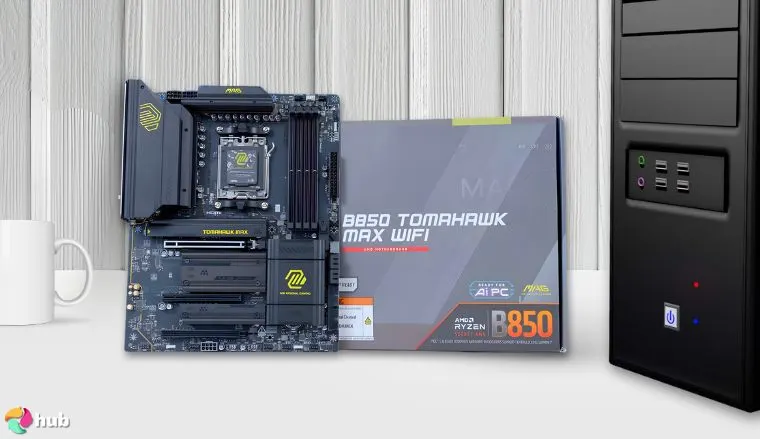
7. MSI MAG B850 TOMAHAWK MAX [Best AMD B850 Motherboard]
| Specs | Details |
|---|---|
| Form Factor | ATX |
| Chipset | AMD B850 |
| CPU Socket Compatibility | AMD Socket AM5 (AMD Ryzen 9000, 8000, and 7000 Series Desktop Processors) |
| Supported Speeds | DDR5, PCIe 5.0, PCIe 4.0, PCIe 3.0 |
| RAM Slots | x4 DDR5 DIMM Slots (up to 256GB) |
| Expansion Slots | x2 M.2 PCIe 5.0 x4x1 M.2 PCIe 4.0 x4x1 M.2 PCIe 4.0 x2x4 SATA 6Gb/sx1 PCIe 5.0 x16 (GPU)x1 PCIe 4.0 x16 (GPU)x1 PCIe 3.0 x16 (GPU) |
| Connectivity | WiFi 7, Realtek 5GbE Ethernet, Bluetooth 5.4, USB 20 Gbps Type-C, USB 10 Gbps Type-A and Type-C, USB 5 Gbps Type-A, USB 2.0 |
| RGB? | Yes (ARGB Support) |
The MSI MAG B850 TOMAHAWK MAX is an excellent choice for gamers who want a high-performance motherboard without breaking the bank. It’s packed with next-gen features like DDR5 support, PCIe 5.0, and WiFi 7, which gives your system the speed and connectivity it needs to handle demanding games and tasks. As someone who builds and tests PCs regularly, I can tell you that this board provides incredible value for its price.
The real standout for me is the cooling and power efficiency. With its refined cooling solutions and 14+2+1 power phase design, the TOMAHAWK MAX keeps your system running cool even during heavy overclocking sessions.
Plus, its power-efficient VRM design ensures stability, which is essential for both gaming and high-performance workloads. The user-friendly features like EZ Debug LED and EZ PCIe Release make setup and troubleshooting simple, so you won’t waste time dealing with frustrating issues.
| Pros | Cons |
|---|---|
| ✅ Good value-per-cost ✅ Lots of next-gen features ✅ Efficient cooling ✅ Equipped with a formidable 14+2+1 power phase design with 80A Smart Power stages ✅ User-friendly EZ Debug LED, EZ PCIe Release, and EZ M.2 Shield Frozr II | ❌ No native USB4 support, but again, its USB 3.2 Gen 2 ports combined with other next-gen features make up for the loss |
Final Verdict: The MSI MAG B850 TOMAHAWK MAX is a best AMD motherboard for custom gaming builds, offering a variety of premium-level features at a fairly competitive price tag.
Jaybreezy0524
☆
★
☆
★
☆
★
☆
★
☆
★
Honestly, it went very smoothly. I had no issues that weren’t just my own stupidity. I used EXPO to OC the ram just fine. Side note: due to some negative experiences with the latest bios, i ended up just staying on the original one and had no issues. I personally tend to leave my bios version alone unless I’m having a specific issue than an update could address. Anyways, so far so good and I’m sure you’ll get your memory issue solved soon.
|
8. GIGABYTE Ultra Durable X670 [Best AMD X670 Motherboard]
| Specs | Details |
|---|---|
| Form Factor | ATX |
| Chipset | AMD X670 |
| CPU Socket Compatibility | AMD Socket AM5 (AMD Ryzen 9000, 8000, and 7000 Series Desktop Processors) |
| Supported Speeds | DDR5, PCIe 5.0, PCIe 4.0, PCIe 3.0 |
| RAM Slots | x4 DDR5 DIMM Slots (up to 256GB) |
| Expansion Slots | x1 M.2 PCIe 5.0 x4x3 M.2 PCIe 4.0 x4x4 SATA 6Gb/sx1 PCIe 4.0 x16 (GPU)x1 PCIe 3.0 x16 (GPU) |
| Connectivity | Wi-Fi 6E, Realtek 2.5Gb Ethernet, Bluetooth 5.3, USB 3.2 Gen 2×2, USB 3.2 Gen 2, USB 3.2 Gen 1, USB 2.0 |
| RGB? | Yes (ARGB Support) |
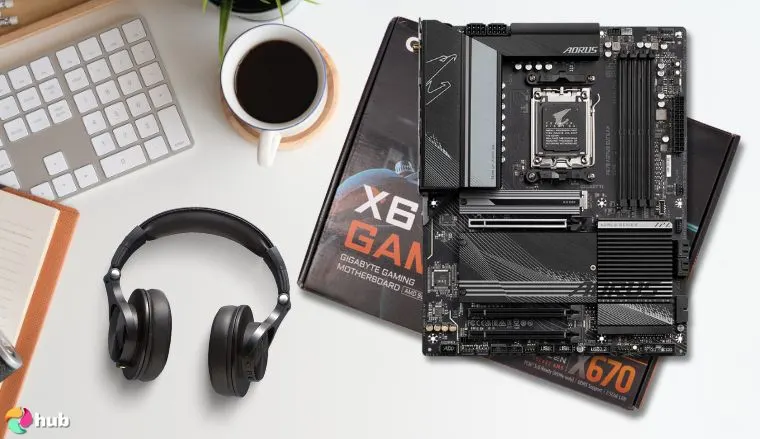
The GIGABYTE Ultra Durable X670 stands out with its reputation for unmatched durability, earning the “Ultra Durable” moniker for a reason. It’s designed with a reinforced PCB and efficient thermal solutions, which ensure your system runs reliably even during extended use or under heavy loads.
Having built and tested systems with this board, I’ve found it to be incredibly stable, with the kind of resilience that’s essential for long-term gaming or work.
This motherboard also supports DDR5 and PCIe 5.0, which makes it perfect for gamers or creators who want to stay ahead of the curve. The PCIe 5.0 M.2 slot offers ultra-fast data transfer speeds, ensuring quick load times and seamless performance. While some might miss native USB4 support, it’s easy to add with an expansion card, which makes the lack of it less of an issue.
| Pros | Cons |
|---|---|
| ✅ Outstanding build quality ✅ Easy personalization with UEFI BIOS and GIGABYTE’s control center ✅ Solid price-to-performance ratio ✅ Comes with a lengthy 5-year warranty ✅ Optimized thermals | ❌ No native USB4 support, but just like for most other boards without them, you can get an add-in card for it as an easy fix |
Final Verdict: GIGABYTE is no stranger to producing great quality products with outstanding value, and the GIGABYTE Ultra Durable X670 is a testament to that. It’s about as reliable and feature-rich as boards come, and you’ll find it a fantastic purchase if you value both.
Exiztens
☆
★
☆
★
☆
★
☆
★
☆
★
Solid board been using 3 of them 7950X3d and 7800x3d. Try not to go for 4 sticks buy 2 sticks of ram speed 6000mhz is the sweet spot. Don’t forget to flash to new bois :).
|
9. ASUS TUF Gaming Z790-Plus [Best Intel Z790 Motherboard]
| Specs | Details |
|---|---|
| Form Factor | ATX |
| Chipset | Intel Z790 |
| CPU Socket Compatibility | Intel Socket LGA 1700 (Intel Core 14th, 13th, and 12th Gen Processors) |
| Supported Speeds | DDR5, PCIe 5.0, PCIe 4.0, PCIe 3.0 |
| RAM Slots | x4 DDR5 DIMM Slots (up to 192GB) |
| Expansion Slots | x4 M.2 PCIe 4.0 x4x4 SATA 6Gb/sx1 PCIe 5.0 x16 (GPU)x1 PCIe 4.0 x16 (GPU)x1 PCIe 4.0 x4 (GPU)x2 PCIe 3.0 x1 |
| Connectivity | Wi-Fi 6E, Intel 2.5GB Ethernet, Bluetooth 5.3, USB 3.2 Gen 2×2, USB 3.2 Gen 2, USB 3.2 Gen 1, USB 2.0 |
| RGB? | Yes (Built-in RGB, Aura Sync Support) |
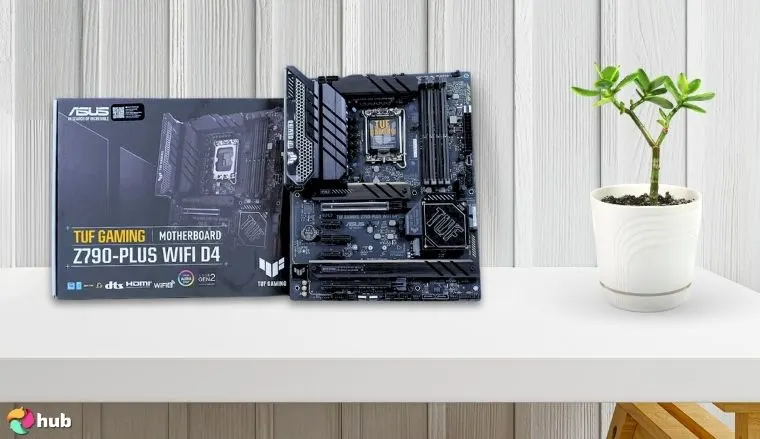
The ASUS TUF Gaming Z790-Plus stands out for its impressive durability and long-term value, which makes it a top pick for gamers who seek reliable performance.
With DDR5 and PCIe 5.0 support, this motherboard offers future-proofing for your gaming setup. I’ve seen firsthand how well it handles demanding games. It ensures smooth performance even with the latest Intel Core 14th and 13th Gen CPUs.
One of its best features is the solid build quality. TUF boards are known for their longevity, and this one is no exception. The addition of 4 M.2 slots and 4 SATA ports gives you ample storage options without sacrificing speed.
The combination of PCIe 5.0 for the GPU and DDR5 support delivers fast load times and seamless gameplay. While it doesn’t have native USB4 support, you can easily upgrade to Thunderbolt with an add-in card, offering flexibility.
| Pros | Cons |
|---|---|
| ✅ Tough and reliable – TUF products have great longevity and build quality ✅ DDR5 + PCIe 5.0 (GPU) is a solid combo for gaming ✅ RGB-enhanced black TUF Gaming aesthetics ✅ Plenty of M.2 NVME (4 slots) and SATA (4 ports) to use | ❌ No native support for USB4, but it’s still Thunderbolt-ready via Intel-certified ASUS ThunderboltEX 4 add-in cards that are sold separately |
Final Verdict: The ASUS TUF Gaming Z790-Plus has rock-solid performance, a good selection of connectivity features, and build quality. It’s a buy-worthy option for those of you looking for the best motherboard for the i9-14900k or other high-end 12th to 14th-gen CPUs at a low price range.
ShoesFellOffLOL
☆
★
☆
★
☆
★
☆
★
☆
★
Good motherboard from a reputable brand. Not sure what you mean by will you need to upgrade it later on - you’ll presumably only upgrade next time you do a completely new build.
|
10. ASUS ROG Strix B650-A [Best AMD B650 Motherboard]
| Specs | Details |
|---|---|
| Form Factor | ATX |
| Chipset | AMD B650 |
| CPU Socket Compatibility | AMD Socket AM5 (AMD Ryzen 9000, 8000, and 7000 Series Desktop Processors) |
| Supported Speeds | DDR5, PCIe 5.0, PCIe 4.0 |
| RAM Slots | x4 DDR5 DIMM Slots (up to 192GB) |
| Expansion Slots | x1 M.2 PCIe 5.0 x4x2 M.2 PCIe 4.0 x4x4 SATA 6Gb/sx1 PCIe 4.0 x16 (GPU)x1 PCIe 4.0 x16 (GPU, x4 mode only)x1 PCIe 4.0 x1 |
| Connectivity | Wi-Fi 6E, Intel 2.5GB Ethernet, Bluetooth 5.2, USB 3.2 Gen 2×2, USB 3.2 Gen 2, USB 2.0 |
| RGB? | Yes (Built-in RGB, Aura Sync Support) |
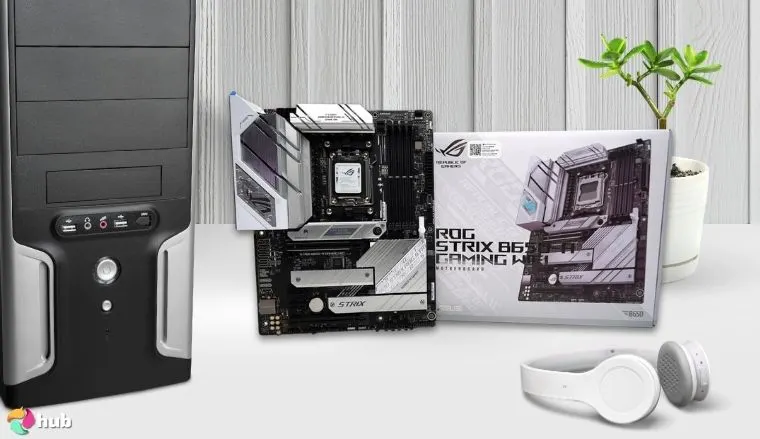
The ASUS ROG Strix B650-A delivers exceptional performance for AMD builds, which makes it a perfect choice for gamers looking to get the most out of their Ryzen 7000, 8000, and 9000 series CPUs. With support for DDR5 and PCIe 5.0, this motherboard handles the latest tech, which ensures smooth gameplay even at the highest settings.
The PCIe 5.0 M.2 slot allows for ultra-fast SSD speeds, while the four DDR5 slots ensure your system can handle demanding games without hiccups.
I’m personally a fan of the striking white ROG-themed design, which sets your build apart, especially in those unique white-themed setups. The tool-less installation features, like the PCIe Q-Slot Release and M.2 Q-Latch, make upgrading a breeze, so you won’t need to spend time struggling with hardware.
Plus, the robust VRM heatsinks and thermal pads ensure your components stay cool under pressure, which prevents overheating during long gaming sessions.
| Pros | Cons |
|---|---|
| ✅ Very affordable ✅ White ROG-themed design ✅ PCIe Q-Slot Release and M.2 Q-Latch allow for easy, tool-less component swapping ✅ Has massive VRM heatsinks and highly conductive thermal pads ✅ Impressive audio codec – ROG SupremeFX 7.1 Surround Sound High Definition Audio | ❌ No native USB4 support, but it has a Thunderbolt header in case you want to spring for an AIC |
Final Verdict: ASUS ROG Strix B650-A is a gorgeous white board that’s not just a looker – it’s also a very strong contender for systems with 7000 to 9000 CPUs that you can get without breaking the bank.
GeekyNick91
☆
★
☆
★
☆
★
☆
★
☆
★
I’m using the Asus ROG Strix b650e-f and it’s been great so far. The only thing that’s a pain in the ass is the Asus Armoury crate.
|
11. MSI MAG B550 Tomahawk MAX WiFi [Best AMD B550 Motherboard]
| Specs | Details |
|---|---|
| Form Factor | ATX |
| Chipset | AMD B550 |
| CPU Socket Compatibility | AMD Socket AM4 (AMD Ryzen 5000, 5000 G-Series, 4000 G-Series, and 3000 Series Processors) |
| Supported Speeds | DDR4, PCIe 4.0, PCIe 3.0 |
| RAM Slots | x4 DDR4 DIMM Slots (up to 128GB) |
| Expansion Slots | x1 M.2 PCIe 4.0 x4x1 M.2 PCIe 3.0 x4 x6 SATA 6Gb/sx1 PCIe 4.0 x16 (GPU)x1 PCIe 3.0 x 4 (GPU) |
| Connectivity | Wi-Fi 6E, Realtek 2.5GB Ethernet, Realtek 1GB Ethernet, Bluetooth 5.2, USB 3.2 Gen 2, USB 3.2 Gen 1, USB 2.0 |
| RGB? | Yes (Built-in RGB, Mystic Light ARGB support) |
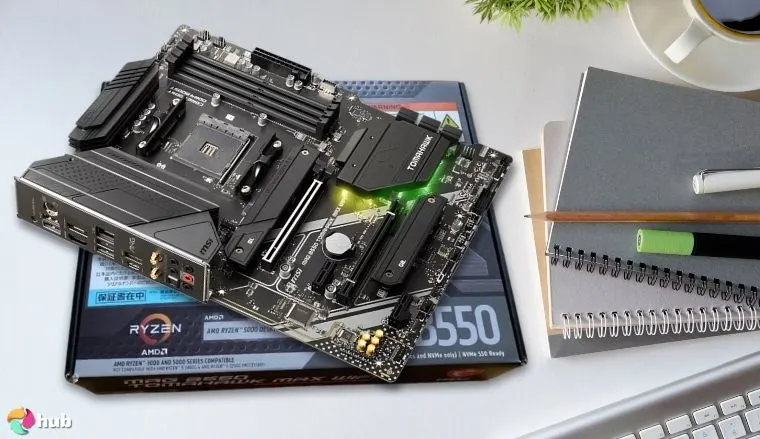
The MSI MAG B550 Tomahawk MAX WiFi is a standout motherboard for those who need reliable performance without breaking the bank. With PCIe 4.0 and DDR4 support, this board ensures smooth gaming, making it an ideal choice for those building an AMD rig on a budget.
Its fast M.2 slots and ample SATA ports let you easily expand your storage, while the solid VRM design ensures stable power delivery for your components.
I’ve used B550 boards for budget builds in the past, and they’re always a solid choice. The Tomahawk MAX’s optimized thermals and robust durability give you peace of mind that your system won’t overheat under load.
While it doesn’t support the latest DDR5 or PCIe 5.0, that’s not a deal-breaker for gamers who don’t need the absolute cutting-edge. The real value here is in how this board allows you to run AAA games smoothly while saving money.
| Pros | Cons |
|---|---|
| ✅ Perfect for ultra-budget AMD builds ✅ Compatible with older (and cheaper) 3000 to 5000 series AMD CPUs ✅ Two M.2 slots and six SATA ports offer great expandability for its price ✅ Optimized thermals ✅ MAG-level durability | ❌ No DDR5, PCIe 5.0, and native USB4 support, but this much is to be expected considering how affordable it is |
Final Verdict: I’ve built a gaming system on a B550 motherboard back in 2021, and it still runs without any issue. B550 boards are just excellent for reliable budget builds, and the MSI MAG B550 Tomahawk MAX WiFi is among the best models you’ll find on the market.
Tacol0ver69
☆
★
☆
★
☆
★
☆
★
☆
★
Idk if you ended up getting it, but mines been great. I got sold a defective b550 gaming plus, I swapped it and it was also defective, ended up buying the tomahawk from Best Buy. Turns out it’s been highly rated for its power delivery and build quality, and having an all around great interface and bios. It’s been running my 5600 and 2080super great, will do great with the Ryzen 9 I’ll be putting on it
|
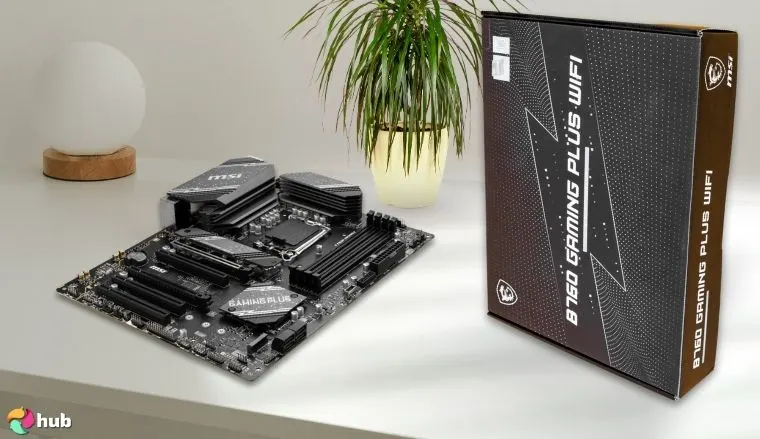
12. MSI B760 Gaming Plus [Best Intel B760 Motherboard]
| Specs | Details |
|---|---|
| Form Factor | ATX |
| Chipset | Intel B760 |
| CPU Socket Compatibility | Intel Socket LGA 1700 (Intel Core 14th, 13th, and 12th Gen Processors) |
| Supported Speeds | DDR5, PCIe 4.0, PCIe 3.0 |
| RAM Slots | x4 DDR5 DIMM Slots (up to 128GB) |
| Expansion Slots | x1 M.2 PCIe 4.0 x4x1 M.2 PCIe 4.0 x4 (NVME/SATA)x4 SATA 6Gb/sx1 PCIe 4.0 x16 (GPU)x1 PCIe 4.0 x16 (GPU, x4-mode only)x1 PCIe 3.0 x1 |
| Connectivity | Wi-Fi 6E, Realtek 2.5GB Ethernet, Bluetooth 5.3, USB 3.2 Gen 2, USB 3.2 Gen 1, USB 2.0 |
| RGB? | Yes (ARGB Support) |
The MSI B760 Gaming Plus is a standout choice for budget-friendly Intel builds since it offers excellent performance without the high price tag. With DDR5 support, this board ensures you won’t hit RAM bottlenecks in the future. This makes it a great choice for gamers who seek to maximize their system longevity.
This motherboard’s solid power delivery and cooling, with an extended heatsink and MOSFET thermal pads, help keep your system stable even under heavy gaming loads. The M.2 Shield Frozr and MSI Mystic Light RGB support add a nice touch of functionality and style, which also allows for better thermal management and visual customization.
While it doesn’t support PCIe 5.0 or USB4, these aren’t critical for most gamers, and the affordable price more than compensates for those missing features.
I’ve used similar boards in budget builds, and the MSI B760 Gaming Plus consistently delivers great value for the price. If you’re looking to build a reliable Intel gaming rig without overspending, this motherboard offers everything you need at a reasonable cost.
| Pros | Cons |
|---|---|
| ✅ Very nice VRM cooling with an extended heatsink and MOSFET thermal pads ✅ Robust power delivery ✅ Excellent value for non-K Intel Processors ✅ Decent storage expandability ✅ DDR5 availability at this price point is fantastic | ❌ No PCIE 5.0 or native USB4 support, but again, I think the cheap price is more than enough to overlook this |
Final Verdict: MSI B760 Gaming Plus is one of the most affordable Intel-based motherboards out there. Thanks to its DDR5 support, you won’t have to worry much about future RAM-related bottlenecks with this on your budget build.
kevin82485
☆
★
☆
★
☆
★
☆
★
☆
★
I think the MSI B760 Gaming Plus WiFi is the better motherboard. It comes with WiFi and has better cooling on the VRMs.
|
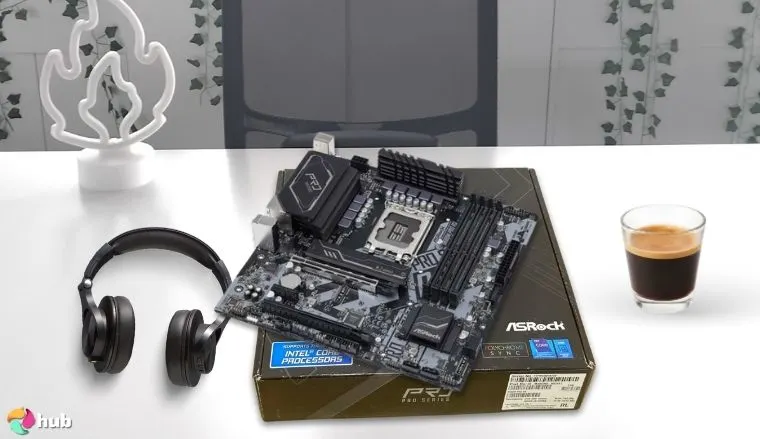
13. ASRock B660M Pro RS [Best Intel B660 Motherboard]
| Specs | Details |
|---|---|
| Form Factor | Micro ATX |
| Chipset | Intel B660 |
| CPU Socket Compatibility | Intel Socket LGA 1700 (Intel Core 14th, 13th & 12th Gen Processors) |
| Supported Speeds | DDR4, PCIe 4.0, PCIe 3.0 |
| RAM Slots | x4 DDR4 DIMM Slots (up to 128GB) |
| Expansion Slots | x1 M.2 PCIe 4.0 x4x1 M.2 PCIe 3.0 x4 (NVME/SATA)x4 SATA3 6.0 Gb/s Portsx1 PCIe 4.0 x16 (GPU)x1 PCIe 3.0 x16 (GPU)x1 PCIe 3.0 x1x1 M.2 Socket (Key E, for WiFi) |
| Connectivity | Intel Gigabit LAN (1 Gb/s), USB 3.2 Gen1, USB 2.0 |
| RGB? | Yes (Built-in RGB, Polychrome ARGB Sync Support) |
If you’re building an Intel-based gaming PC on a budget, the ASRock B660M Pro RS delivers great value. It supports 12th and 13th Gen Intel processors and offers all the power you need for gaming without spending extra money.
Its compact Micro ATX form factor fits into most cases, while the sleek RGB backlighting adds style to your build without adding much cost.
The board comes with flexible storage options while also offering two M.2 slots (one PCIe 4.0, one PCIe 3.0) and four SATA ports. This gives you enough room to add fast NVMe SSDs and traditional HDDs, ensuring you can load your games quickly while keeping your media and files accessible.
While it lacks built-in Wi-Fi, you can easily add a Wi-Fi card via the M.2 Key-E slot, which makes it a quick fix for wireless users. The Sapphire Black PCB ensures enough durability and makes it a solid long-term choice.
| Pros | Cons |
|---|---|
| ✅ A great ultra-budget option for Intel builds ✅ Pretty ASRock-themed aesthetics with built-in RGB backlighting ✅ Compact form factor with durable Sapphire Black PCB ✅ Nice flexibility on M.2 and SATA storage options | ❌ No native WiFi functionality, but it comes with an M.2 Key-E for WiFi you’ll have to install yourself |
Final Verdict: Looking for the absolute cheapest motherboard you can get away with that won’t have you sacrificing too much gaming performance? ASRock B660M Pro RS is the answer!
EwokmodeMH
☆
★
☆
★
☆
★
☆
★
☆
★
The budget king of b660 and 12400f is pulling further and further ahead of any ryzen build with this mobo combo. *for new builds
|
What To Consider When Buying a Gaming Motherboard?
Getting the right motherboard for your build is just as important as choosing the best CPU and GPU combo. Simply put, you absolutely must not skimp on your motherboard, lest you suffer performance bottlenecks and poor future-proofing. Understanding your hardware also requires knowing how to access BIOS for settings and tweaks.
On that note, here are all the things you need to keep in mind to get the best value for your money while shopping for motherboards:
1. Form Factor
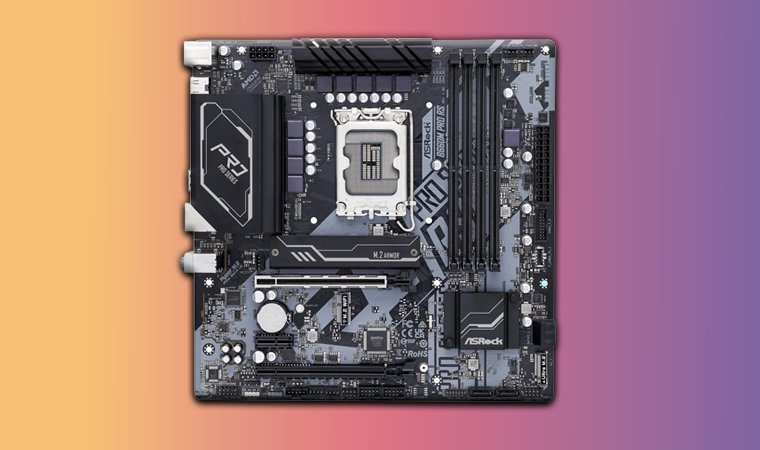
There are four different form factors for motherboards, which typically determine their overall size and compatibility with cases:
| Motherboard Form Factors | Case Compatibility | Average Dimensions (L x W) |
|---|---|---|
| Mini ITX (mITX) | Small form factor cases | 6.7 x 6.7 in |
| Micro ATX (mATX) | mATX, midtower, and full tower cases | 9.6 x 9.6 in |
| ATX | Midtower and full tower cases | 12 x 9.6 in |
| Extended ATX (EATX) | Full tower and larger-end midtower cases | 12 x 13 in |
Pay very close attention to a motherboard’s form factor, as this will often determine the physical size of your complete build, as well as the amount and types of components it’s compatible with.
ATX and micro ATX motherboards are the most common for gaming builds as they usually feature the golden standard (4 RAM slots and 2+ storage options) combo, while EATX and mITX mobos are reserved for more “niche” builds, like ultra high-end workstations/multi-GPU gaming rigs and highly-portable mini PCs, respectively.
2. CPU Socket and Compatibility
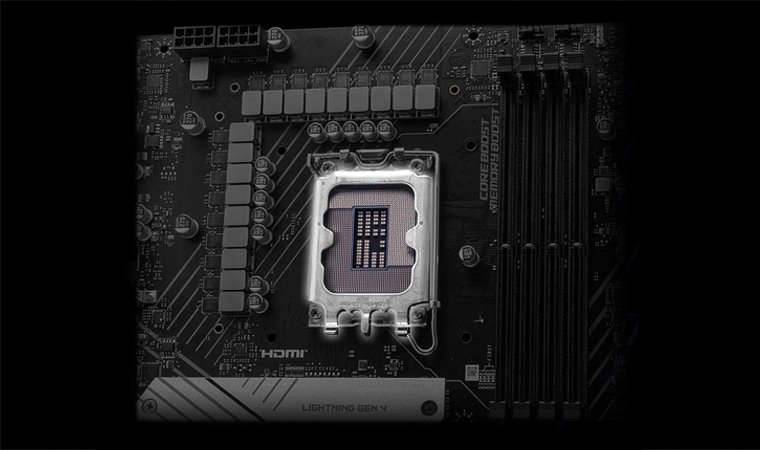
These are arguably the most important factors when choosing a motherboard for your build, as picking a mobo with a mismatched socket for your CPU will kill your build before it even gets assembled, unless you’re an absolute wizard with the soldering iron.
Luckily, there are only two things you need to take note of in this regard. Always check if the motherboard…
- …is compatible with either an AMD or an Intel processor
- …supports the specific gen/series of your preferred Intel/AMD processor
You don’t really need to learn all the socket types (AM4, AM5, LGA 1700, LGA 1851, etc.), as spec sheets for many motherboards outright state which series/gen of CPUs they’re compatible with, and whether they’re made for AMD or Intel systems.
My advice? Just pick your GPU first, the best gaming CPU your budget can handle second, then seek out the highest-end motherboard you can afford that’s compatible with both.
3. RAM Compatibility
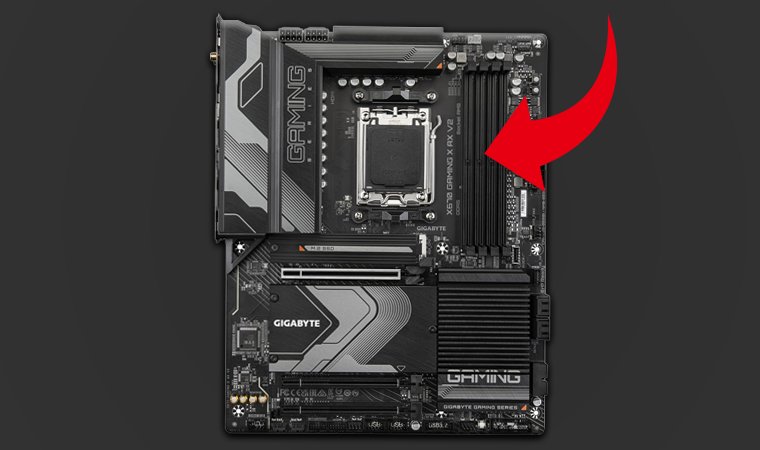
Unless you’re actively going for a mini-PC build, getting a motherboard that has at least four RAM slots is a must for gaming rigs. This will give you better flexibility for future upgrades, as well as a higher memory capacity for a better gaming experience and overall quality of life.
| Supported RAM Types | Standard Speeds |
|---|---|
| DDR4 | 2133 to 3200 MT/s |
| DDR5 | 4000 to 6400 MT/s |
Despite what the speed measurements above suggest, both DDR4 and DDR5 RAM are excellent for gaming, with DDR5 coming off as a more premium and future-proof option.
Also, keep in mind that your RAM can be overclocked, along with your CPU and GPU. Always look for motherboards that are overclock-friendly, as this’ll allow you to elevate your components’ performance way above the standard.
4. Expansion Slots
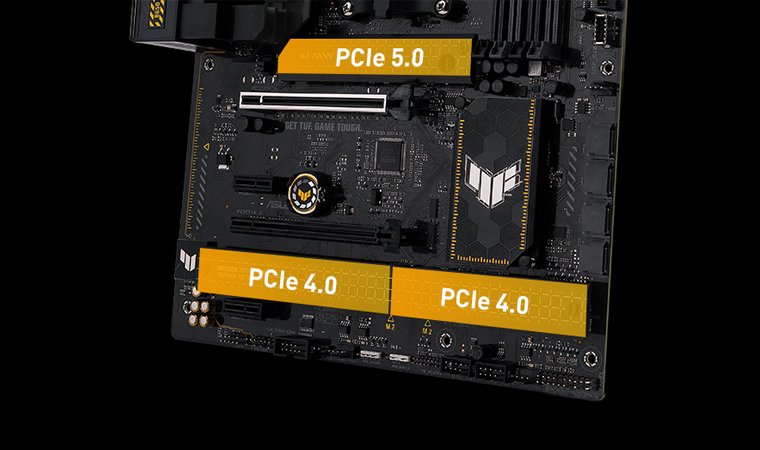
The number and types of a motherboard’s expansion slots determine its expandability and supported bandwidth. These slots are used mainly for GPUs, storage, and Add-In Cards like network, capture, and sound cards.
These slots can be determined by their PCIe generation, which corresponds to their lane configuration and supported bandwidth:
| PCIe Generations | Bandwidth per lane | Max Bandwidth |
|---|---|---|
| PCIe 5.0 | 4 GB/s | M.2 Lanes (x4): 16GB/sGPU Lanes (x16): 64GB/s |
| PCIe 4.0 | 2 GB/s | M.2 Lanes (x4): 8GB/sGPU Lanes (x16): 32GB/s |
| PCIe 3.0 | 1 GB/s | M.2 Lanes (x4): 4GB/sGPU Lanes (x16): 16GB/s |
But what does this all mean for gaming? Well, all you have to know is that the higher the PCIe generation of a motherboard’s M.2 x4 expansion slots are, the better.
The performance jumps for PCIe 3.0, 4.0, and 5.0 x16 for GPUs are mostly negligible, but either a PCIe 4.0 x16 or 5.0 x16 slot for your GPU would be great for future-proofing. Multiple expansion slots for AICs (typically x1 lane slots) are good add-ons, but aren’t really must-haves for general use.
5. Storage Options
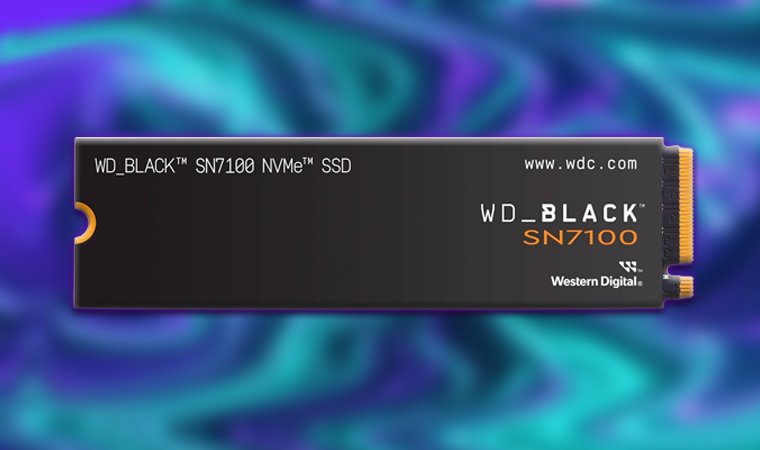
You have four storage options to consider when buying a motherboard:
| Storage Options | Compatibility | Max Transfer Speeds |
|---|---|---|
| M.2 NVMe SSDs | M.2 slot (PCIe lanes) | PCIe 3.0: ~3.5 GB/sPCIe 4.0: ~7 GB/sPCIe 5.0: ~14 GB/s |
| M.2 SATA SSDs | M.2 slot (SATA lanes) | ~600 MB/s |
| SATA SSDs | SATA port | ~600 MB/s |
| Internal HDDs | SATA port | ~200 MB/s |
I highly recommend you spring for an M.2 NVMe SSD along with a motherboard that supports them (most do nowadays).
After all, the difference between a good external SSD for gaming that uses PCIe lanes compared to even the best SATA storage units is just night and day when it comes to boot times, loading screens, and file transfers.
6. Connectivity
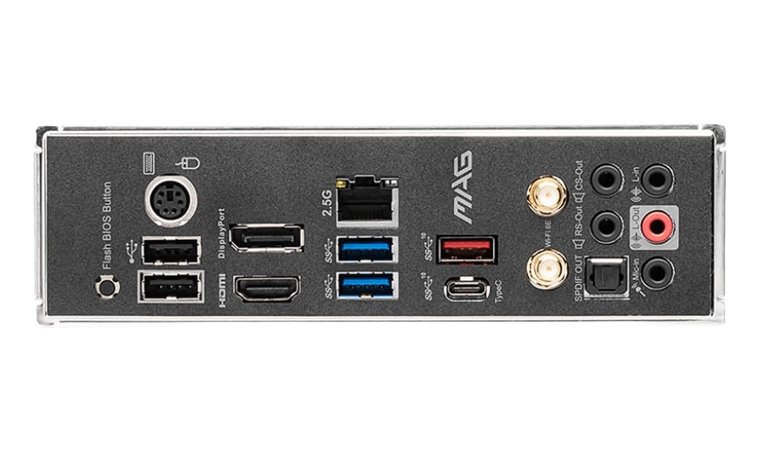
The absolute best connectivity features a motherboard can have, as of now, are:
- USB4/Thunderbolt 4 support
- WiFi 7
- Bluetooth 5.3
- 10 Gbps Ethernet
- HDMI 2.1b
- DisplayPort 1.4a/2.1
For a more budget-friendly gaming setup, you can get away with a motherboard that at least supports WiFi 6 and 2.5 Gbps Ethernet if you’re into competitive online titles, and at least two USB 3.2/3.1 Gen 2 ports for your peripherals.
All other features are optional, but as a general rule, their previous versions/iterations would still be great to have.
7. Future-Proofing
When it comes to future-proofing, buying a motherboard that supports AMD and Intel’s latest processor series/gen is ideal. At this time, these would be motherboards that support:
| Latest Gen/Series CPUs | Socket Compatibility | Supported Chipsets |
|---|---|---|
| AMD 9000 Series | AM5 | X870E, X870, X670E, X670, B850, B840, B650E, B650, A620, A620A |
| Intel Arrow Lake (Gen 15/Ultra) | LGA1851 | Z890, B860, H810 |
Of course, motherboards that are compatible with these latest-gen CPUs are typically expensive. For gaming, going down a gen/series or two would be acceptable if you’re going for a budget build, but make sure that your budget mobo at least has DDR4 RAM slots and a PCIe 4.0 M.2 NVME slot.
Lastly, get a motherboard with a PCIe 4.0 x16 or PCIe 5.0 x16 slot for your GPU. Both versions offer minimal gaming performance improvements over a PCIe 3.0 x16 slot, but they’re still nice to have just in case.
Which Gaming Motherboard is Right for You?
As you try to find the right gaming motherboard, focusing on key factors makes the process easier. Compatibility is the most important, so be sure the motherboard supports your CPU.
If you’re on a budget, the GIGABYTE B760M Gaming Plus WiFi offers great value with solid features for Intel builds. For gamers seeking a balance of performance and price, the ASUS TUF Gaming B650-PLUS is a fantastic choice with DDR5 and PCIe 5.0 support.
If you need more future-proofing, the MSI MAG B550 Tomahawk MAX WiFi offers excellent cooling and solid performance, while the GIGABYTE Z690 AORUS ULTRA is perfect for high-end, overclocked builds. Ultimately, your decision should depend on your current needs and whether you plan to upgrade anytime soon.
FAQs
What is the best motherboard for gaming?
The best motherboard for gaming is the ASUS TUF GAMING B650-PLUS, which is compatible with 7000 to 9000-series AMD processors and supports lightning-fast DDR5 and PCIe 5.0 speeds – all at a reasonable price. For Intel builds, the most cost-effective gaming motherboard would be the GIGABYTE B760M Gaming Plus, which is compatible with 12th Gen to 14th Gen Intel processors.
What is the best motherboard for a gaming PC?
The best motherboard for a gaming PC is the ASUS ROG Strix X870-A, as its latest-gen AMD X870 chipset supports all the high-end flagship processors for AMD systems. For Intel PCs, the ASUS PRIME Z890-P WIFI, which features the latest-gen Intel Z890 chipset, is among the most future-proof options you can get right now.
Does the motherboard matter for gaming?
Yes, the motherboard matters a lot for gaming, as it determines which components your build is compatible with, the transfer speeds it’s capable of, and the supported connectivity options of your system. Getting a good, up-to-date motherboard for your gaming PC will also improve its future-proofing, allowing you to swap out your components easily later on.
How to choose a motherboard for gaming?
To choose a motherboard for gaming, you must first pick what CPU and GPU combo you’ll be spending most of your budget on, then check which motherboards they’re compatible with, especially the CPU. Always check if a motherboard is made for either AMD or Intel processors, and what series (for AMD) or Gen (for Intel) they’re compatible with.
What is a motherboard?
The motherboard is the circuit board, often rectangular, component of a PC that acts as the central hub for all your hardware, allowing them to transfer data between each other. The motherboard comes with a CPU socket, PCIe slots for graphics cards, RAM slots, and cables that facilitate power and data transfer throughout your system.
What does a motherboard do?
The motherboard is the main component upon which all the other parts are built, and is responsible for supplying power for each of them. Additionally, your PC’s motherboard facilitates the communication between your other components, such as the RAM, CPU, GPU, and storage drives.