

11 Best External Hard Drives for Gaming and Backups in 2025

Eneba Hub contains affiliate links, which means we may earn a small commission if you make a purchase through them—at no extra cost to you. Learn more


Have you ever wondered what the best external hard drive can do for your gaming setup, or just quality of life in general? The correct answer is A LOT, especially if you know exactly what you should be looking for based on your specific needs.
Now, if you’re looking for an external hard drive that checks all your boxes, then you’ve just hit the jackpot. I’ve gone through the struggle of picking storage units that fit my budget for my own PCs before, and on top of that, I’ve also done further research to determine the best external HDDs you can get nowadays, then funneled them down to my list. Each of these highest-tier options excels in different categories, giving you plenty to choose from depending on your preferred qualities and budget.
Just remember, your external hard drive isn’t just for storage – it’s the guardian of all your important media files, games, and personal data, so choose wisely!
Jump to:
Our Top Picks for External Hard Drives
Here are our team’s top picks for external HDDs that’ll surely blow you away in terms of overall specs, price-to-performance, pure storage capacity, and specialized support for gaming consoles:
- Western Digital My Passport – a passport-sized external HDD that fits squarely in your palm. It’s incredibly portable, reliable, and secure, not to mention it comes at a reasonable price tag as well.
- YOTUO 1TB Portable – the go-to budget option that doesn’t skimp on quality and functionality despite its extreme affordability.
- Seagate Expansion – a high-capacity HDD that goes up to 28TB, allowing you to store tons of large files and more backups. Perfect for game hoarders or professionals who handle large amounts of data.
Not satisfied with our top picks? In that case, I’ve prepared seven other external HDDs that excel in a variety of other areas, so just scroll further down and you might just find the hard drive you’ve been looking for!
11 Best External HDDs for Gaming and Backup Purposes
What you’ll see below are 11 of the highest-quality external hard drives I’ve curated after dozens of hours of research, including my thoughts on why exactly they’re the best and the reasons why either of them is the perfect external drive for YOU, specifically, depending on your wants and needs.
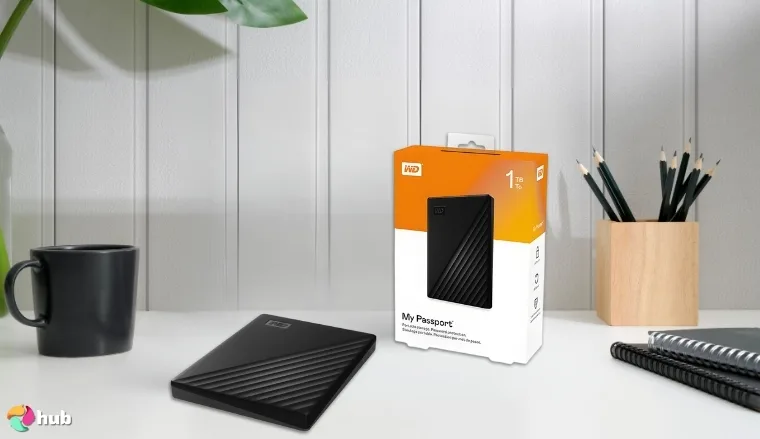
1. Western Digital My Passport [Best Overall External HDD]
| Specs | Details |
|---|---|
| Storage Capacity | 1TB / 2TB / 4TB / 5TB / 6TB |
| Rotational Speed | 5,400 RPM |
| Interface | USB 2.0 / USB 3.0 |
| Color | Black / Blue / Red / Silicon Gray |
| Drive Platter Size | 2.5 inches |
| Weight | 4.94 ounces (2TB version) |
| Compatible Devices | Laptops, Desktops, Tablets |
Kicking off my list is the Western Digital My Passport, which is the external HDD I’d recommend to anyone looking to purchase a drive for general, day-to-day use. It’s compact, moderately priced, and has a reliable data encryption to boot, allowing you to access data without having to worry about an unwanted third party stealing your important files.
It’s the cheaper, yet similarly functional version of the WD My Passport Ultra, which has higher peak transfer speeds and a sleeker, more metallic look. Still, considering WD My Passport’s lower price tag, Ultra barely competes with its standard version in terms of the actual value you’re getting per dollar, and so do most other top-tier external HDDs, for that matter.
After hours of slogging through numerous competing products on the market, I found that there are just not that many HDDs as portable AND deliver the same features at the same price range. Then again, it’s not really much of a surprise considering Western Digital is one of the three oldest data storage manufacturers. If they know something best, it’s making ultra-reliable HDDs like this.
| Pros | Cons |
|---|---|
| ✅ Extremely balanced price-to-performance ratio ✅ Supports USB 3.0 interface ✅ Small, light, and very easy to carry around ✅ Comes with top-notch data encryption and password protection against ransomware ✅ Features Western Digital’s specialized backup software ✅ Offers seamless plug-and-play for PCs and Macs | ❌ It has 5,400 RPM speeds, but this much is standard for most 2.5-inch drives and is likely enough for most of your storage needs |
Final Verdict: Western Digital My Passport is my go-to recommendation for those of you who are just looking for a general-use storage device without any frills and over-the-top specs. If you’re not on an overly tight budget or don’t require pro-level amounts of storage, then this will suit you perfectly.
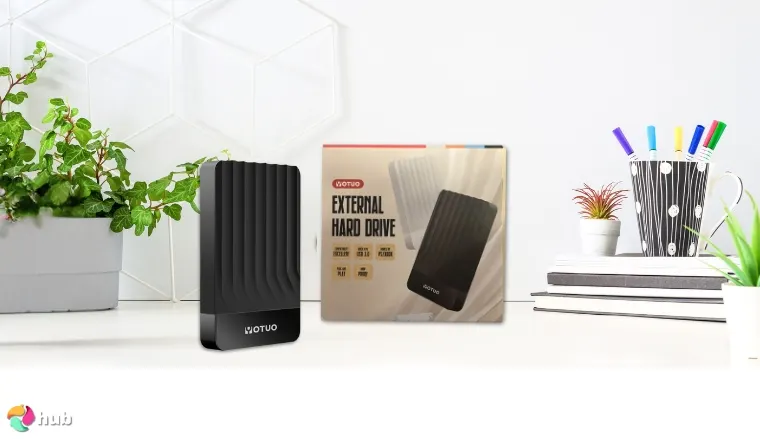
2. YOTUO 1TB Portable [Best Budget External HDD]
| Specs | Details |
|---|---|
| Storage Capacity | 320GB / 500GB / 750GB / 1TB |
| Rotational Speed | 7,200 RPM |
| Interface | USB 2.0 / USB 3.0 |
| Color | Black / White |
| Drive Platter Size | 2.5 inches |
| Weight | 8.8 ounces (1TB version) |
| Compatible Devices | Laptops, Gaming Consoles, Desktops |
Now, for an even more budget-friendly option, we have the YOTUO 1TB Portable. This one also has three other variants with less storage space that you can choose from, which is just perfect if you want to save even more money.
I wouldn’t really recommend going lower than the 1TB variant, considering how incredibly inflated file sizes are nowadays. But for casual use? The 320GB to 750GB variants are still great, cost-effective options, considering they have more or less the same specs as the 1TB variant.
All variants come with a USB 3.0 adapter, micro-B and USB-C connectors, as well as a silicone sleeve for extra protection. I have to say, safety-centric features like this are always welcome, and it’s honestly a surprise at this price range. The silicone case + polycarbonate shell combo looks pretty good, too, especially in white. You’d hardly notice it’s a downright steal, price-wise.
| Pros | Cons |
|---|---|
| ✅ Very affordable ✅ Its 320GB to 750GB variants are good ultra-budget options for older systems ✅ Sleek, portable design ✅ Supports USB 3.0 interface ✅ Good for storing console games ✅ The protective silicone sleeve is a very nice touch for added durability | ❌ Has rare cases of compatibility issues with 9th-gen consoles (especially the PS5), though it still offers reliable storage for PS4 or Xbox One games |
Final Verdict: YOTUO 1TB Portable offers exceedingly good value for its exceedingly low price, making it a very strong choice for users looking for an ultra-budget external HDD. If you use the USB Type-C to 3.0 adapter, it’s capable of reaching way higher speeds than most external hard drives in the same price range, not to mention it doesn’t look low-quality like most other low-cost HDDs at all.
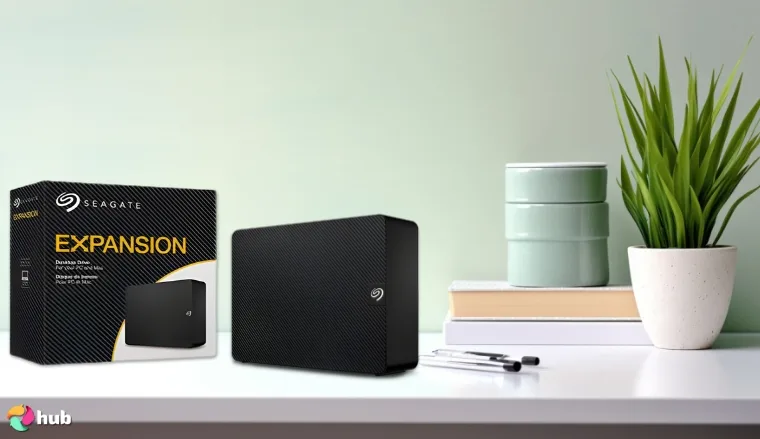
3. Seagate Expansion [Best External HDD for More Storage]
| Specs | Details |
|---|---|
| Storage Capacity | 8TB / 12TB / 16TB / 20TB / 22TB / 24TB / 28TB |
| Rotational Speed | 7,200 RPM |
| Interface | USB 3.0 |
| Color | Black |
| Drive Platter Size | 2.5 inches / 3.5 inches |
| Weight | 41.44 ounces (24TB version) |
| Compatible Devices | Desktops, Laptops |
If you need massive amounts of storage space, then the Seagate Expansion’s selection of monstrous, high-end variants will serve you well. With storage capacities ranging from 8TB to 28TB, you can practically store anything you want, with only your budget as your limiter. They’re great if you want to transfer large games to and from your gaming PC, or for archiving tons of media files.
Not only are all the Seagate Expansion variants optimized for high-speed, high-capacity storage use, but they’re also surprisingly portable. The higher-end variants are no doubt heavier than most HDDs, but they’re still pretty easy to carry around because of their brilliantly engineered form factor.
Worried about terabytes of data being corrupted or lost? Well, from my experience with Seagate products (2 SSDs and 3 HDDs – all lasted more than 3 years without issues), I can attest to their reliability. Even if the worst-case scenario comes to pass, keep in mind that Seagate also offers a limited warranty with drive-for-drive replacements, as well as Rescue Data Services for data recovery.
| Pros | Cons |
|---|---|
| ✅ Features top-of-the-line variants with massive storage space ✅ Excellent build quality ✅ Plug and play – no software required when connecting to PCs and Macs ✅ Supports USB 3.0 interface ✅ Surprisingly portable for its size ✅ Comes with Seagate’s Rescue Data Recovery Services and a limited warranty | ❌ The higher-capacity variants can get quite expensive, but you can always settle for more affordable, similarly reliable variants |
Final Verdict: Seagate Expansion models are about as premium as an HDD can get, giving you top-tier capacity and solid transfer speeds in exchange for top dollar. If you’re looking for way more storage than most external HDDs on the market currently offer, then consider this one your saving grace.
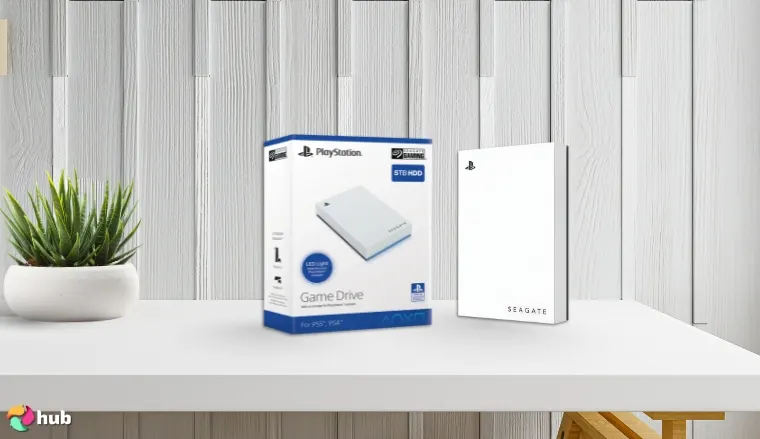
4. Seagate (STLV5000100) [Best External HDD for PS5]
| Specs | Details |
|---|---|
| Storage Capacity | 1TB / 2TB / 5TB |
| Rotational Speed | 7,200 RPM |
| Interface | USB 3.0 |
| Color | White |
| Drive Platter Size | 2.5 inches |
| Weight | 8.78 ounces (5TB version) |
| Compatible Devices | Gaming Consoles |
Seagate (STLV5000100) is officially licensed by PlayStation and has been developed with compatible firmware for the PS5. When it comes to transferring files to and from your PlayStation, there are very few HDDs that can stand toe to toe with this one, seeing as it’s fully optimized for the console itself.
Not only does it require little to no effort to connect with gaming consoles (most PlayStation models recognize it instantly), but its USB 3.0 transfer speed is plenty fast for a console-specific HDD, all things considered. Of course, let’s not forget its blue LED lighting and white casing, which looks fantastic if you put it beside the default white PS5.
| Pros | Cons |
|---|---|
| ✅ PS5-ready – fully optimized for storing and transferring PlayStation 5 games ✅ Looks wonderful – its LED-enhanced design goes exceedingly well with PS5s ✅ Highly portable – take your PS5 games library everywhere you go ✅ Officially licensed by PlayStation and built with matching firmware ✅ Solid storage-per-dollar ✅ Comes with USB 3.0 support | ❌ You cannot run PS5 games directly from this hard drive (no HDD currently has that function), but it’s still by far the best HDD dedicated to storing PS5 games |
Final Verdict: Seagate (STLV5000100) is a terrific HDD to get if you’re looking for a backup storage device that can store lots of PlayStation games, saving you time and bandwidth from redownloading them. Just don’t expect it to run PS5 games natively, although you can still play PS4 games with it.
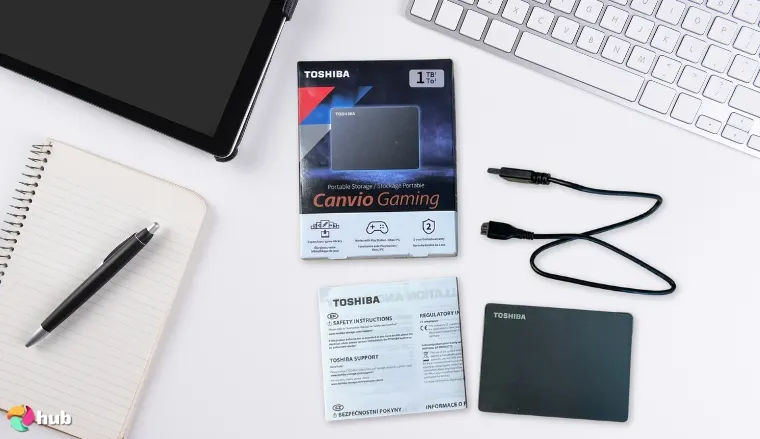
5. Toshiba Canvio Gaming [Best Durable External HDD]
| Specs | Details |
|---|---|
| Storage Capacity | 1TB / 2TB / 4TB |
| Rotational Speed | 7,200 RPM |
| Interface | USB 3.0 / USB 2.0 |
| Color | Black / Green / Red / White |
| Drive Platter Size | 2.5 inches / 3.5 Inches |
| Weight | 5.26 ounces (1TB / 2TB versions)7.41 ounces (4TB version) |
| Compatible Devices | Desktops, Gaming Consoles |
Durability is another huge metric I was taking note of while searching for the highest-tier external hard drives, and the Toshiba Canvio Gaming leads the whole pack in this regard. As far as non-ruggedized, budget-friendly options go, this great drive has one of the more excellent track records I’ve seen in terms of user feedback for its toughness and overall longevity.
In addition to being able to push through rough handling and drops, it also features great compatibility with gaming consoles and supports both USB 3.0 and USB 2.0 protocols via USB-A to Micro-B connections, making it about as versatile as it is durable.
| Pros | Cons |
|---|---|
| ✅ Gaming-optimized – designed for storing console games ✅ Incredible storage-per-dollar ✅ Robust and durable – offers impressive protection through its shock-absorbing frames and sensors ✅ Light and easy to carry ✅ Comes with a 2-year manufacturer-limited warranty ✅ Supports USB 3.0, which, as you’ve probably already noticed, will always be a pro in my book | ❌ Has a plastic casing, but it does make up for its lack of “deluxe”, metallic feel by having excellent durability |
Final Verdict: The Toshiba Canvio Gaming, with its tough, satin-finish casing, should be on your shortlist if you’d prefer your general-use external HDD to not only be portable, but physically secure as well. It’s the closest you’ll get to ruggedized levels of safety, without actually paying a premium for the feature.
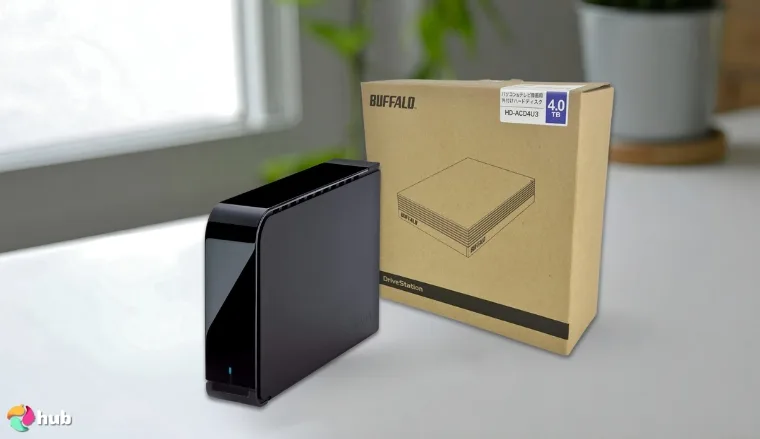
6. BUFFALO DriveStation 4TB [Best External HDD for Speed]
| Specs | Details |
|---|---|
| Storage Capacity | 4TB / 8TB |
| Rotational Speed | 7,200 RPM |
| Interface | USB 3.0 |
| Color | Black |
| Drive Platter Size | 3.5 inches |
| Weight | 33.44 ounces (4TB version) |
| Compatible Devices | Desktops |
Considering the SSD vs HDD debate, HDDs are no doubt inferior to SSDs in general when it comes to R/W speeds, both variants of the BUFFALO DriveStation are about as close as you can get to HDDs’ peak speeds and SSDs’ low-end speeds. It’s the ideal external HDD for tasks that thrive on faster speeds, such as creative work and even some gaming.
It can be used in tandem with PCs as a desktop hard drive for content creators, allowing you to transfer media files to and from the DriveStation – fast and easy – all while you continue working with your photo or video editing software. Its ability to make scheduled, incremental backups is another fantastic feature that most HDDs don’t even have, so big kudos to BUFFALO. This balance of features establishes it as the best external hard drive for photos for users needing both rapid file access and secure archiving for their creative libraries.
| Pros | Cons |
|---|---|
| ✅ Buffalo offers one of the best data encryption and ransomware protection solutions in the market ✅ Can conduct regularly scheduled backups ✅ Energy efficient – comes with an Eco Manager energy efficiency tool for optimal power usage ✅ Has brand-exclusive TurboCopy and TurboPC that improve file transfer speeds ✅ Great aesthetics – fits perfectly with most gaming or workstation setups | ❌ It’s more expensive than most HDDs in terms of storage per dollar, but I think all the fantastic features that come with all Buffalo products make its cost worthwhile ❌ It can get quite loud, just like most 3.5-inch, 7,200 RPM drives do, but only under heavy usage and very rarely |
Final Verdict: I highly recommend the BUFFALO DriveStation for users who need large storage capacities and high R/W speeds for their work, but prefer a more budget-friendly alternative than ultra-expensive, high-end SSDs.
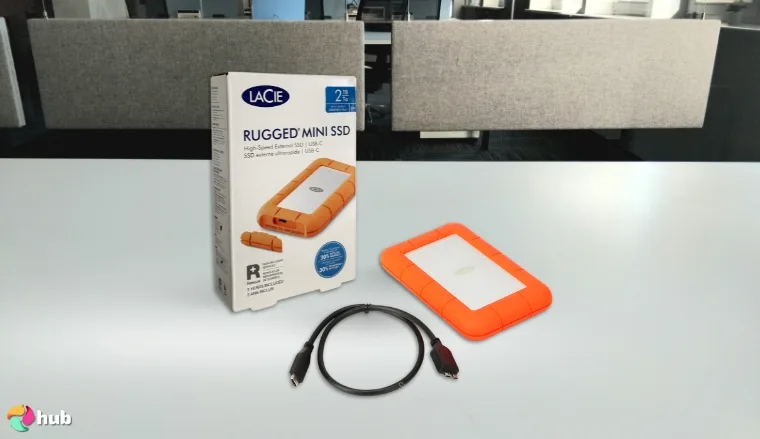
7. LaCie Rugged Mini [Best Designed External HDD]
| Specs | Details |
|---|---|
| Storage Capacity | 1TB / 2TB / 4TB / 5TB / 8TB |
| Rotational Speed | 5,400 RPM |
| Interface | USB 2.0 / USB 3.0 |
| Color | Orange |
| Drive Platter Size | 2.5 inches / 3.5 inches |
| Weight | 9.88 ounces (1TB version) |
| Compatible Devices | Desktops, Laptops |
Now, we breach the topic of ruggedized portable hard drives with the LaCie Rugged Mini, which is significantly tougher than other drives due to its durable, life raft-like design, which I’m personally a huge fan of. It has shock, crush, drop, dust, and water-resistance, which are way more safety-centric features than what you’ll see from any non-ruggedized external drive.
You do end up having to pay more in exchange for these features, but ask yourself – would you rather pay a few extra bucks for a significant increase in protection, or end up with a bricked storage unit because it couldn’t take the punishment a ruggedized HDD easily could’ve?
Ruggedized external hard drives are must-haves for people who travel a lot, and the LaCie Rugged Mini are among the most cost-effective ones out there.
| Pros | Cons |
|---|---|
| ✅ Ruggedized design – extremely durable and portable ✅ Features built-in password protection ✅ Perfect for outdoorsy folks and creative professionals ✅ The 3-year Rescue Data Recovery Service is a very nice add-on ✅ Comes with a free 1-month membership to Adobe Creative Cloud All Apps Plan ✅ Must-have USB 3.0 support is included, along with USB 2.0 | ❌ More expensive than non-ruggedized HDDs, although its outstanding durability and portability definitely make it a worthy purchase |
Final Verdict: Portable SSDs are a bit scary to bring along on something like a hiking or camping trip due to how expensive they are, so HDDs are pretty much your best bet. The LaCie Rugged Mini, in that case, will be a very wise purchase for you.
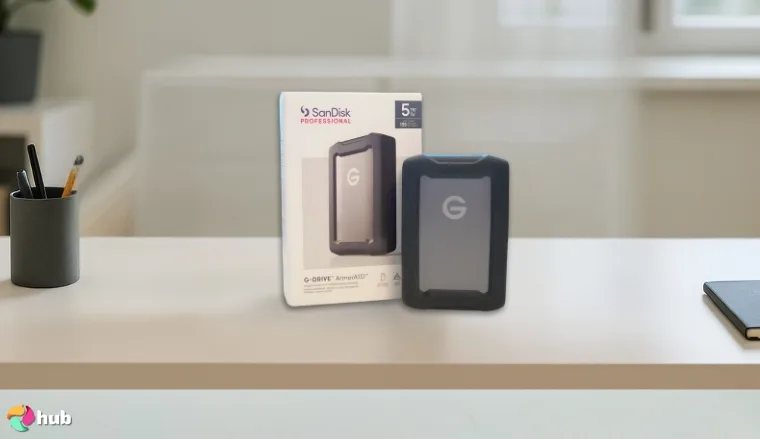
8. SanDisk Professional ArmorATD [Best External HDD for Photographers]
| Specs | Details |
|---|---|
| Storage Capacity | 1TB / 2TB / 4TB / 5TB / 6TB |
| Rotational Speed | 5,400 RPM |
| Interface | USB 3.0 |
| Color | Black / Space Gray |
| Drive Platter Size | 2.5 inches |
| Weight | 8.82 ounces (1TB version) |
| Compatible Devices | Laptops, Desktops, Tablets |
You think my previous pick is tough? Try the SanDisk Professional ArmorATD, which is practically designed to survive extreme conditions, making it the perfect HDD for outdoor photographers or just lenspeople in general who’d like to get an HDD with top-notch physical resilience for safe, long-term storage.
Sure, SD Cards are generally more reliable and portable, but they cost more compared to external hard drives. They’re easier to misplace, too, which is where ruggedized HDDs like the SanDisk Professional ArmorATD come in. They’re more affordable and offer higher peak capacities, and this model in particular is so robust, you can practically take it anywhere and not worry about a thing.
| Pros | Cons |
|---|---|
| ✅ One of the most durable ruggedized hard drives that also has a reasonable price tag ✅ Looks as “premium” as HDDs can get, thanks to its anodized aluminum casing ✅ Offers pro-grade protection – IP54 rain/dust rating and 1000lbs crush resistance ✅ Easy to carry around despite its robust exterior ✅ Compatible with USB 3.0 and USB 2.0 via USB-A or USB-C ports | ❌ A bit more expensive than the LaCie Rugged Mini, but again, I think its sheer toughness and longevity demand a premium price |
Final Verdict: For those of you who travel frequently out in the elements with your photography equipment, the SanDisk Professional ArmorATD will last you a LONG time. Same goes for casual users, in which case, it’ll likely last you an EVEN LONGER time.
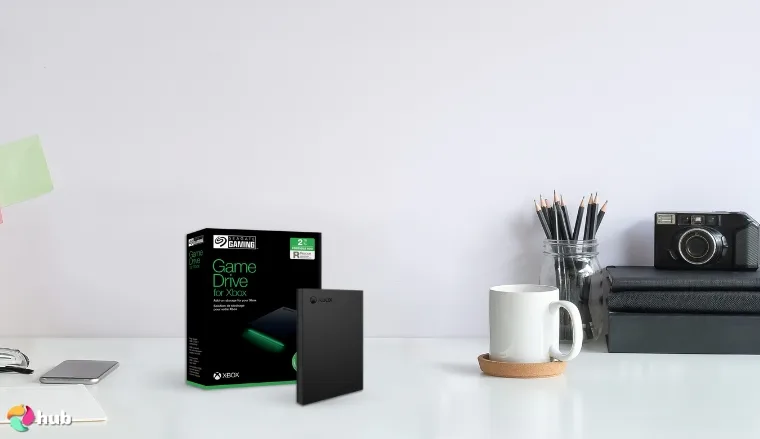
9. Seagate (STKX2000400) [Best External HDD for Xbox]
| Specs | Details |
|---|---|
| Storage Capacity | 1TB / 2TB / 4TB / 5TB |
| Rotational Speed | 7,200 RPM |
| Interface | USB 3.0 |
| Color | Black (Green RGB) |
| Drive Platter Size | 2.5 inches / 3.5 inches |
| Weight | 5.9 ounces (2TB version) |
| Compatible Devices | Gaming Consoles |
Seagate is very well-regarded for their console-optimized HDDs, and the Seagate (STKX2000400) is yet another top-tier product that does a service to their reputation. For Xbox Series X/S and Xbox One consoles, you’ll see very few HDDs that are as optimized for storage as this one, making it a perfectly solid choice for all Xbox gamers out there.
You can play games from the previous-gen Xbox consoles on it, but for Xbox Series X/S games, you’ll have to transfer them to your console’s internal storage first before running them. Unless you’re willing to fork over tons of cash for the Official Storage Expansion Card (which is an external SSD also made by Seagate for the Xbox), I’d say this HDD will do you just fine.
| Pros | Cons |
|---|---|
| ✅ Xbox-ready – you can play Xbox One and legacy games natively on this device ✅ USB 3.0 speeds are a must for console-specialized drives ✅ Synergistic design – has LED-enhanced aesthetics that look great when paired with the Xbox ✅ Comes with a 3-year data rescue service and a 1-year limited warranty ✅ Slim and travel-friendly | ❌ You cannot play Xbox Series X/S games on it, but it still supports reliable storage and smooth transfers for X/S games |
Final Verdict: The Seagate (STKX2000400) is tailor-made for the Xbox. That much is obvious, not just because of its seamless archiving for Xbox games, but also due to its Xbox-focused design that won’t look out of place beside the console.
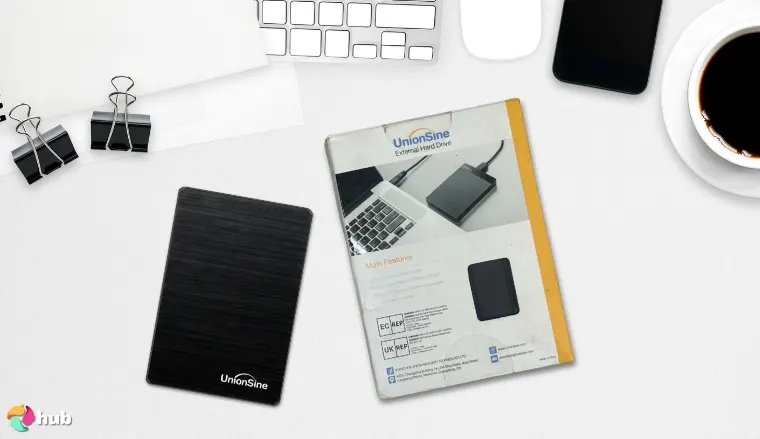
10. UnionSine 1TB Ultra Slim [Best Portable External HDD]
| Specs | Details |
|---|---|
| Storage Capacity | 250GB / 320GB / 500GB / 750GB / 1TB / 2TB |
| Rotational Speed | 5,400 RPM |
| Interface | USB 3.0 |
| Color | Black, Pink, Blue |
| Drive Platter Size | 2.5 inches |
| Weight | 5.1 ounces |
| Compatible Devices | Desktops, Laptops, Gaming Consoles |
I’ve seen my fair share of externals that are highly compact, but what tops my list when it comes to pure portability is the UnionSine Ultra Slim. You can probably guess just by looking at its weight on the specs sheet, but this is a very easy hard drive to carry around – not to mention that it’s also the lightest one out of all the HDDs listed here.
With its pocketbook-esque design, you can store this baby just about anywhere you want. It supports Superspeed Interfacing (USB 3.0) and is decently priced, too, so you’d likely have no issues on the software and budget side of things. It’s truly a well-rounded device, which can be surprising if you compare its size to all the heavy-hitter HDDs here.
| Pros | Cons |
|---|---|
| ✅ Ultra-slim and ultra-portable – fits snugly inside small bags and large pockets ✅ Budget-friendly ✅ Supports both USB 3.0 and 2.0 connections ✅ Its hard disk chip has a signal-shielding layer, protecting your data transfers from interruptions ✅ Very quiet – perfect for minimalist workstations ✅ Vast compatibility – can be paired easily with desktops, laptops, and consoles | ❌ 5,400 RPM is common for 2.5-inch external drives, but I think it’s a welcome trade-off for additional portability |
Final Verdict: This extremely light and portable HDD is a must-have if you dislike heavier builds, as it adds minimal heft on your person while you’re on the go.
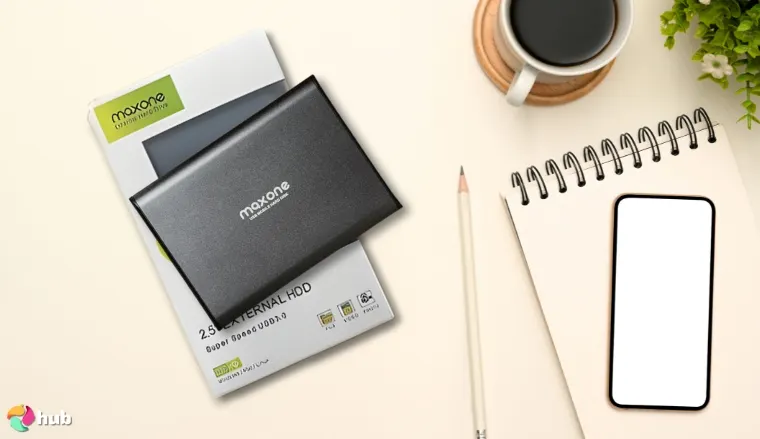
11. Maxone 1TB Ultra Slim Portable [Best External HDD for Mac]
| Specs | Details |
|---|---|
| Storage Capacity | 160GB / 250GB / 320GB / 500GB / 750GB / 1TB / 2TB |
| Rotational Speed | 5,400 RPM |
| Interface | USB 2.0 / USB 3.0 |
| Color | Charcoal Grey / Gold / Rose Pink |
| Drive Platter Size | 2.5 Inches |
| Weight | 8.4 ounces |
| Compatible Devices | Laptops, Desktops |
Your external hard drive can always be thinner, look better. Maxone 1TB Ultra Slim Portable certainly puts the vast majority of HDDs to shame in this regard. My research suggests that it’s one of the slimmest external hard drives you can get your hands on by far, boasting a 0.4-inch thickness that honestly boggles my mind. Such compact dimensions allow it to serve as a top-tier external hard drive for Mac capable of fitting into the tightest of laptop sleeves.
Thanks to its lustrous, ultra-thin design, I prefer this HDD over any other for the Mac, as Apple products just have that same premium feel. But this sleek device is also a fantastic match for any gaming laptop. With its USB 3.0 support, it not only looks great but also offers high-end HDD-level speeds, which can handle tasks such as editing videos and gaming just fine.
| Pros | Cons |
|---|---|
| ✅ Another great low-cost, high-value option ✅ Has an all-aluminum casing that’s both durable and aesthetically pleasing ✅ Its 0.4-inch thickness puts it above the vast majority of HDDs in terms of slimness ✅ Features seamless compatibility with iMacs and MacBooks ✅ The sleek, premium design pairs really well with Apple’s Mac products ✅ Supports USB 3.0 and USB 2.0 | ❌ Once again, 5,400 RPM will limit its R/W speeds compared to 7,200 RPM drives, but it’s not really much of an issue if you factor in how much easier it is to carry around |
Final Verdict: The Maxone 1TB Ultra Slim Portable boasts the complete package for Mac, as far as portable HDDs go. It pairs well with gaming laptops and MacBooks in particular, due to its slim, portable form factor.
What To Consider When Picking an External HDD?
Now that you’ve seen my top recommendations for external hard drives, I’d say it’ll still do you a lot of good to learn what exactly makes these hard drives great, and what qualities they have that set them apart from the competition.
On that note, here are all the things you must keep an eye out for while choosing your External HDD, allowing you to better gauge their value based on your preferences and budget:
1. Storage Capacity
The most obvious spec to check first when buying an external hard drive is its storage capacity – namely, how many gigabytes (GB) or terabytes (TB) of data it can hold at a time:
| Storage Tiers for External Hard Drives | Storage Capacity | Recommendations |
|---|---|---|
| Entry-Level | 128GB to 1TB | Good for older computers and as ultra-budget, portable options |
| Midrange | 2TB to 8TB | Optimal for storing games and general use |
| High-End | 8TB and above | Best for professionals and media archivists |
As you can see, there’s no definitive answer on what the “right” amount of storage is, especially with how fast storage tech has been evolving year after year. At the end of the day, the answer depends on your budget and what you’ll be using the external hard drive for.
Although, I do recommend saving up for at least a 1TB hard drive, even if you’re on a really tight budget. Anything below 1TB won’t likely be enough storage space, what with 4K media and ridiculously large AAA games becoming more commonplace these days.
2. Form Factor
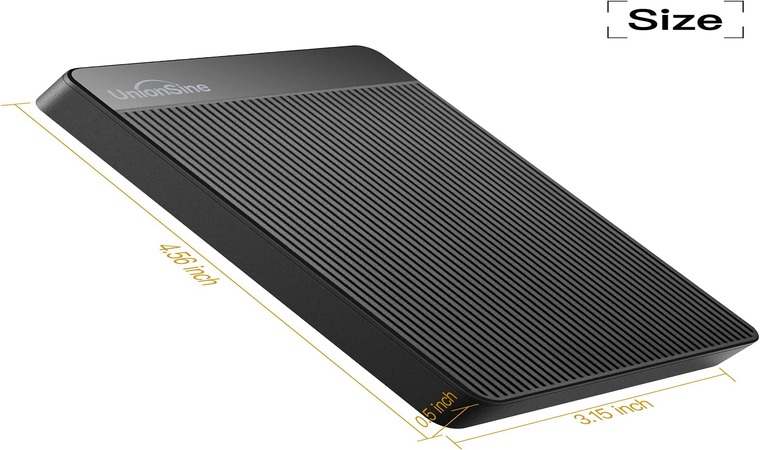
When it comes to external HDDs in particular, another thing you need to look out for is their form factor – specifically, whether they have a 2.5-inch or a 3.5-inch drive platter:
| HDD Drive Platter Sizes | |
|---|---|
| 2.5-inch HDDs | 3.5-inch HDDs |
| Powered by a USB connection More portable Typically limited to 5,400 RPM Goes up to mid-range levels of storage capacity Typically cheaper | Requires a separate power adapter Take up more space and are heavier Typically features 7,200 RPM Goes up to high-end levels of storage capacity Typically more expensive |
If you’re wondering which of these two is better, all you really need to know is that 2.5-inch HDDs are generally more portable and affordable than 3.5-inch HDDs. Meanwhile, 3.5-inch HDDs hold the advantage when it comes to transfer speeds and max storage space.
Also, remember that an HDD’s form factor doesn’t reflect its actual dimensions, which may vary from model to model. It does affect a hard drive’s physical size significantly, however, as a 2.5-inch or 3.5-inch designation refers to the width of the drive platters inside them.
3. Connection Speed
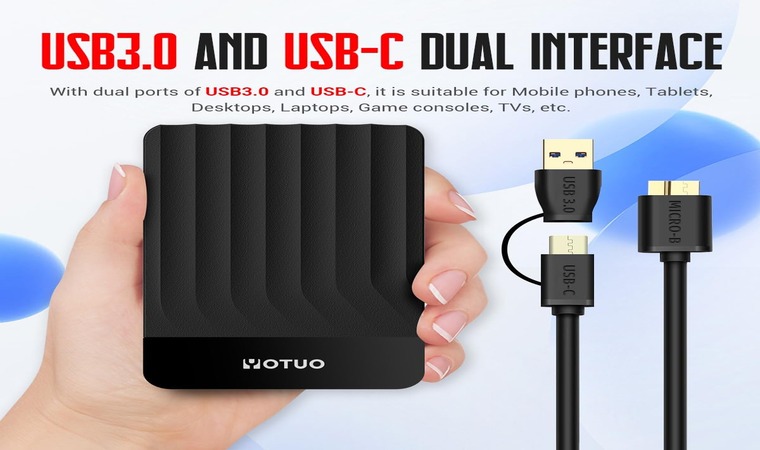
Connection speed determines how fast data transfers to and from your HDD. My advice? Always check if the HDD you’re planning to buy has USB 3.0 support, as these HDDs can deliver vastly superior transfer speeds compared to those that only support USB 2.0 and below.
| Types of USB Protocols | Data Transfer Speeds |
|---|---|
| USB 2.0 | Up to 450 Mbps |
| USB 3.1 Gen 1 (formerly USB 3.0) | Up to 5 Gbps |
| USB 3.2 Gen 1 (formerly USB 3.1 Gen 1) | Up to 5 Gbps |
| USB 3.1 Gen 2 | Up to 10 Gbps |
| USB 3.2 Gen 2 (formerly USB 3.1 Gen 2) | Up to 10 Gbps |
| USB 3.2 Gen 2×2 | Up to 20 Gbps |
All in all, I’d say any type of USB 3 protocol support would suffice for external HDDs, as their real-world transfer speed is capped by the inherent limitations of HDDs anyway, which aren’t present in solid state drives (SSDs) that these faster Gen 2 protocols are more optimized for.
4. Speed
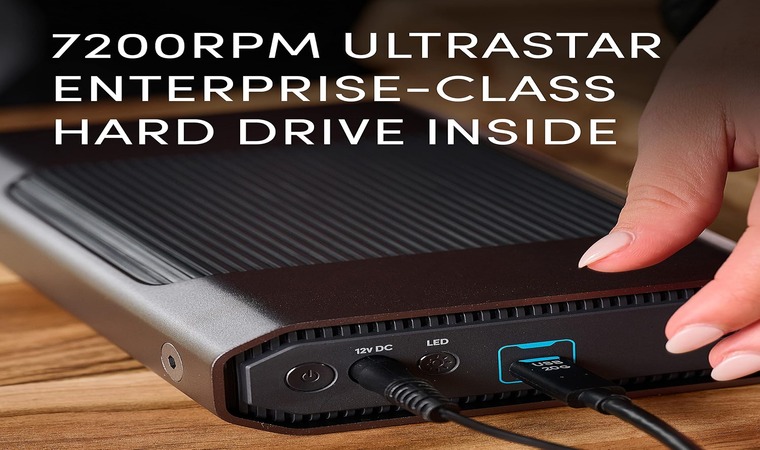
A hard drive’s read/write speeds are largely influenced by its RPM (Revolutions Per Minute), which refers to the rotational speed of the drive’s magnetic platters. The higher the RPM, the faster the hard drive processes data. For modern external hard drives, there are two common RPMs you need to know:
- 5,400 RPM HDDs generally offer more portability and are cheaper
- 7,400 RPM HDDs generally offer faster read/write speeds and higher capacities
Just remember, your hard drive’s advertised RPM doesn’t completely reflect its actual speed. My advice is to conduct benchmark tests via software such as CrystalDiskInfo to find out how fast your external hard drive truly is, and if you’re due for a replacement.
5. Durability
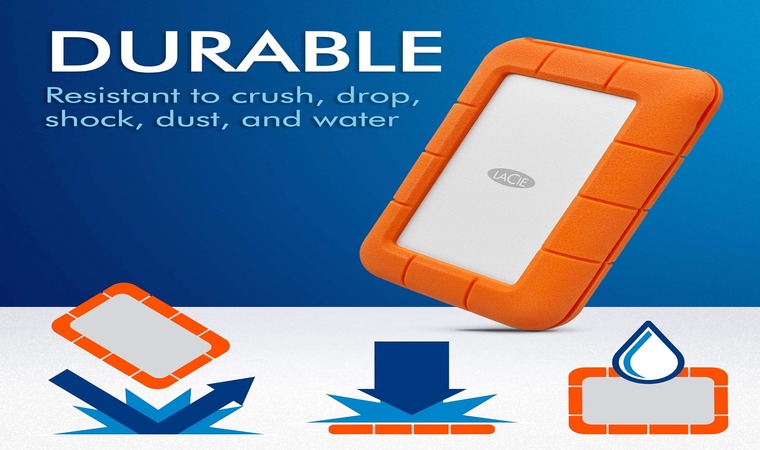
Lastly, you need to check your external hard drives for durability features, just to gauge how they’d fare in prolonged, real-world use. After all, even though many prefer external SSDs for gaming, external HDDs are better for storing lots of data over a longer period because they’re cheaper, so the extra toughness is definitely a massive plus.
If you like to carry your drives frequently or in harsh environments, I recommend you consider “ruggedized” HDDs like the LaCie Rugged Mini or the SanDisk Professional ArmorATD.
These “ruggedized” models have better shock, dust, and water resistance than other HDDs, making them the go-to options for those of you who like to travel a lot.
FAQs
What is the best external HDD?
The best external HDD is Western Digital My Passport, owing to its superbly balanced value-to-performance ratio and top-notch ransomware protection. It also has a very sleek, portable design that can fit in the palm of your hand, making it a highly attractive choice for anyone who likes to travel a lot or those who prefer light, minimalist setups.
What is an external hard drive?
An external hard drive is a type of storage device that uses wired USB, Thunderbolt, or FireWire connections and can be disconnected and reconnected as you please, as opposed to internal hard drives, which are installed directly inside the device. In short, they are extremely portable and are best used for backing up your data for transfer and security purposes.
Which is better, SSD or HDD?
SSDs are better than HDDs when it comes to gaming and professional use, as they offer much faster data transfer speeds and are generally more reliable in terms of longevity as well. HDDs use moving parts (i.e., magnetic spinning disks) as opposed to SSDs that store data electronically, making HDDs more prone to damage via mechanical failure over time.
Is it better to get an internal or external hard drive?
It’s better to get an external hard drive because they’re portable and are best used as a backup storage device for your media files, apps, and games. Internal HDDs generally have better transfer speeds and are more reliable for day-to-day use than externals, but I highly recommend using SSDs as your main drive instead, as they’re more reliable and are significantly faster than any internal HDD.
Are all external hard drives compatible with the PS5?
No, not all external hard drives are compatible with the PS5, as only USB 3.0+ HDDs (exFAT/FAT32) can store PlayStation 4 and PlayStation 5 games, whereas slow USB 2.0 or NTFS drives are completely incompatible. PlayStation 5 games are also optimized for internal PCIe Gen 4 M.2 NVMe SSDs, which means no external HDD can run PS5 games.
Is it possible to use external hard drives with Xbox Series X?
Yes, you can use external hard drives with the Xbox Series X, but most of them can only be used for storing and will not run games unless you transfer them from the external hard drive back to the Xbox Series X. The only exceptions are the official Storage Expansion Cards for Xbox Series X/S by Seagate, which are optional external HDDs that can run Xbox games natively.