

Best CPUs in 2025: Top Processors for Gamers and Creators


The best CPUs aren’t always the most expensive. These processors provide the right mix of performance, power efficiency, and platform flexibility for your workload.
Today’s chips combine high‑performance “big cores” for single‑threaded tasks with efficient cores for background processes, and they often come with integrated graphics or large caches to boost gaming and productivity.
This guide features nine standout CPUs from Intel and AMD, spanning various price tiers, explaining why each excels in its category, and what to consider before purchasing a gaming PC or workstation.
I’ll also demystify technical terms such as cores, threads, clock speed, and TDP so you can make an informed choice.
Jump to:
Our Top Picks for the Best CPUs
Finding the right processor means balancing budget against performance. If you’re a gamer, streamer, or creator, these standout picks represent the best options in their categories for 2025:
- Intel Core i9‑13900K (2022) – With 24 cores/32 threads and a boost clock of 5.8 GHz, this chip’s hybrid architecture provides industry‑leading gaming performance and huge multi‑thread throughput. It fits into mature LGA1700 motherboards and supports DDR5 or DDR4 memory, one of the most powerful Intel Core desktop options..
- AMD Ryzen 5 7600X 6-Core (2022) – This six-core Zen 4 AMD Ryzen processor offers excellent single-core performance, a 5.3 GHz boost clock, and efficient 105 W power consumption. With integrated graphics and DDR5 support on the AM5 platform, it’s one of the best budget-friendly CPUs for mainstream gamers and light creators.
- AMD Ryzen Threadripper 3990X (2020) – With 64 cores and 128 threads, the Threadripper 3990X is built for heavy workloads like rendering, simulation, and data processing. Its massive cache and multi-thread power make it the ultimate CPU for professionals and creators.
The sections below dive into each of our top picks and the other contenders in detail. Keep reading to see the full specs, pros and cons, and final verdicts for all nine processors.
Best CPUs Compared: Performance, Value, and Power
Here you’ll find a complete comparison of nine standout processors, ranging from entry-level choices to powerful high-end and workstation models.
This section breaks down how each chip performs, where it excels, and who it’s best suited for. This is where our full ranking begins, helping you identify the best CPUs for your build.
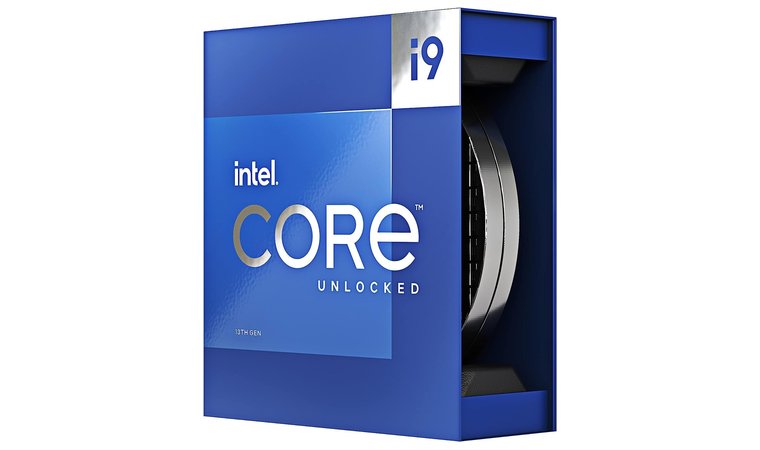
1. Intel Core i9‑13900K [Best Overall CPU]
| Specs | Details |
| Cores / Threads | 24 (8 Performance + 16 Efficiency) / 32 Threads |
| Base / Boost Clock | 3.0 GHz (P-core) / 2.2 GHz (E-core); Up to 5.8 GHz Boost |
| Cache | 36 MB Intel Smart Cache |
| TDP | 125 W Base / 253 W Max Turbo |
| Socket | LGA 1700 |
| Integrated GPU | Intel UHD Graphics 770 |
| Cooler | Not included – aftermarket cooler required |
Intel’s flagship i9-13900K pairs eight P cores with sixteen efficient cores in a hybrid design. The high core count and 5.8 GHz boost clock provide outstanding gaming performance and low latency, while also powering through demanding tasks like 4K video editing, code compilation, and running multiple virtual machines.
It offers exceptional all-around performance with top gaming speeds and strong multi-thread power, making it a reliable choice for both gamers and creators.
Thanks to its 36 MB Smart Cache and support for both DDR4 and DDR5 memory, the 13900K is equally at home in a refreshed older build or a more modern platform. Although its turbo power can peak at 253 W, mature BIOS support and widespread cooler compatibility help keep temperatures and performance under control.
| Pros | Cons |
| ✅ Hybrid architecture blends high‑performance and efficiency cores for balanced single‑ and multi‑thread work ✅ 5.8 GHz boost clock reduces CPU‑bound frame latency in games ✅ Large 36 MB cache improves responsiveness for editing and multitasking ✅ Broad motherboard compatibility thanks to LGA1700 socket and DDR4/DDR5 support ✅ Widely available in retail and OEM systems, making it easy to source | ❌ High power draw – at full turbo the chip can consume up to 253 W, so pair it with a robust cooler |
This CPU is best suited to enthusiasts who want a single desktop that can do everything – high-refresh gaming, content creation, and heavy multitasking – without compromise.
Final Verdict: Gamers and creators who want uncompromising performance will love the i9‑13900K. It leads benchmarks in gaming and heavy workloads while remaining flexible on the LGA1700 platform. Pair it with a quality CPU cooler to unlock its full potential and maintain stable thermal design power limits.
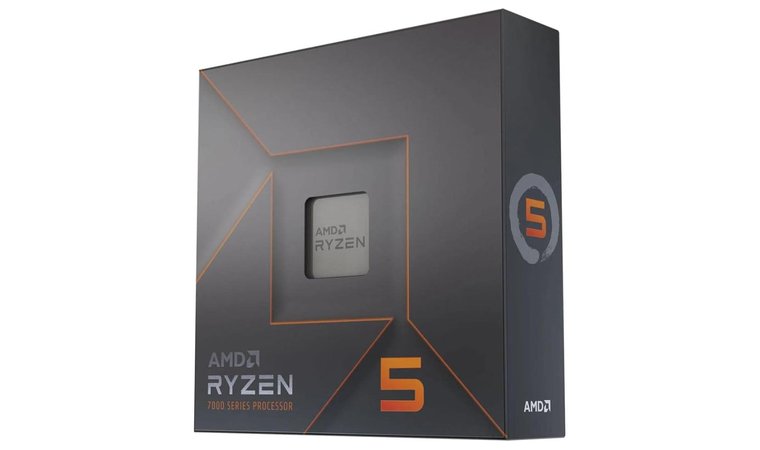
2. AMD Ryzen 5 7600X 6‑Core [Best Budget CPU]
| Specs | Details |
| Cores / Threads | 6 Cores / 12 Threads |
| Base / Boost Clock | 4.7 GHz Base / 5.3 GHz Boost |
| Cache | 6 MB L2 + 32 MB L3 |
| TDP | 105 W |
| Socket | AM5 |
| Integrated GPU | AMD Radeon Graphics (RDNA 2) |
| Cooler | Not included – aftermarket cooler recommended |
AMD’s Ryzen 5 7600X brings the latest Zen 4 architecture to a very reasonable price point. Its six cores and twelve threads offer excellent single-thread speed, making it a great choice for 1080p gaming and productivity tasks.
A 5.3 GHz boost clock and 38 MB of total cache let it boost performance and trade blows with pricier Intel chips while remaining efficient at just 105 W TDP. It’s one of the best budget CPUs for mainstream gamers thanks to its strong performance, integrated graphics, and long-term AM5 platform support.
It provides great single-core performance and modern features at an affordable price, making it one of the best value picks for mainstream gamers.
The RDNA 2 integrated graphics enable you to get a system up and running without a discrete graphics card and upgrade later when budget allows. Built on the AM5 socket, the platform supports DDR5 memory and PCIe 5.0, making future CPU and component upgrades straightforward.
| Pros | Cons |
| ✅ High single‑core speed makes games and everyday tasks snappy ✅ Integrated RDNA 2 graphics provide a basic GPU for display output ✅ Power‑efficient at 105 W TDP – easy to cool ✅ Upgrade‑friendly – AM5 platform guarantees longevity and access to future CPUs ✅ Strong value – offers excellent performance per dollar and is often bundled with motherboards | ❌ AM5 only – you can’t use older DDR4 memory or AM4 motherboards |
It’s a smart pick for first-time builders and budget-conscious gamers who still want cutting-edge platform features and strong everyday responsiveness.
Final Verdict: The Ryzen 5 7600X punches well above its weight, providing impressive gaming and productivity performance for the price. It’s an ideal pick for anyone building a modern, efficient system without overspending.
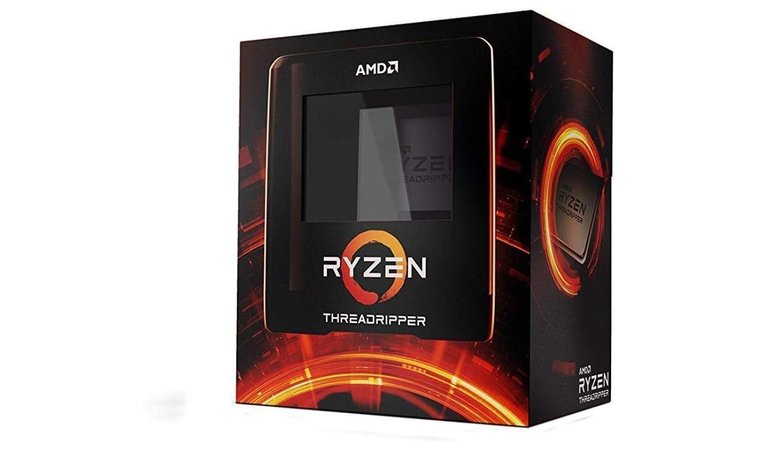
3. AMD Ryzen Threadripper 3990X [Best CPU for Massive Multi‑Thread Tasks]
| Specs | Details |
| Cores / Threads | 64 Cores / 128 Threads |
| Base / Boost Clock | 2.9 GHz Base / 4.3 GHz Boost |
| Cache | 32 MB L2 + 256 MB L3 |
| TDP | 280 W |
| Socket | sTRX4 (TRX40 Platform) |
| Integrated GPU | None |
| Cooler | Not included – high-end cooling required |
The Ryzen Threadripper 3990X is purpose-built for extreme parallel workloads. With 64 physical cores and 128 threads spread across eight 8-core chiplets, this powerful processor excels in tasks like 3D rendering, complex simulations, and scientific computing, where sheer CPU core count matters most.
Its unmatched 64-core design handles extreme workloads with ease, making it the top workstation CPU for studios and professional creators.
Its enormous 256 MB L3 cache and 280 W TDP provide the bandwidth and throughput required for multi-scene VFX projects or large-scale data analysis. Aimed squarely at high-end workstation users, the 3990X offers plentiful PCIe lanes and memory channels for multiple GPUs and high-speed storage, making it a go-to choice for studios and engineering teams that need maximum throughput.
| Pros | Cons |
| ✅ Unrivalled 64‑core/128‑thread count – perfect for rendering and parallel workloads ✅ Huge 256 MB L3 cache improves data locality ✅ Abundant PCIe lanes and memory channels for multiple GPUs, NVMe drives, and memory ✅ Ideal for VFX, simulation, and scientific research rather than gaming ✅ Designed for sTRX4 platform with HEDT motherboards and ECC memory support | ❌ Extremely high price and power draw – this workstation CPU costs several thousand dollars and demands a robust cooler |
For users whose time is literally money – such as animation houses, film studios, and research labs – the 3990X can significantly shorten render and compute times, justifying its premium cost.
Final Verdict: If your workload involves 3D rendering, film VFX, or complex simulations, no consumer CPU comes close to the Threadripper 3990X. Its massive core count and cache provide industry‑class throughput.
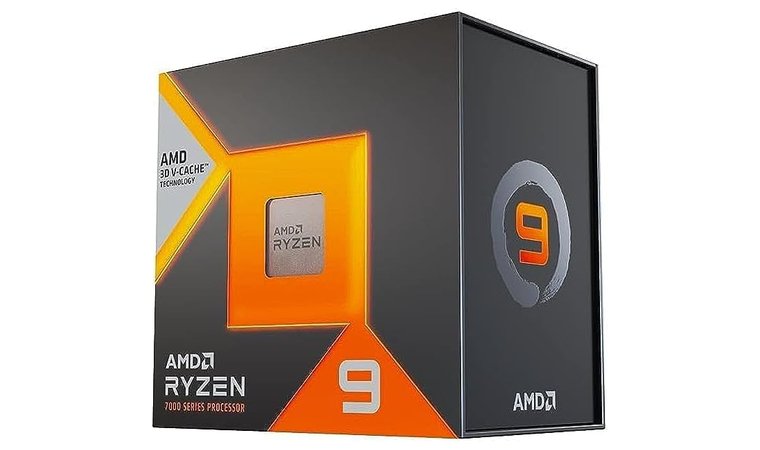
4. AMD Ryzen 9 7950X3D [Best CPU for Rendering]
| Specs | Details |
| Cores / Threads | 16 Cores / 32 Threads |
| Base / Boost Clock | 4.2 GHz Base / 5.7 GHz Boost |
| Cache | 16 MB L2 + 128 MB L3 (3D V-Cache) |
| TDP | 120 W |
| Socket | AM5 |
| Integrated GPU | AMD Radeon Graphics |
| Cooler | Not included – aftermarket cooling recommended |
AMD’s Ryzen 9 7950X3D builds on the already powerful 7950X by adding a 3D-stacked L3 cache, significantly boosting gaming performance and smoothing out frame times. You still get 16 cores and boost clocks up to 5.7 GHz, but now with a hefty 128 MB of L3 cache to keep more data on-chip.
Its massive 3D V-Cache boosts gaming and creation performance, offering an excellent blend of smooth gameplay and high-end productivity.
Independent testing shows the 7950X3D providing higher minimum frame rates than both the standard 7950X and Intel’s i9-13900K, resulting in noticeably smoother gameplay. Its lower power consumption during gaming sessions also makes it attractive for creators who split their time between rendering tasks and high-FPS gaming, especially in complex 3D scenes.
| Pros | Cons |
| ✅ 16 cores / 32 threads for serious content creation ✅ 128 MB L3 cache (3D V‑Cache) dramatically improves gaming frame consistency and reduces stutter ✅ Lower power consumption than the non‑X3D and Intel competition ✅ AM5 platform offers DDR5 and PCIe 5.0 support ✅ Good balance of gaming and productivity – strong single‑core speed and enough multi‑core muscle | ❌ High price – 3D V‑Cache adds cost and is overkill if you only game |
It’s ideal for users who don’t want to choose between a “workstation CPU” and a “gaming CPU” and would rather have one chip that comfortably excels at both.
Final Verdict: The Ryzen 9 7950X3D is ideal when you want both elite gaming and professional‑grade rendering performance in one CPU. To understand how AMD’s cache‑heavy chips stack up against Intel’s offerings, see our AMD vs Intel comparison.
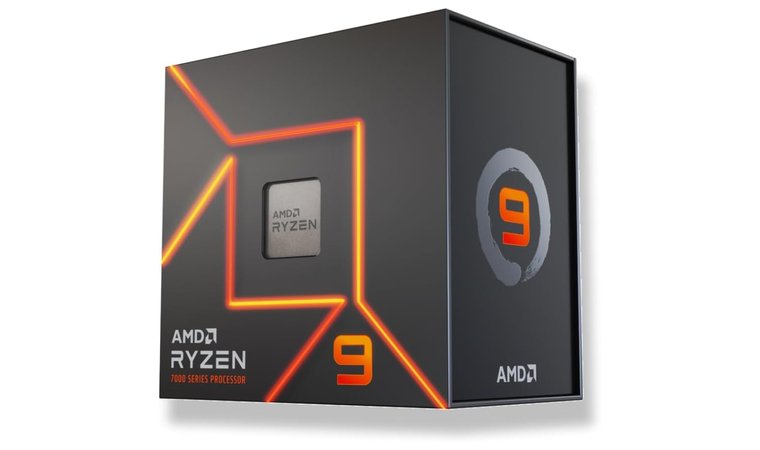
5. AMD Ryzen 9 7950X [Best CPU for Heavy Content Creation]
| Specs | Details |
| Cores / Threads | 16 Cores / 32 Threads |
| Base / Boost Clock | 4.5 GHz Base / 5.7 GHz Boost |
| Cache | 16 MB L2 + 64 MB L3 |
| TDP | 170 W |
| Socket | AM5 |
| Integrated GPU | AMD Radeon Graphics |
| Cooler | Not included – aftermarket cooling required |
The Ryzen 9 7950X sits at the top of AMD’s non-3D Zen 4 lineup. With 16 cores and 32 threads, it chews through heavy workloads like video editing, code compilation, 3D rendering, and other multi-threaded tasks with ease. Reviews consistently highlight its flagship-level performance for productivity and hybrid gaming/workstation setups.
It brings flagship multi-core power without the workstation premium, making it ideal for professionals who need consistent, high-throughput performance.
Its 170 W TDP allows the chip to sustain boost clocks up to 5.7 GHz, while the AM5 platform adds support for DDR5 memory and PCIe 5.0 connectivity. Outlets such as WePC describe the 7950X as the pinnacle of the Zen 4 range, combining strong performance today with solid longevity and upgrade options thanks to AMD’s long-term commitment to AM5.
| Pros | Cons |
| ✅ 16 cores / 32 threads provide outstanding multi‑thread throughput ✅ High 5.7 GHz boost clock keeps single‑threaded responsiveness strong ✅ AM5 platform guarantees long‑term upgrade potential ✅ Flagship performance at reasonable pricing relative to workstation CPUs ✅ Good for hybrid work‑and‑play systems – strong in productivity and decent in games | ❌ Gaming performance lags behind cache‑boosted chips – the 7800X3D and 9800X3D are faster in games |
This processor is best for creators and power users who prioritize compute-heavy workflows first and gaming second, but still want strong performance in both.
Final Verdict: The Ryzen 9 7950X is a powerhouse for heavy content creation and future‑proof builds. Its strong multi-core performance guarantees it remains reliable even as workloads become more complex over time.
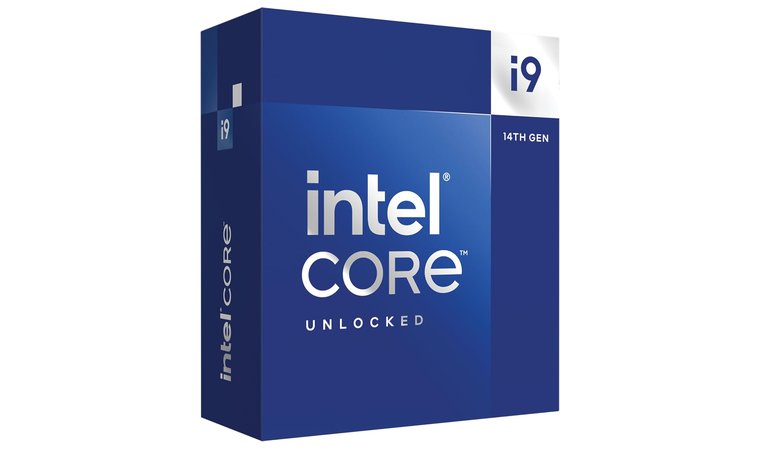
6. Intel Core i9‑14900K [Best CPU for Streaming]
| Specs | Details |
| Cores / Threads | 24 (8 Performance + 16 Efficiency) / 32 Threads |
| Base / Boost Clock | 3.2 GHz (P-core) / 2.4 GHz (E-core); Up to 6.0 GHz Boost |
| Cache | 32 MB L2 + 36 MB Smart Cache |
| TDP | 125 W Base / 253 W Max Turbo |
| Socket | LGA 1700 |
| Integrated GPU | Intel UHD Graphics 770 |
| Cooler | Not included – high-performance cooling recommended |
Intel’s Core i9-14900K is an incremental refresh of the 13900K, pushing boost clocks up to the 6.0 GHz mark. Although generational gains average around 3 %, it still ranks among the fastest consumer desktop processors available. Tom’s Hardware notes that while the Ryzen 7 7800X3D can be about 11 % faster in gaming and often cheaper, the 14900K counters by being roughly 21 % faster than the Ryzen 9 7950X in games and extremely strong in productivity.
Its 6.0 GHz boost clock and strong hybrid architecture make it perfect for heavy multitasking, fast gameplay, and smooth streaming.
With eight performance cores and sixteen efficient cores, it excels at heavy multitasking scenarios like gaming while streaming and live encoding. The hybrid core layout also helps produce high 99th percentile frame rates for smooth viewing experiences. Support for both DDR4 and DDR5 further lowers upgrade costs for users migrating from older Intel platforms.
| Pros | Cons |
| ✅ 6 GHz peak boost – highest stock clock of any desktop CPU ✅ Hybrid core layout with 24 cores/32 threads for excellent multitasking ✅ Strong gaming + productivity balance – 21 % faster than the Ryzen 9 7950X in games while competitive in content creation ✅ Supports DDR4 & DDR5 – flexible for both new and existing builds ✅ Great for streaming thanks to high 99th percentile frame rates and multitasking headroom | ❌ Marginal generational gain – only ~3 % faster than the 13900K and uses similar power |
It’s a strong fit for streamers, content creators, and enthusiasts who want maximum responsiveness and don’t mind investing in robust cooling.
Final Verdict: If you need the highest clocks and balanced gaming and productivity performance for streaming, the i9‑14900K is a top choice. Its exceptional responsiveness makes it ideal for creators who demand smooth performance under heavy multitasking.
Get Intel Core i9‑14900K on Amazon.
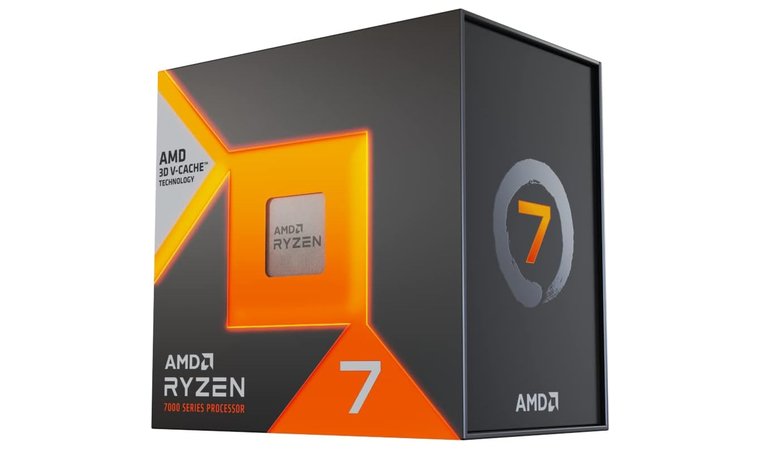
7. AMD Ryzen 7 7800X3D [Best CPU for Gaming]
| Specs | Details |
| Cores / Threads | 8 Cores / 16 Threads |
| Base / Boost Clock | 4.2 GHz Base / 5.0 GHz Boost |
| Cache | 8 MB L2 + 96 MB L3 (3D V-Cache) |
| TDP | 120 W |
| Socket | AM5 |
| Integrated GPU | None |
| Cooler | Not included – aftermarket cooling recommended |
The Ryzen 7 7800X3D is widely regarded as the top gaming CPU in 2025. Its second-generation 3D V-Cache design stacks 96 MB of L3 cache on the chip, substantially increasing frame rates and reducing stutters in modern titles. Tom’s Hardware reports it averaging about 12 % faster than Intel’s i9-13900K and up to 40 % faster in select games, all while drawing much less power. It’s the benchmark in our best CPU for gaming guide.
It’s the fastest gaming CPU available thanks to 3D V-Cache, offering unmatched frame-time consistency and efficiency for competitive players.
Despite having “only” eight cores and sixteen threads, the chip’s efficiency and cache-driven performance keep it at the front of the pack for gaming. Paired with DDR5 and PCIe 5.0 on the AM5 platform, it provides excellent longevity. While it can’t match 16-core CPUs in heavy productivity tasks, its focus is unashamedly on delivering the best gaming experience possible.
| Pros | Cons |
| ✅ 96 MB L3 cache via 3D V‑Cache provides exceptional gaming performance ✅ Up to 40 % faster than competing chips in certain games ✅ Low power consumption relative to performance ✅ Reduces stutters and frame spikes – ideal for competitive gaming ✅ AM5 platform guarantees longevity with DDR5/PCIe 5.0 | ❌ No DDR4 support – requires DDR5 memory and an AM5 board |
Competitive players and high-refresh gamers will especially appreciate its ability to minimize frame dips and maintain ultra-smooth performance in fast-paced titles.
Final Verdict: For uncompromised gaming performance and efficiency, choose the Ryzen 7 7800X3D. Its cache-driven design gives competitive gamers a consistent edge across fast-paced titles.
Get AMD Ryzen 7 7800X3D on Amazon
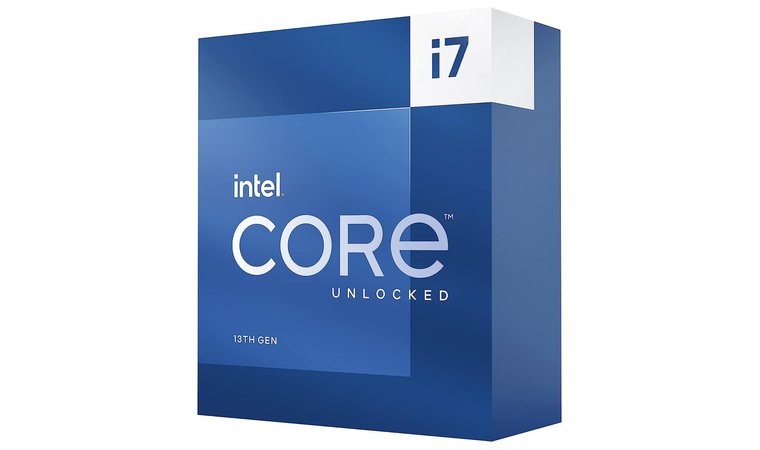
8. Intel Core i7‑13700K [Best Mid‑Range CPU]
| Specs | Details |
| Cores / Threads | 16 (8 Performance + 8 Efficiency) / 24 Threads |
| Base / Boost Clock | 3.4 GHz (P-core) / 2.5 GHz (E-core); Up to 5.4 GHz Boost |
| Cache | 24 MB L2 + 30 MB Smart Cache |
| TDP | 125 W Base / 253 W Max Turbo |
| Socket | LGA 1700 |
| Integrated GPU | Intel UHD Graphics 770 |
| Cooler | Not included – aftermarket cooler recommended |
Intel’s Core i7-13700K hits a near-perfect balance of price and performance. According to Tom’s Hardware, it provides gaming performance very close to the more expensive i9-13900K while typically costing around $180 less, making it a standout choice for value-minded enthusiasts.
It provides near-flagship gaming performance at a lower cost, making it an excellent pick for balanced, high-value mid-range builds.
Compared to the previous-gen 12700K, it gains four additional efficient cores and a 400 MHz higher boost clock, significantly boosting multi-threaded performance. This does push turbo power up to 253 W, making a competent cooler important, but the 16 cores and 24 threads offer excellent headroom for streaming, content creation, and demanding multitasking.
| Pros | Cons |
| ✅ Almost as fast as the 13900K in gaming but far cheaper ✅ 16 cores/24 threads for versatile workloads ✅ 5.4 GHz boost clock improves gaming latency ✅ Balanced price/performance for gamers and creators ✅ Supports DDR4 and DDR5 – flexible upgrade path | ❌ High turbo power draw – 253 W maximum calls for a robust cooler |
It’s a great choice for builders who want a do-it-all CPU that won’t bottleneck high-end GPUs but still keeps total system cost under control.
Final Verdict: The i7‑13700K offers nearly i9‑class gaming performance and excellent multitasking at a lower cost. It strikes a rare balance between long-term value and high-end capability for a wide range of builds.
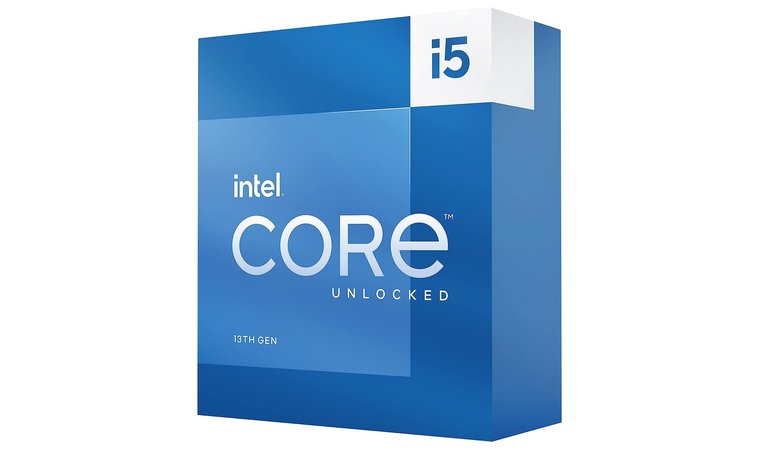
9. Intel Core i5‑13600K [Best CPU for Work and Play]
| Specs | Details |
| Cores / Threads | 14 (6 Performance + 8 Efficiency) / 20 Threads |
| Base / Boost Clock | 3.5 GHz (P-core) / 2.6 GHz (E-core); Up to 5.1 GHz Boost |
| Cache | 20 MB L2 + 24 MB Smart Cache |
| TDP | 125 W Base / 181 W Max Turbo |
| Socket | LGA 1700 |
| Integrated GPU | Intel UHD Graphics 770 |
| Cooler | Not included – aftermarket cooling recommended |
The Core i5-13600K is the sweet spot for users who want strong all-round performance without paying flagship prices. Its six performance cores and eight efficient cores combine for 14 cores and 20 threads, surpassing any previous i5 and making it capable of handling gaming, productivity, and light streaming with ease.
It brings the best price-to-performance ratio in its class, offering strong gaming, productivity, and multitasking without breaking your budget.
Although it consumes more power than the 12600K, the performance uplift is significant enough to improve its overall value. Reviews from outlets like Club386 praise the 13600K for delivering excellent results in both applications and games. Support for DDR4 memory and budget-friendly B660/B760 motherboards also keeps total platform costs down, making it especially appealing for cost-conscious builders.
| Pros | Cons |
| ✅ Great price/performance – offers high single‑thread speed and multi‑core throughput at a mid‑tier price ✅ 14 cores/20 threads provide headroom for gaming, productivity and streaming ✅ Supports DDR4 and DDR5 – flexible upgrade path ✅ Compatible with budget motherboards like B660/B760 ✅ Strong overclocking headroom for enthusiasts | ❌ Increased power consumption compared to the 12600K reduces efficiency |
It’s ideal for students, everyday users, and gamers who want one desktop that can multitask comfortably without stretching into high-end pricing.
Final Verdict: The i5‑13600K provides flagship‑level gaming performance per dollar and enough cores for multitasking. Its versatility makes it one of the best mid-range processors for users who need one system for both work and play.
Buying Basics: Key Concepts to Know About CPUs
Before picking a processor, it helps to understand the underlying terminology. The following sections break down key concepts in concise, scannable form.
Gaining a clear grasp of these fundamentals will make it easier to compare CPUs and choose the one that truly fits your needs. And if you’re choosing between desktop and portable setups, our best laptop for gaming guide covers the top mobile performers.
1. Cores and Threads
A processor’s cores are its individual computing units – each capable of executing its own tasks. More cores mean a CPU can handle more processes simultaneously, which boosts multitasking and performance in demanding workloads like rendering or video editing.
Threads are virtual divisions of these cores, created through technologies such as Intel’s Hyper-Threading or AMD’s Simultaneous Multithreading (SMT), allowing each core to manage two tasks at once. For example, a 4-core/8-thread CPU can process eight operations in parallel.
The ideal core count depends on your needs: two cores handle web browsing and office work, four to six are great for gaming, and eight or more suit creators and streamers. High-core-count chips (10+) shine in scientific computing, virtualization, or large-scale content creation, where parallel workloads dominate.
2. Clock Speed (GHz)
Clock speed measures how fast a CPU can process instructions, expressed in gigahertz (GHz). It represents how many cycles – or operations – the chip executes each second. Modern CPUs have a base clock, which is their guaranteed minimum speed, and a boost or turbo clock, which is a higher frequency the CPU can reach under optimal power and temperature conditions.
Intel’s Turbo Boost and AMD’s Precision Boost dynamically adjust speeds to balance performance and heat. While more cores improve multitasking, clock speed largely determines how fast single-threaded tasks, like gaming or everyday app use, perform. A higher boost clock translates to smoother gameplay, faster file compression, and snappier performance. When comparing CPUs, always look at both the base and boost clocks, as these indicate how well the processor handles both light and intensive workloads.
3. Architecture and Generation
CPU architecture defines how a processor is designed – its efficiency, power consumption, and capabilities. Each new generation brings improvements such as higher IPC (instructions per cycle), smaller manufacturing processes (measured in nanometers), and better support for modern technologies.
For instance, Intel’s Raptor Lake architecture uses a hybrid layout of Performance (P) and Efficiency (E) cores, supporting both DDR4 and DDR5 memory for flexibility. AMD’s Zen 4 architecture, built on a 5 nm node, increases clock speeds, enhances efficiency, and introduces PCIe 5.0 for faster data transfer.
Choosing a current-generation CPU provides longer motherboard support, improved performance per watt, and access to cutting-edge features like faster memory and storage interfaces. While older architectures may save money, newer ones offer better future-proofing and reliability, especially for gaming and content creation.
4. TDP (Thermal Design Power)
Thermal Design Power (TDP) measures how much heat a CPU produces under maximum theoretical load and how much power it consumes in those conditions. TDP helps you determine the cooling and power supply requirements for your system. A higher TDP, like 280 W in AMD’s Threadripper series, demands high-end liquid or tower coolers, while mid-range CPUs (65–125 W) are easier to manage thermally and suitable for most builds.
It’s important to note that TDP doesn’t equal real-world power usage; modern CPUs often exceed their rated TDP temporarily during turbo boost or heavy workloads. Still, it serves as a useful baseline when planning a build. Understanding TDP ensures you choose the right cooling solution, maintain stable performance, and prevent thermal throttling, which can reduce clock speeds when the CPU overheats.
Reliable thermal management is essential for avoiding performance drops, making it necessary to install the best CPU cooler capable of dissipating the heat generated by your specific model.
5. Integrated Graphics (iGPU)
Integrated graphics, or iGPU, refers to a graphics processor built directly into the CPU. It handles display output and light graphics tasks without requiring a separate graphics card. Integrated GPUs share system memory and consume less power, making them perfect for compact PCs, office setups, and laptops.
Intel’s UHD Graphics and AMD’s RDNA 2 integrated solutions can manage video playback, casual gaming, and basic creative work efficiently. Discrete GPUs, on the other hand, are standalone cards with dedicated memory (VRAM) that bring higher performance for 3D rendering, gaming, and professional workloads.
Some CPUs – like AMD’s Ryzen 5 7600X – include integrated graphics, allowing you to build a system without an external GPU initially and upgrade later. Having an iGPU offers flexibility, especially for troubleshooting, light tasks, or when graphics cards are hard to source or expensive. If you plan to upgrade later, our best GPU roundup covers the top graphics cards for every budget.
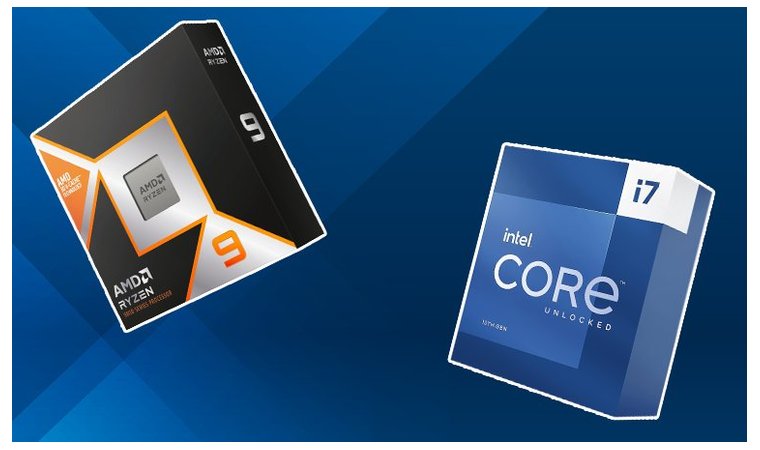
Find Out If Your CPU Will Work With RAM & Motherboards
Even the best CPUs won’t perform well if paired with incompatible hardware. Always check these factors before purchasing:
- Socket compatibility: Make sure the CPU’s socket (LGA1700, AM5, sTRX4, etc.) matches the motherboard’s socket.
- Chipset support: Different chipsets control features like PCIe lanes, overclocking and memory support.
- RAM type and speed: DDR4 and DDR5 are not interchangeable; your CPU and motherboard must support the same memory generation and frequency.
- Power delivery and cooling: Higher‑wattage CPUs need robust VRMs and coolers.
- Future upgrade paths: Choose platforms like AM5, which promise support through at least 2027.
Taking time to verify compatibility now saves money and frustration later. A well-matched CPU, motherboard, and memory guarantee stable performance, easier upgrades, and a smoother overall PC-building experience. If you’re unsure which board to pair with your CPU, our best motherboard roundup covers the top options for every budget.
Step 1: Match Your CPU to the Right Motherboard
The CPU socket is the physical slot on a motherboard that houses the processor. Sockets differ in pin arrangements and power delivery, such as Intel’s LGA1700 (land grid array) and AMD’s AM5 (LGA 1718). Always verify that your motherboard has the same socket type as your CPU. Chipsets also matter: they control communication between the CPU and other components, determine overclocking support, and define how many PCIe and USB lanes you get.
Some motherboards can extend compatibility via BIOS updates, but there is no guarantee, especially when moving between generations. When in doubt, consult the manufacturer’s CPU support list and consider boards from reputable brands that offer frequent BIOS updates.
Step 2: Verify RAM Type and Speed Support
Memory comes in different generations, such as DDR4 and DDR5, and these are not interchangeable. You cannot install DDR5 modules in a DDR4 motherboard or vice versa. Check the CPU’s specifications for supported memory type and maximum frequency; for example, Intel’s Raptor Lake CPUs support DDR5 5600 or DDR4 3200. To help you choose reliable DDR4 or DDR5 modules, see our best RAM recommendations.
Crucial notes that RAM compatibility depends on generation, form factor, module density, and speed. Use the motherboard manufacturer’s QVL (qualified vendor list) to confirm which memory kits have been tested. When upgrading memory, match modules in capacity and speed to avoid stability issues. If you’re upgrading an older system, our guide to the best AM4 CPU can help you maximize the platform.
My Overall Verdict on the Best CPUs
Choosing the right CPU depends on your workload, priorities, and budget. If you’re chasing maximum frames, seamless streaming, or raw creative power, there’s a perfect match for every kind of user. Here’s how to decide which processor suits you best:
- For pure gamers → Ryzen 7 7800X3D.
Unmatched gaming performance thanks to its massive 96 MB 3D V-Cache, providing ultra-smooth frame rates and top-tier efficiency. - For streamers and multitaskers → Intel Core i9-14900K or Ryzen 9 7950X3D.
These high-core chips blend powerful single-thread speed with robust multi-thread muscle – ideal for gaming, streaming, and productivity at once. If you prefer a portable setup, our best laptop for streaming guide covers the top choices. - For content creators and professionals → Ryzen 9 7950X or Threadripper 3990X.
Built for heavy workloads like 3D rendering, video editing, and code compilation, offering extreme throughput and workstation-class scalability. For portable render performance, see our best laptop for rendering recommendations. - For value seekers and students → Ryzen 5 7600X or Intel Core i5-13600K.
Affordable, power-efficient, and future-ready CPUs that provide excellent gaming and productivity performance for the price.
No matter your use case – gaming, creation, or everyday computing – these CPUs offer a balance of performance, efficiency, and upgrade potential. Identify your needs, match your budget, and you’ll find a processor that powers your setup for years to come.
FAQs
The Intel Core i9-13900K is currently one of the best all-around CPUs. It provides exceptional gaming, streaming, and productivity performance with its hybrid architecture, high boost clocks, and strong multi-threading capabilities, making it ideal for gamers and creators alike.
The CPU (Central Processing Unit) is the computer’s brain. It executes instructions, manages data flow, and coordinates hardware components. Unlike a GPU, which handles graphics, the CPU performs general computing tasks like running software, managing memory, and controlling system operations.
A 12-core or 16-core CPU has that many individual processing units inside. More cores improve multitasking and performance in demanding applications such as rendering and editing. However, most games and daily programs work efficiently with 6–8 cores.
The GPU is generally more important for gaming since it handles rendering, frame rates, and visual effects. The CPU supports by managing game logic, physics, and background tasks. For the best experience, a balanced combination of both prevents performance bottlenecks.
The CPU is more important. Photoshop relies primarily on CPU speed and cores for editing and rendering tasks. The GPU helps accelerate some filters and tools, but overall performance depends more on a fast CPU and sufficient RAM.
Check if your motherboard supports DDR4 or DDR5 memory, and match it with your CPU’s supported memory type and frequency. Consult the motherboard’s Qualified Vendor List (QVL) for tested RAM kits and update the BIOS to guarantee stability and compatibility.