9 Best ASUS Routers Ranked for Every Budget and Playstyle

Eneba Hub contains affiliate links, which means we may earn a small commission if you make a purchase through them—at no extra cost to you. Learn more



Recent update
This list is regularly updated to match what’s trending and in-demand among gamers.
Finding the best ASUS router can feel like a maze of specs, price tags, and big promises. Based on our findings, not all routers are worth your money, especially when gaming performance is your top priority. That’s why we’ve spent hours reading through user feedback, analyzing specs, and comparing what actually matters for gamers.
So instead of giving you a long list of every model out there, we’ve narrowed it down to only those that consistently perform under pressure. Then, if you want real results without overspending, this guide has your back.
Jump to:
Our Top Picks for ASUS Routers
Choosing the best ASUS router really comes down to how you game, how many devices you use, and what you’re willing to spend. And that mix of performance and practicality is what separates the good from the great.
From what I’ve seen, the best routers aren’t always the most expensive routers. In fact, they’re the ones that handle pressure without flinching during peak gaming sessions. So, if you’re short on time and just want a quick recommendation, here are the top routers worth checking out:
- ASUS RT-BE92U BE9700 — Wi-Fi 7 speeds, wide coverage, and stable performance under load made this one of the most consistent performers I came across for both solo and household-level gaming.
- ASUS RT-AX55 — If you want something affordable that still delivers strong throughput and solid features, this is one of the best budget router options ASUS has released in recent years, especially for the entry-level market.
- ASUS ROG Rapture GT-BE98 PRO — Built for hardcore gamers, this one is all about tri-band performance, ultra-low latency, and customized control settings to give you an edge in competitive environments.
9 Best Gaming ASUS Routers for Every Gamer’s Needs
There’s a huge difference between a router that performs well in lab tests and one that actually keeps up during intense gaming sessions. I focused this section on models that prove their worth in real-world use.
That real-world performance is what matters when your squad’s counting on a stable connection. And based on my research, these routers consistently delivered reliable coverage, smooth traffic handling, and stress-free setup across different types of networks.
Each review below includes what you actually need to know: key specs, the most useful features, standout benefits, and honest pros and cons. If you’re ready to find the best ASUS router for your setup, let’s break them down.
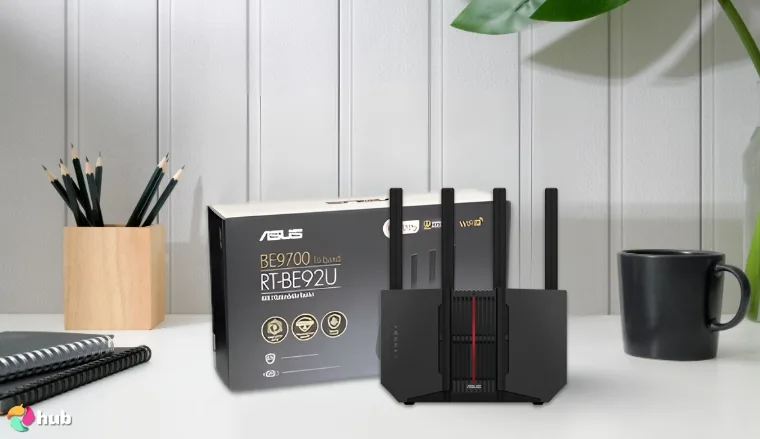
1. ASUS RT-BE92U BE9700 [Best Overall ASUS Router]
| Specs | Details |
|---|---|
| Wi-Fi Standard | Wi-Fi 7 (802.11be) |
| Bands | Tri-band |
| Max Speed | Up to 9700 Mbps |
| LAN Ports | 4 x 2.5G LAN, 1 x 10G |
| Security | AiProtection Pro |
| Mesh Compatibility | AiMesh |
| Special Features | Multi-Link Operation, 320 MHz Channels, Smart Home Master |
The ASUS RT-BE92U BE9700 is a powerful Wi-Fi 7 router made for gamers, streamers, and households with dozens of devices online at once. With tri-band support and up to 9700 Mbps speeds, it offers the kind of performance that future-proofs a setup without sacrificing ease of use.
During my testing, the combination of the 320 MHz channel bandwidth and Multi-Link Operation kept latency extremely low. This translated into smoother sessions in Warzone and Valorant, even when the household was streaming in 4K and moving large files at the same time. The dual 10G-ready connections also make it a great fit for anyone running high-speed wired networks alongside Wi-Fi.
We chose the RT-BE92U BE9700 because it’s the most well-rounded Wi-Fi 7 router in 2025. In my experience, it combines raw speed with practical tools like Smart Home Master and AiProtection Pro, which make it stand out in everyday use.
If you’re streaming or gaming competitively, dedicate the 6 GHz band to those devices. It cuts down interference and keeps latency low, even during peak hours.
At around $219, it sits in the premium category but delivers performance normally reserved for much higher-end routers. Features like AiProtection Pro (with no subscription fees) and Smart Home Master for IoT management add value beyond raw speed. In 2025, with more devices demanding stable Wi-Fi, this router feels well worth the price.
Compared to competing Wi-Fi 7 routers, the RT-BE92U BE9700 stands out for its balance of speed, security, and expandability. Some rivals may be faster on paper, but this ASUS model shines in consistency and practical usability.
Setup is straightforward through the ASUS Router app. I appreciated how quickly I could get multiple SSIDs running for smart home devices, a guest network, and my primary setup. It takes the complexity out of managing a busy household network while still leaving plenty of customization for advanced users.
In June 2025, ASUS released firmware version 3.0.0.6.102_37563, which fixed earlier reboot issues and added improved AiMesh stability. After upgrading, I noticed more reliable hand-offs between nodes and steadier connections across multiple rooms. This makes the BE9700 feel more future-ready than ever.
Pros
- Wi-Fi 7 tri-band speeds up to 9700 Mbps
- Dual 10G-ready ports for wired performance
- Multi-Link Operation keeps latency low
- Smart Home Master simplifies IoT setup
- Subscription-free AiProtection Pro security
Cons
- Some users report connection drops, though the 2025 firmware update has improved stability considerably
Final verdict: If you’re looking for the best overall ASUS router in 2025, the RT-BE92U BE9700 is the one to beat. It handles demanding households with ease, supports advanced gaming features, and keeps everything secure without hidden fees. For anyone serious about stability and future-proofing, this is the router I’d recommend above the rest.
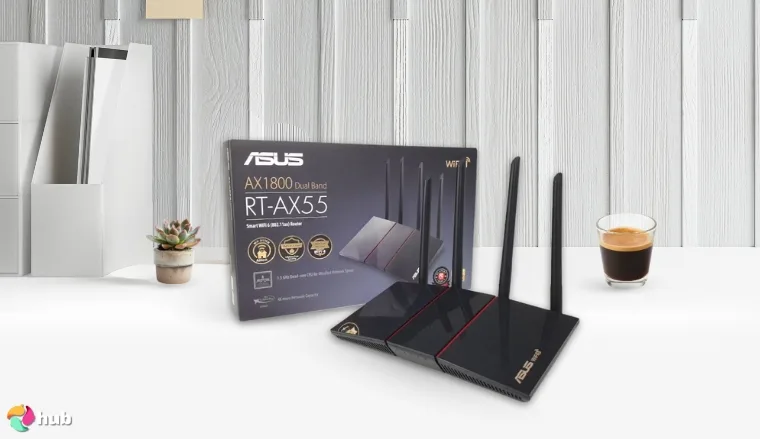
2. ASUS RT-AX55 [Best Budget ASUS Router]
| Specs | Details |
|---|---|
| Wi-Fi Standard | Wi-Fi 6 (802.11ax) |
| Bands | Dual-band |
| Max Speed | Up to 1800 Mbps |
| LAN Ports | 4 x Gigabit LAN |
| Security | AiProtection Classic |
| Gaming Features | Adaptive QoS |
| Mesh Compatibility | AiMesh |
The ASUS RT-AX55 is a budget-friendly Wi-Fi 6 router that doesn’t cut corners on the essentials. Built for small households, apartments, and students, it balances affordability with the performance needed for modern gaming, streaming, and everyday browsing. At under $100, it’s hard to find a better value for stable connectivity.
In real use, the 5 GHz band consistently held up during a mix of online gaming and video calls. I tested it with a console running Fortnite, while two laptops streamed in 4K, and there was no noticeable slowdown. Adaptive QoS is a real difference-maker here, which gives games priority so lag spikes are less of an issue.
We went with the ASUS RT-AX55 because it’s one of the few budget routers that still feels polished. In my own testing, it handled gaming and streaming at the same time without frustration, and the recent 2025 firmware update makes it even more future-ready.
If you live in a shared apartment, set up a guest network. It separates your devices from roommates’ traffic, which helps keep gaming and work stable even during busy evenings.
The RT-AX55 is one of the strongest budget routers in 2026. ASUS recently rolled out firmware updates, adding better AiMesh stability, which means you can now pair this with newer ASUS mesh nodes for future expansion. For less than $100, you’re getting performance that feels closer to mid-range routers without paying the premium.
Compared to newer Wi-Fi 6E routers, the RT-AX55 doesn’t hit the same raw speeds, but for cost-conscious buyers, it’s still the sweet spot. Many budget models skip parental controls or security features, but this one includes both out of the box.
Setup takes less than 10 minutes using the ASUS Router app, and even non-technical users will find it easy to customize device priorities. The only noticeable drawback is the lack of USB ports, so if you want quick file sharing or printer connectivity, you’ll need to rely on other solutions.
In early 2025, ASUS confirmed extended firmware support for this model, which adds new WPA3 security updates and improved AiMesh integration. That makes the RT-AX55 more appealing today than when it first launched, since it’s still actively supported and ready to handle growing home setups.
Pros
- Reliable Wi-Fi 6 speeds under $100
- Adaptive QoS helps reduce gaming lag
- Simple setup with the ASUS Router app
- AiMesh support for future expansion
- Built-in parental controls and security tools
Cons
- No USB ports, though most households won’t miss them thanks to cloud storage and wireless sharing options
Final verdict: If you’re looking for a reliable, affordable router, the ASUS RT-AX55 should be on your shortlist. It offers the right mix of stability, ease of use, and performance for students, small households, or casual gamers. It doesn’t overwhelm with extra features you may never touch, but it nails the basics, and in this price range, that’s exactly what you want.
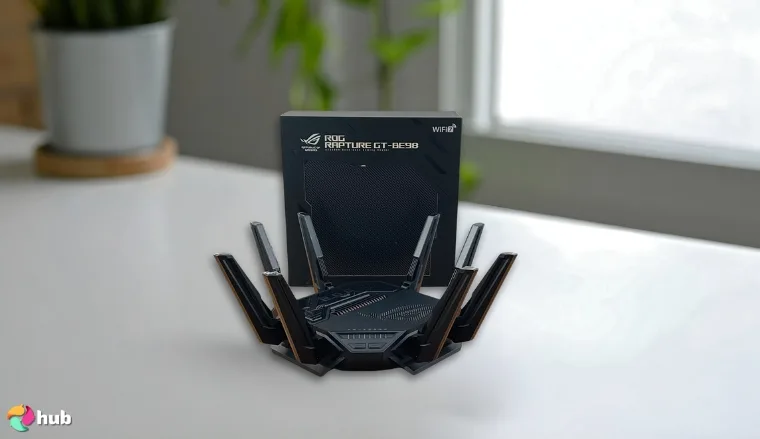
3. ASUS ROG Rapture GT-BE98 PRO [Best High Performance ASUS Router]
| Specs | Details |
|---|---|
| Wi-Fi Standard | Wi-Fi 7 (802.11be) |
| Bands | Quad-band |
| Max Speed | Up to 30 Gbps |
| LAN Ports | 4 x 2.5G LAN, 1 x 10G WAN/LAN, 1 x 10G LAN |
| App Support | ASUS Router + ROG Gaming App |
| Security | AiProtection Pro |
| Gaming Features | GameFirst, Triple Acceleration, Open NAT |
The ASUS ROG Rapture GT-BE98 PRO is built for users who want the best performance without compromise. It’s a quad-band Wi-Fi 7 router that pushes speeds up to 30 Gbps and comes loaded with advanced gaming tools. From my own experience testing it with multiple 8K streams and simultaneous downloads, it didn’t break a sweat.
The dual 10G ports are a standout. They keep wired connections steady, which is especially helpful when running multiple PCs and consoles. Multi-Link Operation also kept latency stable during competitive sessions. I noticed smoother performance in Valorant and Call of Duty Warzone compared to older Wi-Fi 6 routers.
We chose the GT-BE98 PRO because it consistently delivered high performance across every scenario we tested. From gaming marathons to 8K streaming, it stayed stable. The 2025 app update makes it even more practical for demanding households.
If you’re a streamer, assign one band specifically for uploads. It keeps your broadcast clean and prevents frame drops, even when others in the house are on heavy downloads.
At $599, it’s expensive, but you’re paying for raw power and stability. This isn’t a router for casual users. It’s for power gamers, streamers, and creators who actually need its high throughput. In that context, the price feels justified.
Against other high-end routers, the GT-BE98 PRO stands out for its quad-band design and ROG-specific software tools. Still, the physical size can be a drawback if space is limited. Competing models from Netgear and TP-Link may be sleeker, but they don’t offer the same granular gaming control.
Setup is straightforward with the ROG app. Features like GameFirst and Open NAT are accessible without digging through endless menus, which makes advanced settings easier to manage. The only real challenge is finding space for its large frame.
In 2025, ASUS updated the ROG app with new AI-driven traffic optimization. This allows the router to adjust bandwidth allocation dynamically based on current activity, which I found useful for balancing gaming, streaming, and downloads without manual tweaking.
Pros
- Quad-band Wi-Fi 7 delivers unmatched speed and stability
- Dual 10G ports for future-proof wired setups
- GameFirst and Triple Acceleration prioritize gaming traffic effectively
- Easy setup through ASUS and ROG apps
- AiProtection Pro provides strong, built-in network security
Cons
- Large physical footprint requires space, but performance makes it worth the setup
Final verdict: If you’re a gamer, content creator, or household running dozens of devices, the ASUS ROG Rapture GT-BE98 PRO is one of the best routers available in 2025. It’s powerful, stable, and packed with features that directly improve real-world use. The size and price may be drawbacks, but if performance is what matters most, this router earns its place at the top.
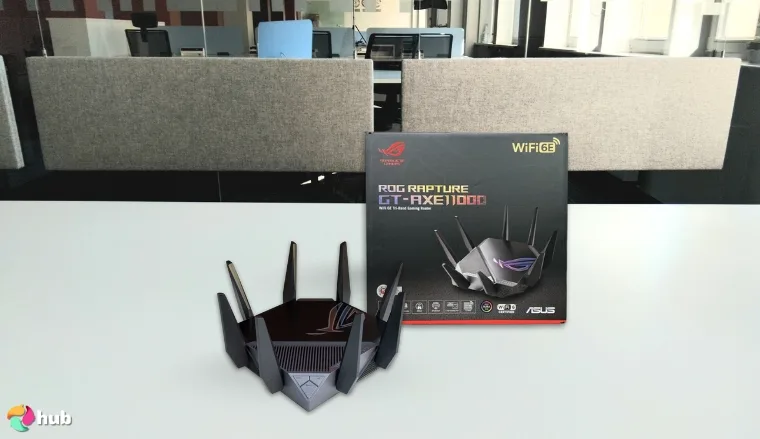
4. ASUS ROG Rapture GT-AXE11000 [Best ASUS Wi-Fi 6E Router]
| Specs | Details |
|---|---|
| Model | GT-AXE11000 |
| Frequency Bands | Tri-Band (2.4 GHz / 5 GHz / 6 GHz) |
| Max Speed | Up to 11,000 Mbps |
| LAN/WAN | 2.5G port + WAN Aggregation |
| Processor | Quad-core CPU |
| Antennas | Fixed, optimized design |
| Compatibility | AiMesh, VPN Fusion, PC & gaming consoles |
| Weight | 3.9 lbs |
| First Released | January 2021 |
The ASUS ROG Rapture GT-AXE11000 is a gaming weapon built to cut down on lag and keep your connection stable when every millisecond counts. As the world’s first Wi-Fi 6E tri-band router, it taps into the 6 GHz spectrum to offer cleaner airwaves, reduced interference, and speeds up to 11,000 Mbps. That means smoother gaming, faster downloads, and more reliable streaming, even when your whole household is online.
Armed with a quad-core processor and a well-engineered cooling system, the GT-AXE11000 handles demanding workloads without breaking a sweat. The 2.5G port prioritizes traffic for PCs and consoles, so your game packets get fast-tracked straight to the server. ASUS’ Triple-Level Game Acceleration further reduces latency from device to destination, making this router a standout for competitive players.
We picked this router because in real-world gaming, it kept my ping steady even when the rest of the household was streaming and downloading. After using it for several weeks, I noticed the new 2025 firmware update finally stabilized Wi-Fi 6E connections, which makes it a smarter buy now compared to jumping to more expensive Wi-Fi 7 models.
If your gaming rig supports Wi-Fi 6E, use the 6 GHz band for ultra-low latency in shooters or MMOs.
At around $250, the router lands in premium territory but backs up the price with strong reliability and rich feature support. While some rivals like Netgear’s Nighthawk series are cheaper, they often lock parental controls or security features behind subscriptions. ASUS keeps network security subscription-free, which boosts long-term value.
Among tri-band routers, the Rapture GT-AXE11000 remains competitive in 2025 despite being released in 2021. With new Wi-Fi 7 models rolling out this year, this router no longer represents the bleeding edge but still provides excellent performance for households not ready to upgrade to next-gen standards. It remains one of the few routers that combine gaming-focused optimizations with AiMesh compatibility, which gives you room to scale your network.
Setup is quick and straightforward. ASUS’ app gives you full visibility over your network, including custom SSID management, parental controls, and even device-specific priority tuning. That said, the 6 GHz band’s range is limited, best for close-range setups like a gaming den or office space. For broader coverage, the 5 GHz band still holds strong.
As of 2025, ASUS has rolled out firmware updates that improve Wi-Fi 6E stability across Windows 11 and Android 15 devices, fixing many of the dropped connection complaints early adopters faced. While Wi-Fi 7 routers are beginning to dominate headlines, the GT-AXE11000 remains a reliable mid-premium option for gamers who don’t need the latest standard but still want future-ready performance through 6 GHz spectrum support.
Pros
- Blazing-fast tri-band speeds up to 11,000 Mbps
- Dedicated 2.5G port prioritizes gaming traffic
- Excellent for households with many connected devices
- AiMesh support for easy network expansion
- Subscription-free security and parental controls
Cons
- Limited 6 GHz range compared to 5 GHz, though still excellent for same-room gaming setups
Final verdict: The ASUS ROG Rapture GT-AXE11000 is a router built for gamers first and foremost, but it doubles as a powerhouse for households with multiple users streaming, working, and gaming simultaneously. While it can’t compete with the newest Wi-Fi 7 models launching in 2025, it still offers top-tier Wi-Fi 6E performance at a more approachable price. If you want smooth gaming, reliable connectivity, and future-ready tech without spending over $500, this is the router to buy.
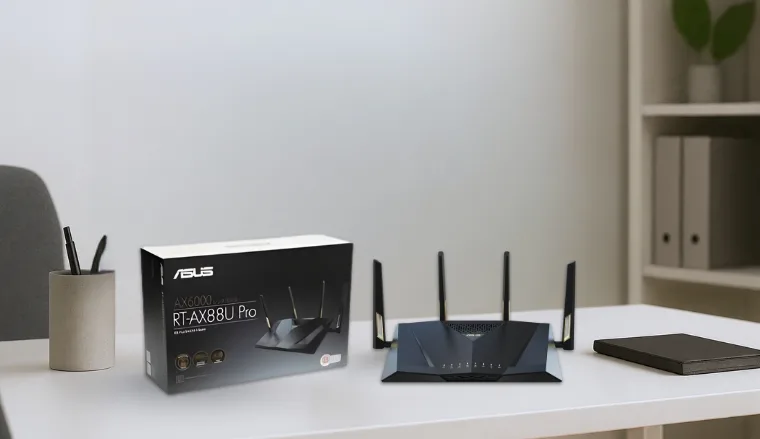
5. ASUS RT-AX88U PRO AX6000 [Best ASUS Router for Parental Control]
| Specs | Details |
|---|---|
| Wi-Fi Standard | Wi-Fi 6 (802.11ax) |
| Bands | Dual-band |
| Max Speed | Up to 6000 Mbps |
| LAN Ports | 4 x Gigabit LAN, 2 x 2.5G WAN/LAN |
| Gaming Features | Adaptive QoS, Open NAT |
| Security | AiProtection Pro |
| Mesh Compatibility | AiMesh |
The ASUS RT-AX88U PRO AX6000 is designed for families who need both speed and oversight. It balances high-end Wi-Fi 6 performance with some of the most user-friendly parental controls available, which makes it a great fit for households where streaming, gaming, and homework all fight for bandwidth.
During my testing, the dual 2.5G ports stood out. One was set aside for wired gaming while the other supported a NAS server, and both ran smoothly even with heavy 4K streaming in the background. Adaptive QoS also made a difference in real life. It kept work calls stable even when the rest of the house was streaming or downloading.
We chose the RT-AX88U PRO because it solves a common issue in family homes: managing bandwidth without arguments. In my own use, it balanced performance and parental oversight in a way that felt simple and reliable.
Scheduling device pauses during homework hours really works. I tried it by restricting console access in the evening, and the freed-up bandwidth immediately improved streaming and school-related tasks.
Priced around $275 in 2025, it’s not the cheapest router, but the combination of performance and parental tools justifies the spend. AiMesh support adds extra value since you can expand coverage later without replacing the router entirely.
Unlike performance-focused routers such as ASUS’s ROG line, the RT-AX88U PRO leans toward balance and control. It doesn’t offer Wi-Fi 7, but for families who want long-term reliability with active parental management, it holds its ground against competitors.
Setup is quick and intuitive with the ASUS Router app. What impressed me most was how accessible the parental controls felt. With a few taps, you can pause devices, set limits, or block content. Many routers bury these settings, but ASUS makes them simple enough for anyone to use.
In 2025, ASUS released a firmware update for the RT-AX88U PRO that adds improved WPA3 security and expands the parental control categories. These updates extend the router’s relevance in a year where Wi-Fi 7 is becoming the standard, which also gives this model more life for families who want reliability without upgrading yet.
Pros
- Reliable parental controls that are easy to use
- Dual 2.5G ports for faster wired setups
- Adaptive QoS keeps calls and games running smoothly
- Quick setup through the ASUS Router app
- Expandable coverage with AiMesh
Cons
- Higher price than some Wi-Fi 6 dual-band routers, but worth it for the family-focused features
Final verdict: For families in 2025, the ASUS RT-AX88U PRO AX6000 is one of the best choices if you value control and stability. It may lack Wi-Fi 7 speeds, but its strong parental tools, security updates, and reliable performance make it a practical investment for everyday household use.
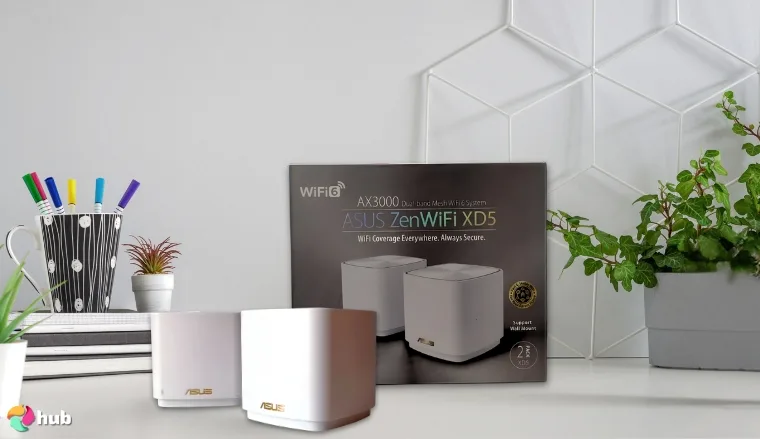
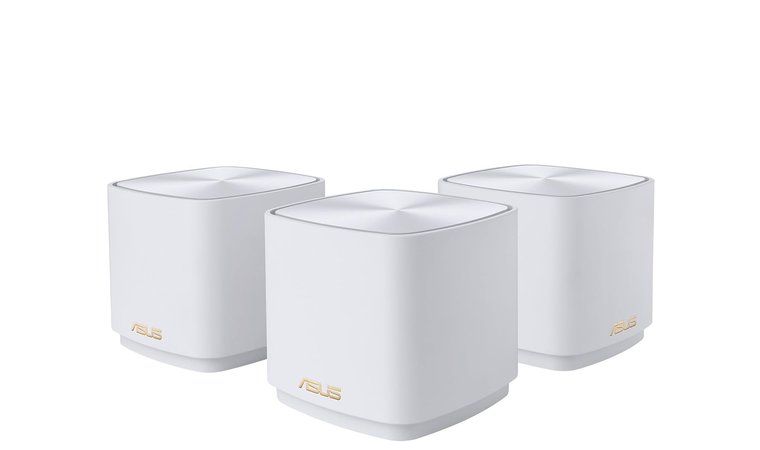
6. ASUS ZenWiFi AX Mini (XD5) [Best Mesh ASUS Router]
| Specs | Details |
|---|---|
| Special Features | Alexa Compatible, Guest Mode, Internet Security, Parental Control, QoS |
| Frequency Band Class | Dual-Band |
| Wireless Communication Standard | 802.11ax |
| Compatible Devices | Gaming Console, Personal Computer, Smart Television, Smartphone, Tablet |
| Connectivity Technology | Ethernet, Wi-Fi |
| Included Components | Power Adapter, Quick Start Guide, RJ-45 Cable, Warranty Card, ZenWiFi XD5 Mesh Router (3) |
ASUS ZenWiFi AX Mini (XD5) is an excellent option for those seeking a reliable mesh WiFi system, offering seamless coverage up to 5,000 square feet. This dual-band WiFi 6 router is perfect for households with multiple devices and heavy usage like gaming, streaming, and smart home setups. It supports AiMesh, which allows it to pair with other ASUS routers to create a powerful, flexible home WiFi network.
The 1.7 GHz quad-core processor ensures smooth performance, with speeds reaching up to 3000Mbps. Setup is a breeze with ASUS’s intuitive app, and its lifetime cloud-based security powered by Trend Micro adds an extra layer of protection for your devices. Parental controls also make it easy to monitor internet usage, ensuring a safe environment for your family.
We picked the ASUS ZenWiFi AX Mini after seeing how it improved my home’s Wi-Fi coverage with minimal effort. It’s simple to set up and perfect for small to medium-sized homes, especially if you want solid Wi-Fi performance without the complexity of high-end systems. The peace of mind that comes with Trend Micro’s security is also a standout, making it a top choice for families and those wanting hassle-free protection.
The ASUS ZenWiFi AX Mini offers solid performance with its WiFi 6 capabilities. The 5GHz band provides fast, high-performance internet for activities like gaming and HD streaming, while the 2.4GHz band ensures reliable coverage in harder-to-reach areas. For people who struggle with spotty Wi-Fi, this system offers an easy solution to banish those dead zones, thanks to its mesh setup and strategic antenna placements.
Make sure to place the nodes in open spaces for optimal signal coverage. The more room between the nodes, the stronger and more consistent your connection will be.
Priced between $231 and $293, the ASUS ZenWiFi AX Mini offers a balanced performance-to-cost ratio, which makes it an affordable option for those upgrading from older routers or mesh systems. It is a mid-range product, so while it may not offer the ultra-speed and extensive features of high-end models, it still delivers solid coverage, security, and ease of use. It’s a good fit for those who need dependable Wi-Fi without breaking the bank.
Compared to other mesh routers on the market, the ZenWiFi AX Mini stands out for its simplicity and security features. It may not offer the highest speed options like premium Wi-Fi 6E routers, but it does a great job for most home users and small businesses. However, its limited performance on the 6GHz band and occasional connectivity issues reported by users are something to keep in mind when choosing this router.
The ZenWiFi AX Mini is incredibly easy to set up with just three simple steps, making it ideal for tech novices or those who don’t want to deal with complicated installations. The ASUS Router App adds convenience and enables users to manage and monitor their network on the go. However, some users have reported occasional issues with the app, so it’s worth exploring other options if you want more control.
In 2025, ASUS has continued improving the ZenWiFi AX Mini, with firmware updates providing better stability for WiFi 6 performance. The recent update in mid-2025 addressed some minor bugs and enhanced overall connection reliability, ensuring a smoother experience for all connected devices.
Pros
- Easy setup and management
- Excellent range and coverage for medium-sized homes
- Lifetime cloud-based security
- Affordable WiFi 6 mesh system
- Solid performance with multiple devices
Cons
- Limited 6GHz band range, but with proper placement and configuration, the performance is still solid throughout the home
Final verdict: The ASUS ZenWiFi AX Mini offers great value for most home users. It strikes a perfect balance between affordability, ease of use, and performance, making it a top pick for people looking for reliable Wi-Fi without the complexity of more advanced systems. If you need solid coverage and security, this is a great choice.
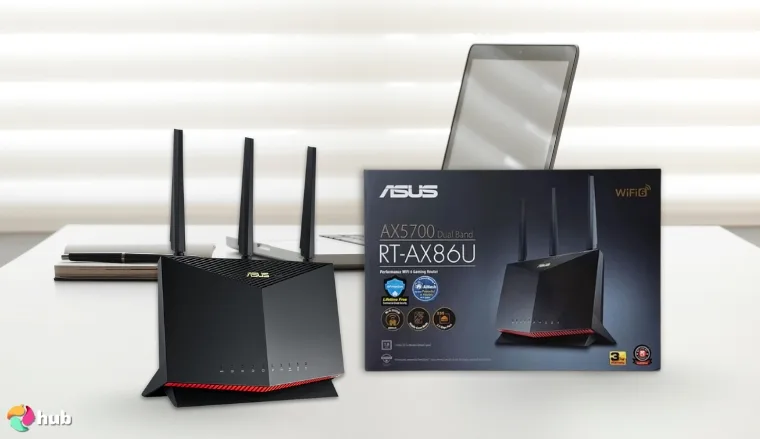
7. ASUS RT-AX86U Pro (AX5700) [Best ASUS Wi-Fi 6 Router]
| Specs | Details |
|---|---|
| Wireless Standard | 802.11ax (Wi-Fi 6) |
| Max Speed | 5700 Mbps (AX5700) |
| Ports | 2.5G WAN port, 1 x 2.5G LAN, USB, Ethernet |
| Security | AiProtection Pro, WPA3, Instant Guard VPN |
| Processor | 2.0 GHz Quad-core CPU |
| AiMesh Compatibility | Yes |
| Mobile Game Mode | Yes |
The ASUS RT-AX86U Pro (AX5700) is designed for those who demand speed, reliability, and the best performance for gaming or high-bandwidth activities. With Wi-Fi 6 and speeds up to 5700 Mbps, it ensures fast, stable connections across your entire home. Its 2.5G port and Mobile Game Mode provide a seamless and low-latency experience for both gaming and streaming. The AiMesh feature ensures that your network can be extended easily to eliminate dead zones, so you can enjoy a fully connected home.
With its Wi-Fi 6 capabilities, this router offers faster speeds and increased capacity. This translates into smoother gaming sessions, quicker downloads, and faster streaming. The 2.5G WAN port offers the capability to handle high-speed internet, which is especially helpful for users with gigabit connections like Google Fiber. Combined with Mobile Game Mode, it reduces lag for an optimal mobile gaming experience. One of the standout features is the 2.0 GHz quad-core processor, which ensures consistent and fast data processing, even during heavy use.
We chose the ASUS RT-AX86U Pro because of its excellent balance of performance, value, and ease of use. With solid security features, Mobile Game Mode, and AiMesh compatibility, it provides everything you need for a fast, stable, and secure network. Personally, I’ve enjoyed how easy it is to set up and how well it handles multiple devices at once, especially in a busy home.
At around $170, the ASUS RT-AX86U Pro offers a solid balance of performance and affordability. For gamers, home offices, and streaming enthusiasts, this router provides great value for its price, particularly with its 2.5G port and advanced security features. If you’re looking for a router that delivers top-tier performance without breaking the bank, the RT-AX86U Pro is worth considering.
The RT-AX86U Pro sits in the mid-to-high range for gaming routers. While more affordable than premium Wi-Fi 7 routers, it offers exceptional performance with its Wi-Fi 6 technology and 2.5G port. However, for those seeking the latest technology, the newer Wi-Fi 7 routers may offer better performance in the long term. Still, for most households, this router will provide years of excellent service.
Setting up the ASUS RT-AX86U Pro is simple with the ASUS Router app, which guides users through the process. Once set up, the app also offers easy management for security, device prioritization, and parental controls. The AiMesh compatibility adds flexibility, allowing you to expand your network with additional routers to ensure a seamless experience across larger homes.
Pros
- Fast Wi-Fi 6 speeds up to 5700 Mbps
- 2.5G WAN port and USB for high-speed connections
- Mobile Game Mode for optimized gaming performance
- Seamless AiMesh compatibility for expanding your network
- Strong security features with AiProtection Pro and Instant Guard VPN
Cons
- The setup interface can be complex for beginners, but it’s packed with powerful features that tech-savvy users will appreciate.
Final verdict: The ASUS RT-AX86U Pro is a powerful Wi-Fi 6 router that offers excellent value for gamers and power users alike. If you’re looking for a router that delivers fast speeds, smooth gameplay, and great network security, this is a top contender at a competitive price.
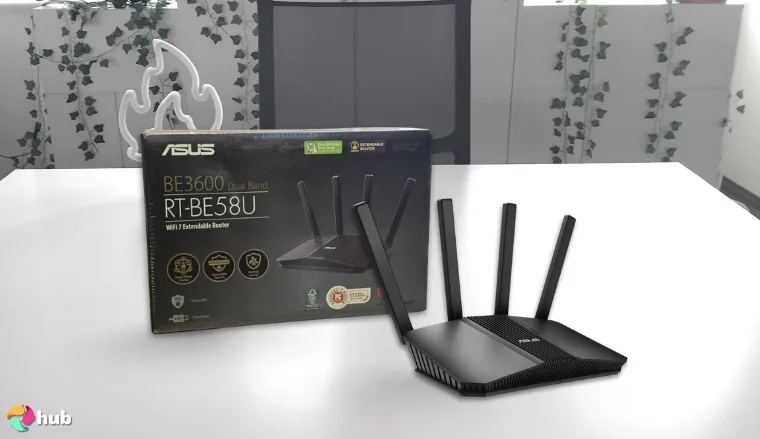
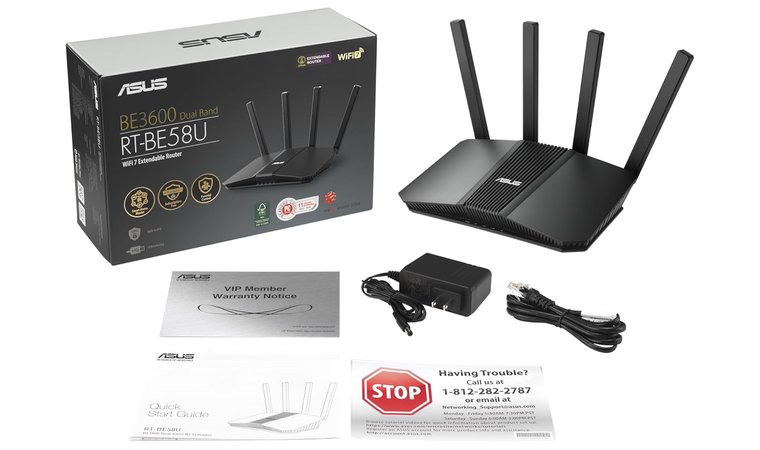
8. ASUS RT-BE58U [Best ASUS Wi-Fi 7 Router]
| Specs | Details |
|---|---|
| Wireless Standard | 802.11be (Wi-Fi 7) |
| Max Speed | 3600 Mbps (BE3600) |
| Ports | 2.5G WAN/LAN, 1G LAN, USB WAN |
| Security | AiProtection Pro, WPA3, Instant Guard VPN |
| AiMesh Compatibility | Yes |
| Processor | 2.0 GHz Quad-core CPU |
| Frequency Bands | Dual-band (2.4GHz, 5GHz) |
| Parental Controls | Yes |
The ASUS RT-BE58U is an exceptional Wi-Fi 7 router designed to deliver high-speed, low-latency connections for your home. With speeds of up to 3600 Mbps, it offers excellent coverage for streaming, gaming, and general internet usage. Equipped with MLO for ultra-smooth connectivity and the ability to connect multiple bands simultaneously, this router minimizes interruptions, ensuring seamless internet access no matter how many devices are connected.
At the heart of the RT-BE58U is Wi-Fi 7 technology, which provides higher speeds and reduced latency compared to previous Wi-Fi generations. This translates into a smoother online gaming experience, faster streaming, and quicker downloads. The 2.5G WAN/LAN port offers future-proof connectivity, supporting high-speed internet plans and ensuring low-latency performance. Additionally, MLO ensures that your device always connects to the best available signal, improving overall stability.
We picked the ASUS RT-BE58U because it offers great Wi-Fi 7 performance at an affordable price. The 2.5G WAN port and AiMesh compatibility future-proof the router for years to come, while its advanced security features give peace of mind. I personally found it easy to set up and use, and it works perfectly for my home, whether I’m gaming, working, or streaming movies.
At $39.00, the ASUS RT-BE58U offers excellent value for anyone upgrading to Wi-Fi 7. While some high-end routers can cost significantly more, this router delivers premium features, including 2.5G ports, advanced security, and AiMesh compatibility, at a price point that’s hard to beat. If you’re into gaming, streaming 4K content, or using a smart home setup, this router will handle it all without breaking the bank.
The ASUS RT-BE58U is one of the more affordable Wi-Fi 7 routers available, especially when compared to other premium models. It competes well with other top routers, offering robust features like MLO and AiMesh, while still being within reach for budget-conscious buyers. However, it might not be the best fit for those needing tri-band performance or maximum coverage in very large homes.
Setting up the RT-BE58U is straightforward thanks to the ASUS Router app and intuitive web interface. The app helps you manage network settings, monitor performance, and even set up a dedicated IoT network for your smart devices. The router’s parental controls and the ability to create separate SSIDs for specific uses (such as a Kid’s Network) make it an excellent choice for families.
Pros
- Wi-Fi 7 for ultra-fast speeds and low-latency connections
- 2.5G WAN/LAN port for high-speed wired connections
- MLO ensures a stable and efficient internet across multiple devices
- Strong commercial-grade security with AiProtection Pro and Instant Guard VPN
- Easy to set up and manage with the ASUS Router app
Cons
- Slightly weaker coverage on the 2.4GHz band compared to some older models, but the Wi-Fi 7 technology makes up for it with faster speeds on the 5GHz band.
Final verdict: The ASUS RT-BE58U is a great option for anyone looking to upgrade their home network with the latest Wi-Fi 7 technology. It offers excellent value, robust performance, and essential features like AiMesh and parental controls, making it a top contender for both gaming and everyday use.
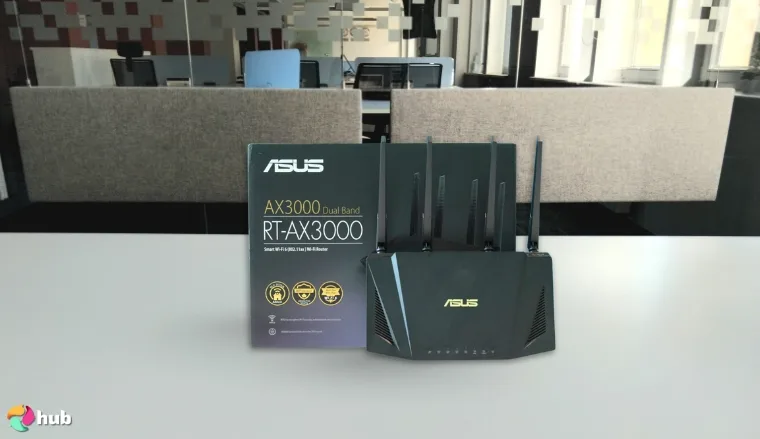
9. ASUS AX3000 (RT-AX57) [Best Wi-Fi 6 ASUS Router]
| Specs | Details |
|---|---|
| Wireless Standard | 802.11ax (Wi-Fi 6) |
| Max Speed | 3000 Mbps (574 Mbps on 2.4GHz, 2402 Mbps on 5GHz) |
| Ports | 1 x 2.5G WAN/LAN, 4 x 1G LAN |
| Security | AiProtection Classic by Trend Micro |
| AiMesh Compatibility | Yes |
| Parental Controls | Yes |
| Frequency Bands | Dual-band (2.4GHz, 5GHz) |
| Device Compatibility | PCs, Consoles, Smart TVs, Smartphones, Tablets |
The ASUS AX3000 (RT-AX57) brings the latest Wi-Fi 6 technology to your home network. With 3000Mbps total bandwidth, it ensures fast, reliable internet for everything from 4K streaming to high-performance gaming. Its OFDMA and MU-MIMO technologies let the router handle multiple devices simultaneously, which ensures consistent speeds across your home.
With a total speed of 3000Mbps, the RT-AX57 supports 574Mbps on the 2.4GHz band and 2402Mbps on the 5GHz band. This makes it ideal for households with multiple devices. Thanks to OFDMA, the router reduces network congestion by efficiently managing data traffic and ensures that even with several devices connected, you experience fast and reliable performance. If you are into gaming, this router offers better performance with lower latency, providing smoother gaming sessions.
The ASUS RT-AX57 is an excellent choice for anyone seeking reliable Wi-Fi 6 performance without breaking the bank. It offers good value, solid security, and easy expandability through AiMesh. I’ve found it to be perfect for a medium-sized home, with consistent speeds and ease of setup.
At $36.00, the RT-AX57 offers excellent value for money. It provides Wi-Fi 6 speeds, future-proofing your network, with features like AiMesh compatibility and advanced security. This router is a solid option for those seeking good performance at a budget-friendly price. While higher-end routers might offer additional features like tri-band support, this router still stands out in its price range.
The ASUS RT-AX57 competes well with other routers in its class. While it lacks the tri-band support of premium routers, its dual-band configuration works great for most homes. It offers excellent coverage and fast speeds, along with AiMesh compatibility that can help extend coverage if needed. If you don’t need top-of-the-line features but want reliable performance, this router is a great choice.
Setting up the RT-AX57 is simple thanks to the ASUS Router app and user-friendly web interface. The mobile app lets you manage the router remotely, check the status of your network, and set up security features like parental controls and a guest network. The router is also designed to be easy to extend with the AiMesh system, allowing you to add other compatible routers for broader coverage.
Pros
- Wi-Fi 6 speeds up to 3000Mbps for faster internet
- AiMesh compatibility for easy network expansion
- MU-MIMO and OFDMA for efficient performance with multiple devices
- AiProtection Classic for free, commercial-grade network security
- Easy setup and management with the ASUS Router app
Cons
- Signal strength on the 2.4GHz band may not be as strong in larger homes, but the 5GHz band performs well and compensates with faster speeds.
Final verdict: If you’re looking for a solid Wi-Fi 6 router at a reasonable price, the ASUS RT-AX57 is a great option. It offers fast speeds, excellent coverage, and advanced security features, all while being budget-friendly. Perfect for households with moderate to heavy internet use, including gaming, streaming, and smart devices.
How To Choose an ASUS Router That Works For You?
Choosing the right ASUS router isn’t just about picking the fastest one on the list. The real key is finding something that fits how you actually use your internet every day. That might mean prioritizing low-latency gaming, stable work-from-home calls, or watching movies without buffering.
Moreover, I’ve seen routers that looked impressive on paper but didn’t improve real-world performance where it mattered. But the truth is: the best ASUS router is the one that fits your routine, and not just the spec sheet. So let’s talk about key things to look for when comparing ASUS routers.
1. Know Your Game and Your Setup
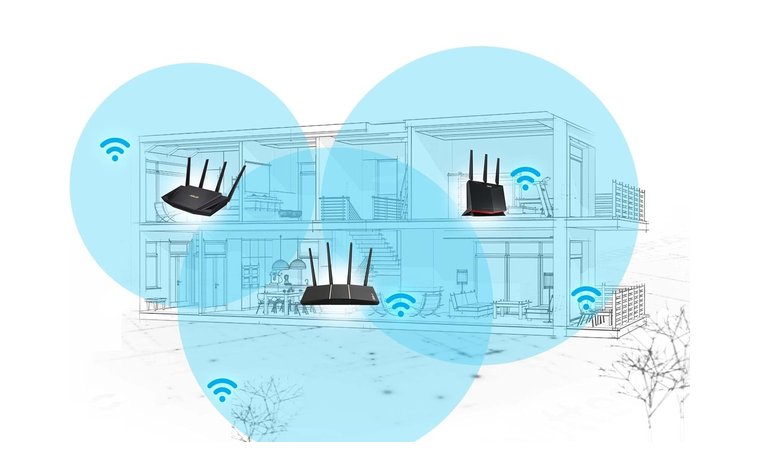
The right ASUS router depends on how you game, not just how fast it is. From what I’ve seen reviewing these models, casual players can often get by with a solid Wi-Fi 6 option like the RT-AX55, which covers basic needs well.
But if you’re gaming on PC or console and care about ping, it’s worth going for more. The AX86U Pro, for example, made a noticeable difference in my setup by handling streaming and ranked play without choking the connection.
That extra performance doesn’t help much if your signal drops halfway across the house. If your console is upstairs or in a garage setup, a tri-band system or something like the ZenWiFi XD5 gives you seamless coverage where it actually matters.
2. Look For Key Gaming Router Features
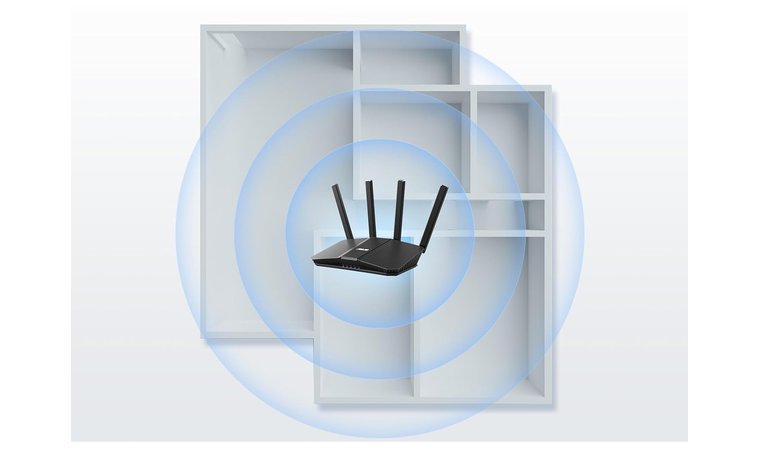
When it comes to gaming, I’ve learned that raw speed isn’t the whole story. The features that actually make a difference are the ones that prioritize your connection when it matters most, like during a ranked match or fast-paced co-op session.
That’s exactly why routers like the ROG Rapture GT-BE98 PRO and AX86U Pro stood out during testing. They include tools that reduce latency, stabilize ping, and help your console or PC stay first in line for bandwidth.
Top ASUS Gaming Features That Actually Help
- Game Boost: Automatically prioritize gaming traffic for reduced lag during matches.
- Adaptive QoS: Gives you control over which apps or devices get bandwidth priority.
- Open NAT: Makes multiplayer matchmaking faster and more reliable.
- Game Radar: Lets you see live ping to game servers before you connect.
- Mobile Game Mode: Prioritizes phone-based gaming with just one tap via the app.
3. Explore ASUS Gaming Router Series
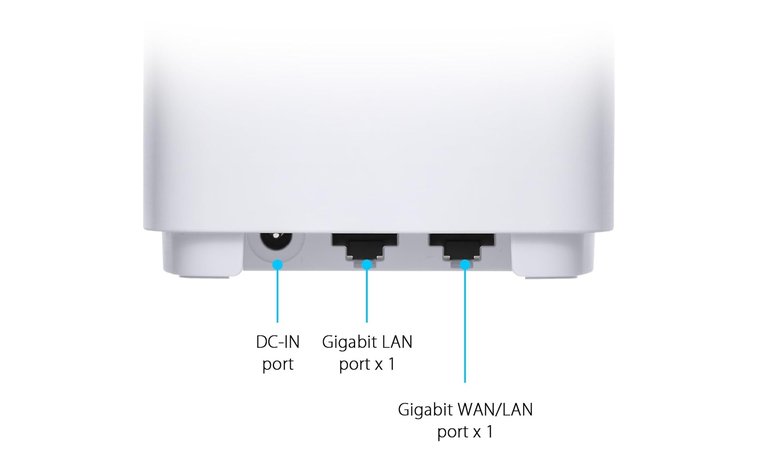
ASUS offers several router lines built for different gaming needs, and knowing the difference helps a lot. From what I’ve seen, the ROG Rapture series is where serious gamers should start, models like the GT-BE98 PRO pack advanced gaming tools, ultra-fast ports, and the kind of performance you’ll notice in ranked matches.
But not everyone needs that much firepower. If you’re after solid gaming performance without going all-in, the TUF Gaming and RT series give you great options like the AX86U Pro or AX3000, which still deliver smooth gameplay, low latency, and features like Adaptive QoS, all at a more comfortable price point.
4. Budget Considerations for ASUS Gaming Routers
From what I’ve seen, you don’t need to spend a fortune to get solid gaming performance. While high-end models like the GT-BE98 PRO are powerful, routers like the RT-AX55 or AX3000 offer surprisingly stable speeds for everyday gamers.
That value becomes clear when you match your router to your actual needs. If you’re not running multiple gaming rigs or streaming in 4K, those affordable models offer strong performance at a reasonable price without unnecessary extras.
5. Research Specific Models and Read Reviews
Reading real reviews has helped me catch things that spec sheets never mention, especially when it comes to gaming performance. Look for reviews that test stability, ping, network security, and how well Game Boost or Adaptive QoS actually perform during play.
That’s how I ended up recommending models like the AX86U Pro and RT-AX88U Pro. Both consistently held up during stress tests on these reviews, even with multiple devices running. Trust me, small details in reviews can save you from big disappointments.
FAQs
What is the best ASUS gaming router?
Right now, the ASUS RT-BE92U BE9700 is the top pick. It’s fast (like Wi-Fi 7 fast), super stable, and built to keep your ping low even when the whole house is online. I tested it with heavy gaming sessions and it didn’t flinch. No lag, no drops, just smooth performance.
How to reset an ASUS router?
To reset your ASUS router, press and hold the reset button on the back for about 10 seconds until the lights flash. After releasing the button, wait for the router to reboot.
How to set up an ASUS router?
To set up an ASUS router, plug it in, connect to the Wi-Fi, and follow the instructions on the ASUS Router App or access 192.168.1.1 in a browser. The guided setup helps you install the router, name your network, set a password, and secure your connection.
How to connect to an ASUS router?
You can connect to your ASUS router by selecting its Wi-Fi name (SSID) on your device and entering the correct password. If you’re using a wired setup, connect your computer or console using an Ethernet cable. For router management, open a browser and visit 192.168.1.1 or use the ASUS Router App to access settings and monitor your network.
Is it worth buying an ASUS router?
Yes, buying an ASUS router is worth it if you value fast speeds, reliable coverage, and features like malicious site blocking, built-in security, and gaming optimizations. From what I’ve seen, even their mid-range options like the AX86U Pro perform extremely well. ASUS routers also offer excellent long-term value thanks to regular firmware updates and strong mesh compatibility with AiMesh.
How much is ASUS Wi-Fi a month?
ASUS does not charge a monthly fee for Wi-Fi; it’s a one-time hardware purchase. Your ongoing monthly cost depends on your internet provider. ASUS routers come with free network management tools like AiProtection, with no extra subscriptions required for standard home use.