Is Remnant 2 Cross-Play? Join the Hunt on Any System


Is Remnant 2 cross-play? Yes. After an update in early 2024, Remnant 2 lets PC, PS5, and Xbox Series X/S players squad up and fight the Root together. Matchmaking is faster, lobbies are cleaner, and invites finally work across platforms without hacks or workarounds.
In this guide, I’ll show you how to enable cross-play, send invites, and fix common errors (region mismatch, privacy settings, “session not joinable”). Ready to party up across platforms and actually get into a hunt fast? Let’s set it up and start clearing bosses.
Jump to:
Is Remnant 2 Cross-play Across All Platforms?
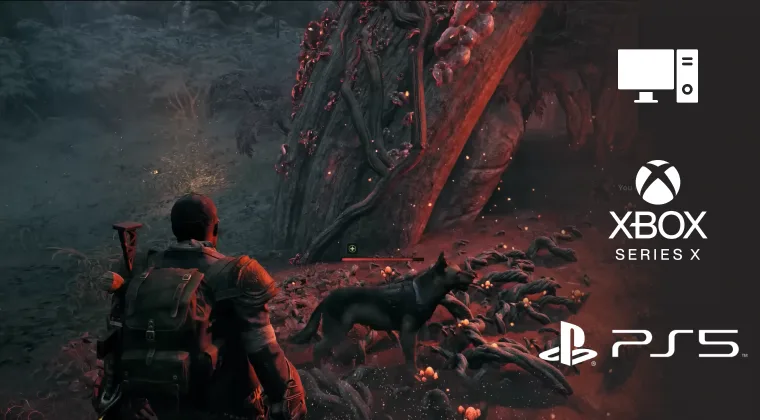
Yes, Remnant 2 supports cross‑play across PC, Xbox Series X/S and PlayStation 5. This means you can join friends regardless of hardware as long as both players’ cross‑play settings match. Note that the feature only applies to current‑generation systems. Players on older consoles such as PlayStation 4 or Xbox One cannot connect to the current versions of the game.
Cross‑play is enabled automatically on PC. When you boot the game on Steam, Epic or the Microsoft Store, you’ll be matched with players on any other PC storefront. For console users, cross‑play is on by default, but you can toggle it off in the settings if you prefer to stay within your console’s ecosystem. This default setting means most public lobbies include players from all platforms, creating healthy matchmaking pools.
I’ve noticed shorter queue times and more varied teammates since the feature launched. Before the update, my co‑op sessions were limited to friends on the same platform. Now my PlayStation‑5‑owning cousins and I regularly tear through bosses together, and the difference in player populations is obvious. The cross‑play update truly makes the world of Remnant feel connected.
How Remnant 2 Cross‑Play Works
Although the feature is available to everyone, there are a few mechanics to understand. On consoles, you have to link your account to Epic Games. You can do this from the character selection screen by following the prompt to connect or create an Epic account. The process takes just a few minutes and allows the game to use Epic Online Services for friend invites and matchmaking. Without it, console players will only see lobbies on their own platform.
Once linked, you’ll notice a cross‑play flag next to your name. When the flag is on, you can join any lobby with cross‑play enabled; when it’s off, you’ll be matched only with players on the same console family. The flag applies to both friends and public matches, so make sure everyone in your group has the same setting. On PC, this flag is always on and cannot be disabled, which simplifies things for PC players.
Quickplay works slightly differently. When you use the Quickplay option on PC, you can match with users from any PC storefront, but console players will not appear in those lobbies. Conversely, console Quickplay will only match you with other console users even if cross‑play is enabled. This separation keeps latency consistent and avoids controller‑versus‑mouse debates. If you want to play with PC friends on console, you must invite them manually rather than using Quickplay.
One technical caveat: enabling frame‑generation options on PC (like DLSS 3’s Frame Generation) can interfere with the Epic Online Services overlay, which the game uses for cross‑play invites. If you can’t see your friends’ games, try disabling frame generation or accept the invite through the Epic launcher before starting the game. Communication is also limited in‑game; there’s no voice chat, so you’ll need an external service such as Discord or Steam chat to coordinate.
Enabling Cross‑Play on Your Platform
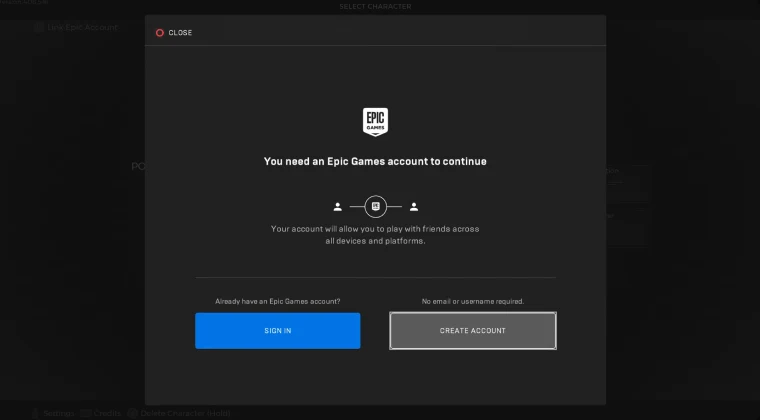
To start playing across platforms, you’ll need to toggle a few settings. Here’s how I set it up on my PC and PlayStation:
- Create or link your Epic Games account. On consoles, navigate to the character select screen and choose the option to link accounts. On PC, Epic integration is automatic.
- Check your cross‑play flag. On console, go to Options > Gameplay and ensure cross‑play is set to On. This controls whether you see mixed‑platform lobbies.
- Invite friends. Use the Epic overlay (shift + F3 on PC) to add friends across platforms. On console, select your friend from the in‑game social menu once they’re linked.
- Match the game versions. All players must be on the same patch. Remnant 2 regularly receives updates and DLC, so check for downloads before inviting friends.
- Disable conflicting settings. If using frame‑generation features on PC, temporarily turn them off or accept the invite through the Epic launcher to avoid connection issues.
Following these steps ensures you don’t waste time troubleshooting when you could be shooting aliens. For more general advice on enabling cross‑play in tactical shooters, I recommend our Is Ready or Not cross‑play guide, which covers similar mechanics and highlights how Epic integration works across multiple games.
Cross‑Play Limitations and Cross‑Progression
Although Remnant 2 now supports cross‑play, it doesn’t offer cross‑progression. Your character data, gear and progression are tied to the platform where you play. If you switch, you’ll need to start a new character or continue your journey on the original system. The same applies to DLC purchases; buying content on one platform doesn’t grant access on another.
Cross‑play is also limited to current‑generation platforms. There’s no way to link with players on PlayStation 4 or Xbox One because the game isn’t available there. Additionally, Quickplay remains segregated by platform family. Private lobbies circumvent this, so always create or join a friend’s game if you want a mixed‑platform group.
As with many shooters, there’s a balance between uniting players and maintaining fair competition. You can read about those trade‑offs in our Battlefield 6 cross‑play guide, which discusses input‑based matchmaking and anti‑cheat considerations. Those principles inform how cross‑play systems are designed across the industry.
Tips for a Smooth Remnant 2 Cross‑Play Experience
A few simple habits can make your cross‑play sessions more enjoyable:
- Coordinate cross‑play settings. Make sure everyone in your party has cross‑play enabled or disabled consistently. Mismatched settings prevent lobbies from appearing.
- Use the same voice platform. Since Remnant 2 lacks built‑in voice chat, agree on Discord, Steam voice or console party chat before jumping in.
- Plan team roles. With a maximum party size of three, it helps to pick complementary archetypes (for example, one player as a Hunter for precision, another as a Medic for support). Balanced teams handle bosses better.
- Share loot wisely. Most drops are automatically shared, but ammo is not. Communicate when you need ammunition, and be mindful of your teammates’ needs.
- Test performance settings. On PC, adjust graphics settings to maintain a stable frame rate; unstable performance can cause lag for everyone in a cross‑play session.
Following these practices has improved my runs significantly. When my team keeps communication open and plans our builds, bosses fall faster, and the experience feels smoother. It’s worth investing a few minutes before each session to discuss roles and gear.
Why Cross‑Play Matters for Remnant 2
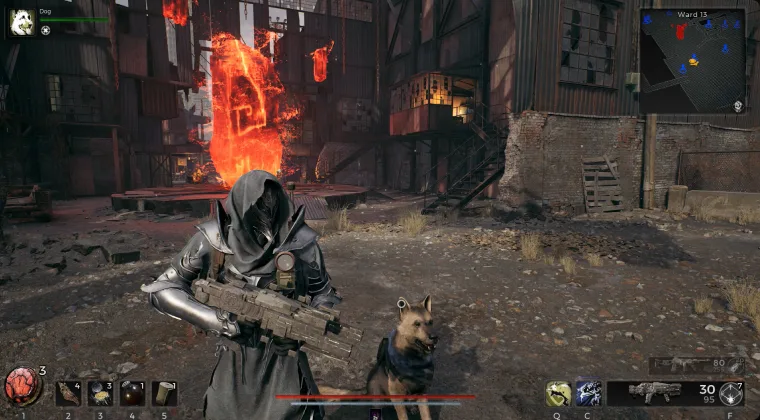
Cross‑play is more than a marketing bullet; it fundamentally changes how a game feels. Remnant 2 thrives on cooperation, and cross‑play opens its worlds to a larger community. When I first played at launch, the lack of cross‑platform support made it impossible to coordinate with friends on different systems. After the 2024 update, the game’s population felt alive again. Matchmaking times dropped, and I met players from around the world who shared strategies and tips.
Cross‑play also extends a game’s lifespan. Many multiplayer shooters fracture their communities when sequels or new platforms arrive. By keeping players together, Remnant 2 avoids empty lobbies and ensures new DLC, like The Awakened King and The Forgotten Kingdom, have robust audiences. If you enjoy discovering cross‑platform games, check out our list of the best cross‑platform games to play with friends; it shows how cross‑play has become a standard across genres.
Finally, cross‑play reflects a growing trend toward openness. Players shouldn’t have to buy multiple consoles to enjoy co‑op shooters with friends. Remnant 2’s implementation isn’t perfect – there’s no cross‑progression and Quickplay remains separated – but it’s a step in the right direction. As more studios embrace unified ecosystems, features like cross‑save will hopefully follow.
Unite Across Worlds in Remnant 2
So, is Remnant 2 cross-play? Absolutely. After its February 2024 update, the game allows players on PC, Xbox Series X/S and PlayStation 5 to team up against the Root. To get started, link your account to Epic Games, ensure your cross‑play settings match and invite your friends across platforms. While there are limitations, the overall experience is hugely positive.
If you’re ready to dive in and haven’t picked up the game yet, our store offers the Remnant 2 Steam key at a great price. Purchasing through our marketplace supports our work on the Hub and lets you experience the game with the friends you care about. Grab your key, assemble your squad and explore the multiverse together.
FAQs
Is Remnant 2 cross-play between PlayStation 5 and PC?
Yes, Remnant 2 is cross-play between PlayStation 5 and PC as long as both players have cross‑play enabled. PlayStation users need to link their account to Epic Games and ensure the cross‑play setting is turned on; PC users have it enabled by default.
How do you enable cross‑play in Remnant 2?
To enable cross‑play in Remnant 2, link your account to Epic Games on console and turn on the cross‑play flag in the game’s settings. On PC, cross‑play is automatically enabled, so you just need to invite friends via the Epic overlay or social menu.
Does Remnant 2 have cross‑save or cross‑progression?
No, Remnant 2 doesn’t have cross‑save or cross‑progression, which means your characters and gear remain on the platform where you created them. If you switch systems, you will need to start a new character.
Can you turn off cross‑play in Remnant 2?
Yes, you can turn off cross‑play in Remnant 2 from the gameplay settings on console. Disabling the feature restricts matchmaking to players on your own platform; PC users cannot disable cross‑play.
Do you need an Epic Games account to use Remnant 2 cross‑play?
Yes, you need an Epic Games account to use Remnant 2 cross‑play on consoles, because the game relies on Epic Online Services for matchmaking. PC players automatically use Epic services and do not need to log in separately.