


10 Best External Hard Drive for Mac 2025 | Reliable Picks

Eneba Hub contains affiliate links, which means we may earn a small commission if you make a purchase through them—at no extra cost to you. Learn more

The best external hard drive for Mac should do more than just hold files. I once lost hours trying to transfer video footage to a drive that kept failing halfway through. That experience taught me to care about real-world performance, not just how a drive looks on paper.
In this article, I’ll walk you through 10 external hard drives that actually work well with macOS. They support Time Machine, handle large media libraries, and stay reliable even when you’re editing on the go or backing up years of work.
Jump to:
Our Top Picks for External Hard Drive for Mac
If you’re in a hurry and want a quick recommendation, these are the top three external hard drives for Mac that stand out based on performance, reliability, and overall value.
- Crucial X10 SSD – Excellent performance and compact design. This SSD offers incredibly fast read and write speeds, making it ideal for creatives who work with large media files. It’s also built with a durable, lightweight casing that’s easy to carry around.
- Lexar ES3 – A great mix of speed, portability, and price. It offers strong transfer rates over USB 3.2 and works well for backups, photo libraries, and everyday file storage. Its slim profile makes it perfect for travel or mobile use.
- WD_Black P10 – High-capacity storage at a reasonable cost. Designed for users who need more space than speed, this hard drive is a solid pick for archiving projects, backing up your Mac with Time Machine, or storing game files.
This quick overview shows why those three make the strongest first impression. If you’re curious how they compare with the other drives on the list – in terms of price, portability, and real‑world use – keep scrolling for the full breakdown of all 10.
10 Best External Hard Drives for Mac – Speed and Portability
This list includes fast SSDs and high-capacity HDDs that work smoothly with macOS. Each drive offers a balance of performance, durability, and value. Use it to find the best external hard drive for Mac based on your space, speed, and daily workflow needs.
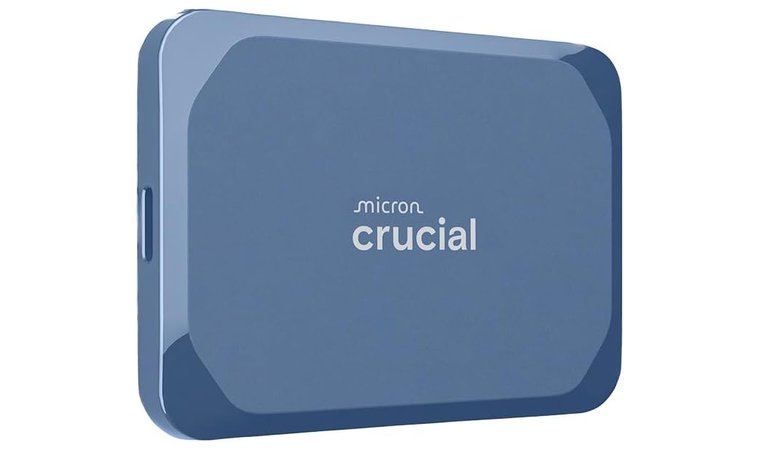
1. Crucial X10 SSD [Best Overall External Hard Drive for Mac]
| Specs | Details |
|---|---|
| Storage capacity | 1 TB |
| Drive type | Solid State Drive (SSD) |
| Connectivity | USB-C and USB-A |
| Read/Write speed | Up to 2,100MB/s read |
| Security | IP65 dust and water resistance, drop-resistant up to 3 meters |
| Special features | Portable design, broad macOS compatibility, bonus backup software |
The Crucial X10 SSD combines speed, size, and compatibility in a lightweight format that fits easily into any workflow. It reaches up to 2,100MB/s read speeds, making it one of the fastest options for Mac users. Editors and designers benefit most when working with RAW photos, 4K videos, or large music files. No setup or adapter is needed for MacBooks, iMacs, or Mac Studios.
Use the USB-C port directly on your Mac for full-speed transfers. Avoid using through a hub, which may reduce speed and stability during large file moves.
For gamers, the drive supports faster file transfers, fewer loading delays, and stable performance during updates. Its USB-C connection secures consistent bandwidth during large installs and patch downloads. It’s built for mobile Mac users who want smooth access to external files at home or on the go.
This SSD is IP65 rated and drop-tested up to 3 meters, offering strong protection in real-world conditions. It works well for students, professionals, and creatives who rely on fast access to reliable storage.
| Pros | Cons |
|---|---|
| ✅ 2,100MB/s read speed for high-speed imports and editing ✅ Works out of the box with macOS and Time Machine ✅ Dustproof, waterproof, and drop-resistant for safe transport ✅ Includes both USB-C and USB-A support for maximum flexibility ✅ Compact, lightweight, and easy to carry ✅ Bonus software: Mylio Photos and Acronis True Image included | ❌ Higher cost per terabyte than HDDs, but offers much better speed and reliability |
Final Verdict: The Crucial X10 SSD is the best external storage for Mac if you want reliable, fast, and portable performance. It fits creative, gaming, and everyday backup needs without compromise.
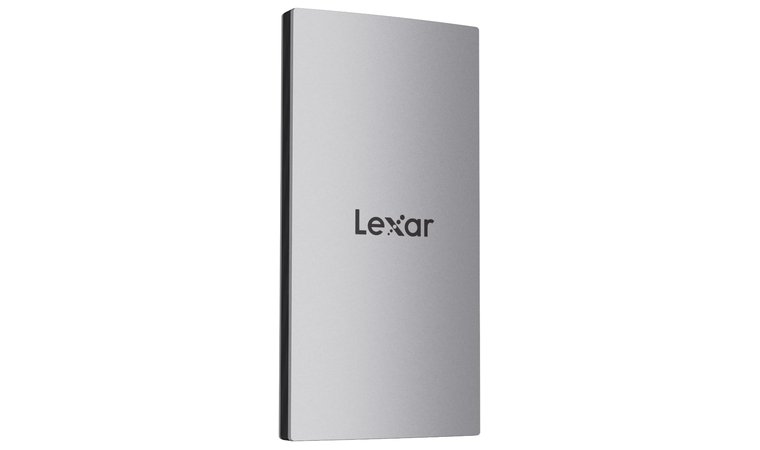
2. Lexar ES3 [Best Budget External Hard Drive for Mac]
| Specs | Details |
|---|---|
| Storage capacity | 1 TB |
| Drive type | Solid State Drive (SSD) |
| Connectivity | USB 3.2 Gen 2, USB-C |
| Read/Write speed | Up to 1050MB/s read, 1000MB/s write |
| Security | Lexar DataShield 256-bit AES encryption |
| Special features | Ultra-slim metal design, multi-device support, pocket-sized portability |
The Lexar ES3 offers high-speed SSD performance at a much lower price point than premium drives. With read speeds up to 1050MB/s and write speeds up to 1000MB/s, it provides smooth, responsive performance for backups, everyday storage, or media access. Its compact, lightweight frame makes it easy to carry between workstations or campus buildings.
Use this drive with a USB-C to USB-C cable on Thunderbolt 3 or 4 Mac ports to unlock maximum speed. Avoid USB-A dongles, as they may limit performance on macOS.
Mac users benefit from full USB-C support with plug-and-play access. It pairs well with Time Machine and transfers large files without delay. It’s also ideal for creative users who need to switch between Mac, iPad, and mobile devices. Lexar’s 256-bit AES encryption adds peace of mind when storing sensitive projects or client files.
| Pros | Cons |
|---|---|
| ✅ Up to 1050MB/s read and 1000MB/s write for smooth daily performance ✅ Works with macOS, iPadOS, iPhone 15 (via adapter), PS5, and Windows ✅ Thin, lightweight design fits in a pocket with ease ✅ Includes strong 256-bit AES encryption via Lexar DataShield ✅ Reliable for gaming backups and large file transfers across devices ✅ No software needed to use on macOS or Time Machine | ❌ Lacks MagSafe support, but remains fully functional with standard USB-C cables |
Final Verdict: The Lexar ES3 is a fast, portable, and budget-friendly choice for users who need external storage for Mac without sacrificing speed or compatibility. It fits multi-device workflows and offers reliable protection for both work and entertainment files.
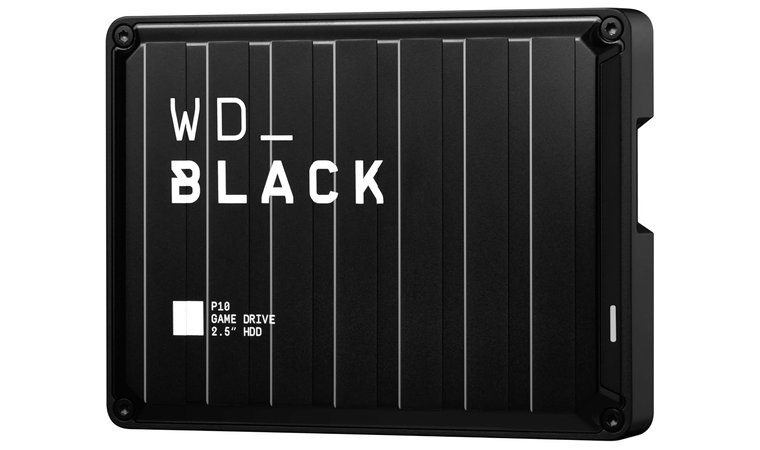
3. WD_Black P10 [Best External Hard Drive for Mac & Gaming]
| Specs | Details |
|---|---|
| Storage capacity | 6 TB |
| Drive type | Mechanical Hard Disk Drive (HDD) |
| Connectivity | USB 3.0 |
| Read/Write speed | Up to 130MB/s |
| Security | Durable metal top cover |
| Special features | Large capacity, game console support, portable 2.5″ form factor |
The WD_Black P10 offers a unique blend of size, durability, and platform compatibility, making it a powerful option for gamers and Mac users who need high-capacity storage. With up to 6 TB of space, it supports large game libraries, project backups, and media collections without running out of room. Its portable 2.5″ form factor keeps things compact while still offering the full benefits of a traditional desktop HDD.
Use this drive as a dedicated storage solution for your Time Machine backups. Partition the drive to keep gaming files and macOS system backups separate for better organization and faster access.
Mac users can use it for Time Machine, photo and video storage, or to expand capacity for apps and archives. In gaming setups, the P10 handles full game installs, media downloads, and system backups efficiently, maintaining stable transfer speeds of up to 130MB/s across platforms. It is also compatible with PlayStation, Xbox, and PC, allowing easy cross-device storage.
| Pros | Cons |
|---|---|
| ✅ Huge 6 TB capacity handles media, games, and backups with ease ✅ Compatible with Mac, Xbox, PlayStation, and PC ✅ Solid 130MB/s speeds for an HDD at this size ✅ Portable size with durable metal top for daily use ✅ Ideal for large media libraries or cross-platform workflows ✅ Works well with Time Machine when formatted to APFS or HFS+ | ❌ Slower than SSDs, but offers unmatched space for the price |
Final Verdict: The WD_Black P10 is the best SSD for Mac users who need serious storage for games, backups, or large projects. It offers massive capacity in a portable form and stands up well across different devices.
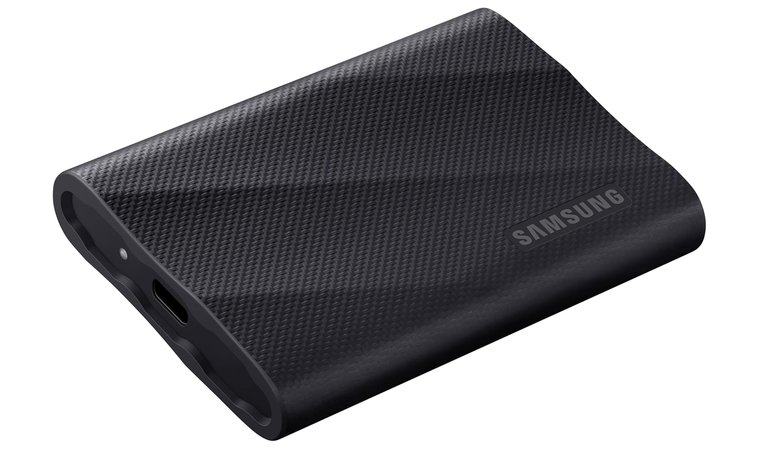
4. Samsung T9 Portable SSD [Best External Hard Drive for All Users]
| Specs | Details |
|---|---|
| Storage capacity | 4 TB |
| Drive type | Solid State Drive (SSD) |
| Connectivity | USB 3.2 Gen 2 |
| Read/Write speed | Up to 2,000MB/s |
| Security | AES 256-bit hardware encryption, Dynamic Thermal Guard |
| Special features | Supports iPhone 15/16, rugged casing with 9.8 ft drop resistance |
The Samsung T9 Portable SSD offers consistent, high-end performance with a large 4TB capacity. Its read and write speeds reach up to 2,000MB/s, making it a top external hard drive for Xbox, managing large video projects, or working with 4K assets directly off the drive. The included encryption and thermal guard technology add safety and stability during extended use.
Gamers benefit from the fast loading times and smooth file transfers. The T9 supports large game installs across Mac, PlayStation, and Xbox platforms while maintaining stable performance under heavy data loads. For VPN users or remote workers, the drive keeps transfer speeds high, even during high-bandwidth tasks.
Pair the T9 with Final Cut Pro or DaVinci Resolve on macOS to edit directly off the drive. You’ll avoid slowdowns even with multi-layered timelines and 4K footage.
It connects instantly with macOS, iPhone 15/16, and all major operating systems using USB-C. This makes it a flexible solution for people who manage files across devices and platforms. With rugged construction and drop protection up to 9.8 feet, the T9 can handle heavy workflows without risk.
| Pros | Cons |
|---|---|
| ✅ Up to 2,000MB/s read/write speed for seamless editing and playback ✅ Works with Mac, iPhone 15/16, Windows, PS5, and more ✅ Built-in AES 256-bit encryption for added file security ✅ Dynamic Thermal Guard prevents overheating during extended tasks ✅ Rugged build withstands up to 9.8 ft drops ✅ No adapters needed, plug-and-play ready with USB-C support | ❌ Slightly larger than ultra-compact SSDs, but offers far more capacity and durability |
Final Verdict: The Samsung T9 Portable SSD is ideal for Mac users who want high speed, high capacity, and maximum device compatibility in one drive. It performs well in professional and gaming environments while keeping your files secure and accessible.
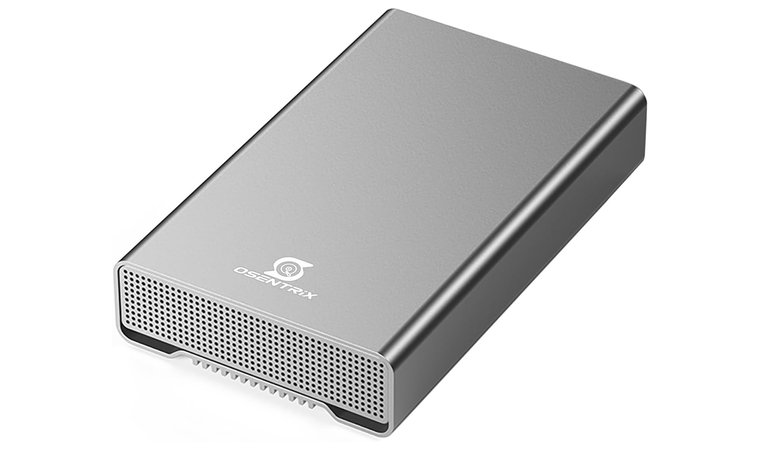
5. GX100 12TB [Best USB 3.2 External Hard Drive for Mac]
| Specs | Details |
|---|---|
| Storage capacity | 12 TB |
| Drive type | Mechanical Hard Disk Drive (HDD) |
| Connectivity | USB 3.2 Gen 2, USB 3.0 |
| Read/Write speed | Up to 10 Gbps transfer interface |
| Security | Rugged aluminum enclosure, fanless cooling for silent operation |
| Special features | Built-in USB hub, plug-and-play macOS support, industrial-grade durability |
The GX100 12TB stands out for its large capacity as the best external hard drive, reliable interface, and ability to support multiple connected devices through its built-in USB hub. With 12TB of storage, it can handle large-scale projects, years of photo and video content, and full gaming libraries with room to spare. The USB 3.2 Gen 2 interface provides efficient performance during large file transfers or system backups.
For gamers and power users, the drive offers stable transfer speeds that support game installation, storage of large update files, and smooth playback of stored content. Its strong bandwidth support allows consistent performance under load, which is ideal for VPN-based remote play or media streaming on macOS setups.
Position the drive on a flat, ventilated surface to maintain temperature efficiency during extended transfers. Avoid USB splitters, as they may disrupt power flow when using the hub.
The plug-and-play setup secures macOS users can start using the drive immediately. With its built-in USB hub, you can plug in additional devices without overloading your desktop or docking station. Its aluminum casing also offers long-term protection and a fanless cooling system for silent operation.
| Pros | Cons |
|---|---|
| ✅ 12TB of space for high-volume media, backups, and games ✅ USB 3.2 Gen 2 enables fast, stable file transfers ✅ Built-in USB hub helps reduce desktop cable clutter ✅ Works out of the box with macOS and Windows ✅ Durable metal housing with quiet, fanless cooling system ✅ Ideal for long-term archiving and production environments | ❌ Larger desktop footprint, but provides unmatched storage and flexibility |
Final Verdict: The GX100 12TB offers a powerful storage upgrade for Mac users who need bulk capacity, fast transfers, and device connectivity in one unit. It’s a practical choice for professional media work, long-term backups, and extended game storage.
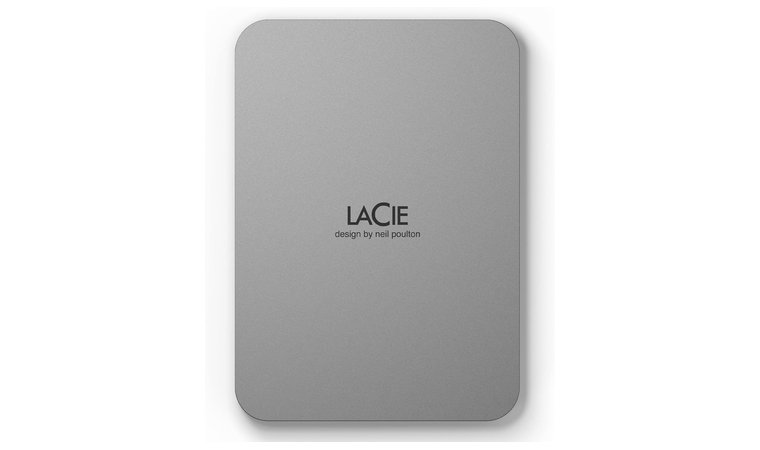
6. LaCie Mobile Drive [Best Eco-Friendly External Hard Drive for Mac]
| Specs | Details |
|---|---|
| Storage capacity | 2 TB |
| Drive type | Mechanical Hard Disk Drive (HDD) |
| Connectivity | USB 2.0 / 3.0, USB-C |
| Read/Write speed | Standard HDD transfer rates (approx. 120–130MB/s) |
| Security | 3-year limited warranty + Rescue Data Recovery Services |
| Special features | LaCie Toolkit software, recycled material build, USB-C out of the box |
The LaCie Mobile Drive offers a practical mix of design, portability, and sustainability. With 2 TB of space, it holds thousands of photos, hours of video, and countless documents or backups without running into storage limits. The USB-C compatibility makes it ready to use with modern MacBooks and iPads right out of the box.
Enable scheduled backups in LaCie Toolkit to automate file protection without interrupting other tasks. Set it once, and it runs silently in the background.
Gamers can store full game libraries and transfer large update files without lag. Its stable transfer speeds and plug-in reliability help maintain game performance, while the consistent connection supports VPN access or shared storage setups. Mac users who value clean setups will also benefit from the sleek, recyclable build and automatic backup options via LaCie Toolkit.
| Pros | Cons |
|---|---|
| ✅ 2 TB of space for photo libraries, games, and work files ✅ USB-C out of the box for modern Mac compatibility ✅ LaCie Toolkit software allows one-click or scheduled backups ✅ Eco-conscious design with recycled aluminum and plastic ✅ Compact and lightweight for easy transport ✅ Comes with 3-year warranty and Rescue Data Recovery | ❌ Slower than SSDs, but remains dependable and cost-effective for everyday use |
Final Verdict: The LaCie Mobile Drive is a smart choice for Mac users who want eco-friendly storage with solid capacity and hassle-free operation. It balances thoughtful design with practical performance for work, creative, and casual use.
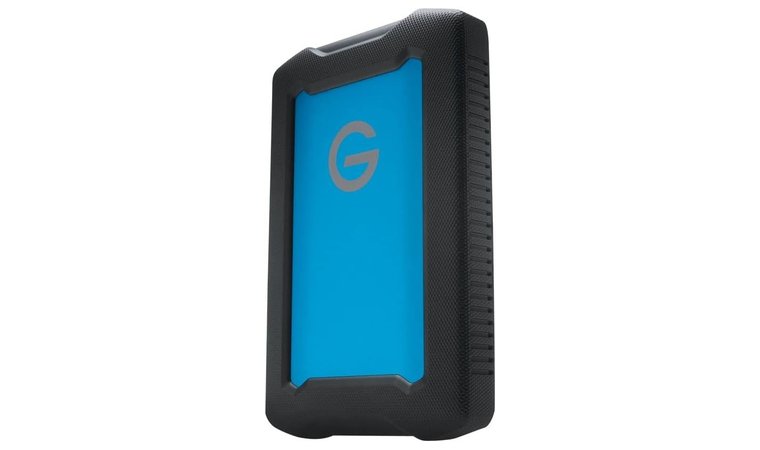
7. G-Technology ArmorATD [Best Entry-Level HDD for Mac]
| Specs | Details |
|---|---|
| Storage capacity | 2 TB / 4 TB / 5 TB (varies by model) |
| Drive type | Mechanical Hard Disk Drive (HDD) |
| Connectivity | USB-C and USB 3.1 Gen 1 |
| Read/Write speed | Up to 140MB/s (approximate) |
| Security | Shock-resistant, water-resistant, dust-resistant enclosure |
| Special features | Rugged build, triple-layer protection, Time Machine ready |
The G-Technology ArmorATD offers strong protection and reliable storage in a rugged, entry-level build. Its triple-layer construction guards against dust, water, and drops, making it ideal for photographers or creatives who need dependable storage on the move. The available capacities (up to 5 TB) provide enough space to store full media projects without compromise.
Use this drive as your go-to archive device for location shoots. Its reinforced shell adds peace of mind when working in unpredictable environments.
Gamers benefit from consistent speed and a stable USB-C connection, especially when storing large titles or installing updates across platforms. The ArmorATD also performs well under high-bandwidth tasks like remote game streaming or file transfers with VPN tools. It works natively with macOS and supports Time Machine, making it simple to back up or archive media.
As a top external hard drive for photos, it stores thousands of RAW images, edited versions, and project files in one place. The armored housing secures that all content stays protected even during active travel.
| Pros | Cons |
|---|---|
| ✅ Dust, water, and drop protection for field use ✅ Available in up to 5 TB for storing large media libraries ✅ USB-C and USB 3.1 Gen 1 provide Mac-ready connectivity ✅ Works with Time Machine out of the box ✅ Ideal for travel and studio switching ✅ No setup needed on macOS | ❌ Slower than SSDs, but offers unbeatable durability and storage per dollar |
Final Verdict: The G-Technology ArmorATD offers portable protection and high capacity for Mac users who need tough, reliable storage. It fits well in field kits, travel bags, and long-term creative workflows.
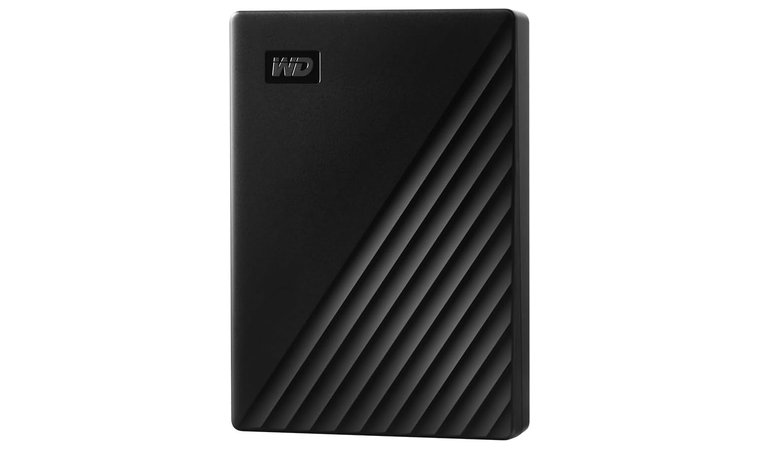
8. WD My Passport [Best Portable Hard Drive for Mac for Time Machine Backups]
| Specs | Details |
|---|---|
| Storage capacity | 5 TB (up to 6 TB available) |
| Drive type | Mechanical Hard Disk Drive (HDD) |
| Connectivity | USB 2.0 / 3.0 |
| Read/Write speed | Up to 130MB/s (approximate) |
| Security | Hardware encryption and password protection |
| Special features | Time Machine compatible, portable design, device management software |
The WD My Passport provides a simple, secure, and portable way to back up your Mac. Its built-in compatibility with Time Machine makes it ideal for scheduled system backups and file recovery. With up to 5 TB of storage, it holds years of documents, photos, and media files in one compact unit.
Format the drive to APFS before using it with Time Machine. This secures smoother backups and faster file indexing on macOS.
Gamers can use the drive for long-term storage of game libraries, saved progress, and media assets. While not the best external SSD for gaming, it performs reliably as cold storage for large games, patches, and content across multiple platforms. The device management software adds ransomware protection and password control to keep critical data safe.
| Pros | Cons |
|---|---|
| ✅ Works seamlessly with Time Machine on macOS ✅ 5 TB of space for full-system backups and personal files ✅ Password protection with hardware encryption for security ✅ Compact and lightweight, perfect for travel or everyday carry ✅ Includes device management software with ransomware defense ✅ No setup needed for basic use on both Mac and Windows | ❌ Slower than SSDs, but offers excellent backup value in a small footprint |
Final Verdict: The WD My Passport is a dependable option for Mac users who want secure, portable, and simple Time Machine backup storage. It balances size, safety, and convenience in a well-rounded package.
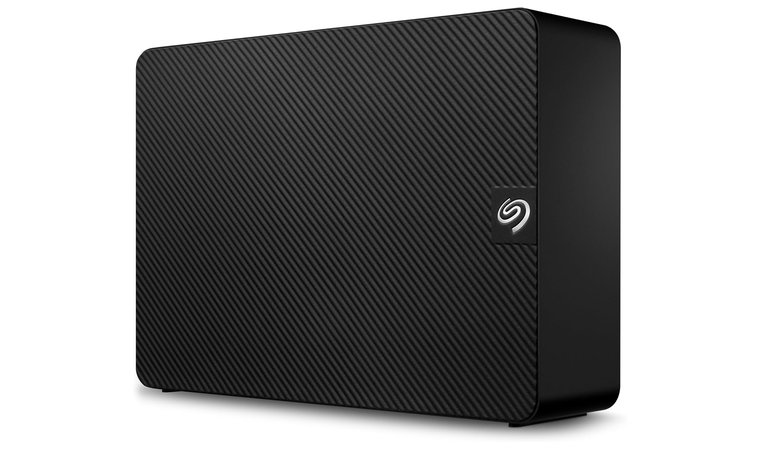
9. Seagate Expansion Desktop Drive [Best Massive Desktop Archive Drive for Mac]
| Specs | Details |
|---|---|
| Storage capacity | 22 TB |
| Drive type | Mechanical Hard Disk Drive (HDD) |
| Connectivity | USB 3.0 |
| Read/Write speed | Up to 160MB/s (approximate) |
| Security | Rescue Data Recovery Services included |
| Special features | Plug-and-play setup, Time Machine compatible after formatting |
The Seagate Expansion Desktop Drive is a high-capacity solution made for long-term storage and archiving. Its 22 TB capacity provides unmatched space for photo collections, video libraries, system backups, and full project archives. This makes it especially useful for Mac users working with high-volume media or large datasets.
Gamers benefit from the massive capacity as well. The drive stores hundreds of game installs, downloadable content, and saved progress without slowing down performance. It maintains consistent data flow, which supports game patching, streaming setups, or VPN-enabled platforms.
After formatting for Time Machine, create a separate partition for archiving media files. This keeps backups and long-term storage organized and accessible.
The drive connects via USB 3.0 and works with both macOS and Windows. It only requires formatting to integrate with Time Machine, making it an ideal desktop drive for Mac users seeking dependable storage for backups or creative files. It fits perfectly into any home or office setup alongside the best MacBook or iMac machines.
| Pros | Cons |
|---|---|
| ✅ 22 TB capacity handles heavy photo, video, and document libraries ✅ Plug-and-play with Mac after reformatting for Time Machine ✅ Works well with large gaming libraries or media collections ✅ Reliable USB 3.0 transfer speeds for desktop use ✅ Includes Rescue Data Recovery Services for added protection ✅ Pairs well with any Mac desktop or laptop setup | ❌ Requires external power and is not portable, but offers exceptional storage for stationary use |
Final Verdict: The Seagate Expansion Desktop Drive is perfect for Mac users who need massive, long-term storage at their desk. It offers high capacity, simple setup, and lasting reliability for serious backup and archive needs.
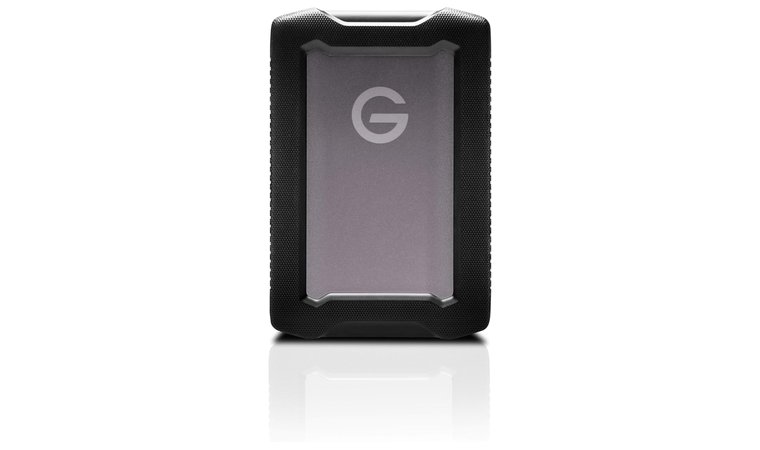
10. SanDisk Professional ArmorATD [Best Rugged External SSD for Mac]
| Specs | Details |
|---|---|
| Storage capacity | 6 TB |
| Drive type | Mechanical Hard Disk Drive (HDD) |
| Connectivity | Thunderbolt, USB-C (5 Gbps) |
| Read/Write speed | Up to 130MB/s |
| Security | Durable aluminum enclosure with bumper protection |
| Special features | Dust-resistant, water-resistant, LED indicator, portable |
The SanDisk Professional ArmorATD stands out as a rugged, high-capacity drive built for heavy use in unpredictable environments. Its shock-resistant casing and aluminum shell make it ideal for professionals who need dependable storage across studios, field shoots, or frequent travel. With 6 TB of space, it stores years of videos, photo projects, and media archives without the need to cycle drives.
Use the LED indicator during backups or transfers to monitor status in low-light environments. Keep the drive on a flat, firm surface for maximum protection.
Gamers also benefit from its consistent performance. The drive handles full installations, updates, and game media while maintaining stable data flow. It supports high-bandwidth scenarios such as VPN usage, large file transfers, and extended session backups on macOS. This drive works out of the box with modern macOS systems. Thunderbolt and USB-C compatibility secure quick access and smooth file operations without extra setup.
| Pros | Cons |
|---|---|
| ✅ 6 TB of rugged storage for photo and video professionals ✅ Thunderbolt and USB-C enable fast, consistent connections ✅ Dust and water resistance extend usage to field environments ✅ LED indicator helps track activity during transfers ✅ Works with macOS immediately without drivers or extra tools ✅ Bumper design reduces risk of impact damage during travel | ❌ Heavier than compact SSDs, but offers far better protection and higher storage per dollar |
Final Verdict: The SanDisk Professional ArmorATD offers Mac users a rugged, spacious drive built for real-world reliability. It’s ideal for professionals who need strong physical protection and large storage on the move.
SSD vs. HDD for Mac: What’s the Right Choice?
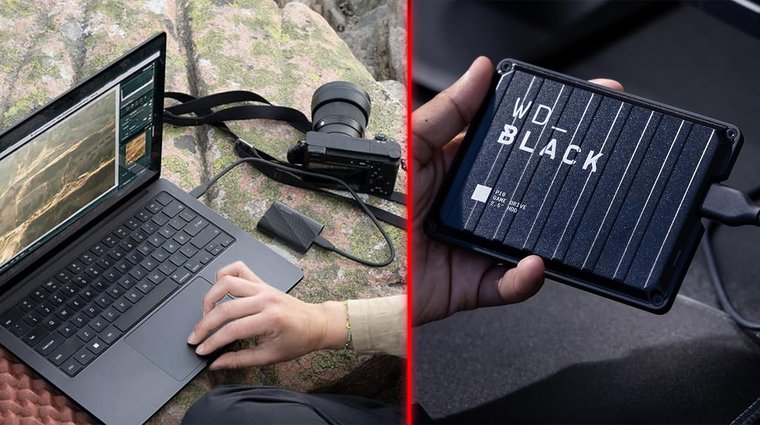
Mac users often compare SSD vs HDD when looking for the best external storage. The two drive types work with all modern macOS versions, support Time Machine, and connect easily through USB-C or Thunderbolt. Still, they perform differently and suit different needs.
Speed
- SSDs offer transfer speeds from 500MB/s to over 3,000MB/s. That allows you to move raw images, large video files, or music libraries quickly, which saves time when working with Final Cut Pro, Logic, or Lightroom.
- HDDs usually reach 80MB/s to 160MB/s. While slower, they still handle backups or general file storage well, especially when speed is not a top priority.
Durability
- SSDs use flash memory and have no moving parts, so they handle drops and movement without damage. This suits MacBook users who travel or switch work locations often.
- HDDs have spinning internal disks. A sudden movement during file transfers can cause damage or data loss, which makes them less reliable for portable use.
Noise and Heat
- SSDs stay quiet and cool, even under heavy use. They don’t vibrate or produce noticeable heat, which improves comfort during longer editing or backup sessions.
- HDDs create mechanical noise and warmth. The spinning components can cause vibration, especially in compact setups or quiet environments.
Price per TB
- HDDs cost less at higher capacities. They are practical when you need several terabytes for archiving completed projects or storing photos and videos over time.
- SSDs are more expensive but justify the price for users who value performance. Faster access times make a clear difference during creative or professional work.
Portability
- SSDs are lightweight, slim, and easy to carry. Some models are no larger than a credit card, making them ideal for MacBooks on the go.
- HDDs are bulkier and require more protection during transport. They’re better suited for desktop setups where mobility isn’t needed.
For Mac users focused on speed and mobility, some of the top external SSDs are the smarter choice. For those who need large, affordable storage and don’t mind slower speeds, HDDs are more practical.
My Overall Verdict
Mac users have plenty of options, but not every drive fits every workflow. If you’re searching for the best external hard drives for Mac’s right now, start with one tailored to your specific needs:
- Creative professionals should choose the Crucial X10 SSD – It offers unmatched speed, reliability, and macOS compatibility for editing and large file transfers.
- Budget-focused students or casual users will find the Lexar ES3 perfect – It offers fast SSD performance in a slim, affordable package.
- Gamers and media collectors need the WD_Black P10 – It provides huge capacity at a fair price, great for Time Machine and game storage.
- Mac users handling large media files across multiple devices should consider the Samsung T9 Portable SSD – Its fast speeds, encryption, and build quality make it a powerful all-rounder.
Each one excels in a specific area, so your ideal drive depends on how you use your Mac.
FAQs
The best external hard drive for Mac is the Crucial X10 SSD, offering fast speeds, strong durability, and seamless macOS compatibility.
Yes, you can use any external hard drive for Mac. Some drives require formatting before use with Time Machine or APFS. USB‑C, USB‑A, and Thunderbolt drives all work as long as the correct cable or adapter is available.
You should buy an SSD or HDD for Mac because they offer fast performance, silent operation, and strong durability for editing, file transfers, or daily use.
The best Mac file system for an external drive is APFS. It works well for Time Machine backups on HDDs.
Yes, APFS is better than HFS+. It is faster, more secure, and more efficient for solid‑state drives. It supports snapshots, strong encryption, and improved stability. HFS+ still works well for mechanical drives and Time Machine, but APFS is the modern standard for macOS storage.