


9 Best Monitors for MacBook Pro in 2025 – Smooth & Seamless

Eneba Hub contains affiliate links, which means we may earn a small commission if you make a purchase through them—at no extra cost to you. Learn more

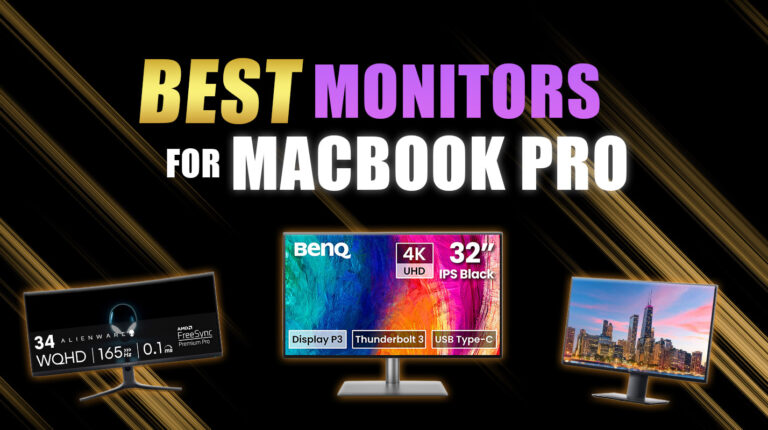
I’ve tested a lot of displays over the years, but finding the best monitor for MacBook Pro took more effort than I expected. Some looked great on paper but struggled with macOS scaling. Others had amazing panels but lacked true USB-C support.
The right monitor should feel like an extension of your Mac: with sharp visuals, accurate colors, and a single cable that just works. In this guide, you’ll find 9 monitors that actually offer that promise. I’m including only displays that avoid blurry text, handshake issues, and inconsistent power delivery, problems that affect many otherwise “great” monitors when paired with a MacBook Pro.
Jump to:
Our Top Picks for Monitors for MacBook Pro
Not all monitors handle macOS the same way, and some are simply better suited for the MacBook Pro‘s sharp resolution, color accuracy, and single-cable setups. I’ve highlighted three standout displays that consistently perform well across creative, productivity, and professional workflows.
- Apple Studio Display (2022) – A native macOS experience with 5K Retina clarity, P3 wide color, and Thunderbolt support with charging. It’s the most seamless option if you want zero compatibility issues and built-in speakers that actually sound good.
- Z-Edge U27P4K (2021) – A budget 4K monitor that still offers clean scaling, sharp text, and USB-C connectivity for basic MacBook setups. Perfect for students or remote workers who need solid performance without the premium price tag.
- ASUS ProArt Display PA32UCX-PK (2020) – A professional-grade 4K HDR monitor with top-tier color accuracy and Thunderbolt 3 for high-end creative work. This is the choice for photographers, video editors, and designers who demand reference-level precision.
These three displays offer the strongest balance of performance and compatibility, but keep scrolling to see the full list of 9 top monitors for every kind of MacBook Pro user. The full roundup gives you options across every budget, workflow, and screen size so you can pick the monitor that fits your setup perfectly.
9 Best Monitors for MacBook Pro – Top Picks for Everyone
From color-accurate displays for creatives to affordable 4K monitors for everyday use, this list covers the best options available right now. No matter your budget or setup, you’ll find the best monitor for MacBook Pro that fits your needs.
1. Apple Studio Display [Best Overall Monitor for MacBook Pro]
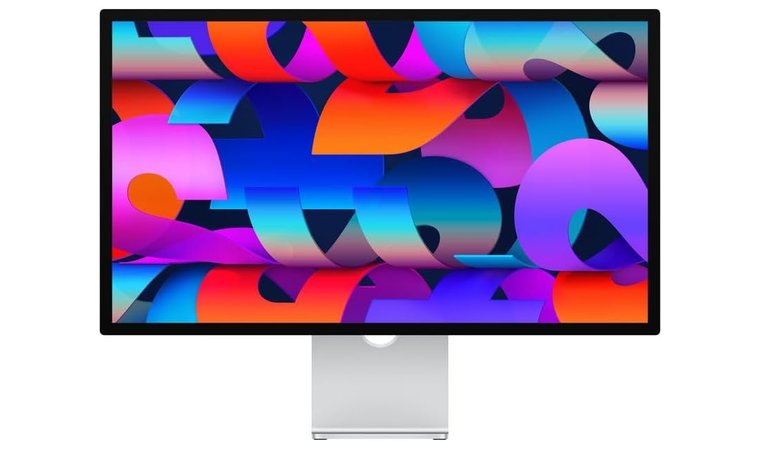
| Specs | Details |
|---|---|
| Screen Size | 27 inches |
| Resolution | 5K UHD 5120 × 2880p |
| Panel Type | Retina IPS |
| Color Coverage | P3 Wide Color Gamut + True Tone |
| Brightness | 600 nits |
| Connectivity | 1× Thunderbolt, 3× USB-C |
| Refresh Rate | 60Hz |
The Apple Studio Display offers a native 5K Retina experience that feels custom-built for MacBook Pro. The 5120 × 2880 resolution at 218 PPI gives you razor-sharp text and ultra-clear visuals, ideal for photo editing, design, or coding. It supports one billion colors, True Tone technology, and P3 wide color gamut, giving creatives consistent, vibrant output across all their tools.
It’s the only consumer monitor that offers perfect 2× macOS scaling, true Retina sharpness, and full Thunderbolt functionality, making it the most seamless plug-and-play experience for MacBook Pro users.
With a single Thunderbolt cable, the display powers your MacBook Pro with 96W charging while also handling video output and data. It includes a 12MP Ultra Wide camera with Center Stage, a six-speaker Spatial Audio system, and a studio-quality mic array, making it one of the most complete desk setups available.
| Pros | Cons |
|---|---|
| ✅ Native 5K Retina panel perfectly scaled for macOS ✅ P3 wide color and True Tone offer rich, accurate visuals ✅ Thunderbolt + 96W charging supports full desktop workflows ✅ Built-in camera, speakers, and mic eliminate the need for extras ✅ Three USB-C ports simplify workspace cable management ✅ Configurable stands support tilt, height, or VESA mounting | ❌ Refresh rate is limited to 60Hz, but motion remains fluid for creative and productivity tasks |
You also get three USB-C ports for accessories, reducing the need for hubs or docking stations.
Final Verdict: The Studio Display is the most complete and reliable option for users who want a premium macOS-native monitor that charges, connects, and offers studio-quality performance in a single setup.
2. Z-Edge U27P4K [Best Budget Monitor for MacBook Pro]
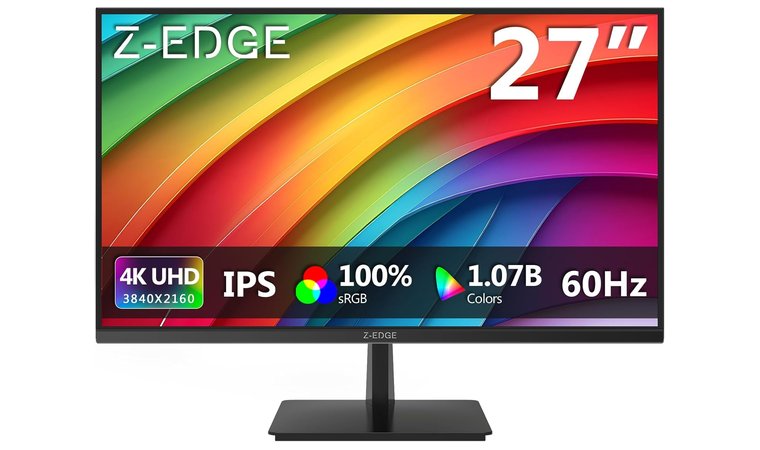
| Specs | Details |
|---|---|
| Screen Size | 27 inches |
| Resolution | 4K UHD 3840 × 2160 |
| Panel Type | IPS |
| Color Coverage | sRGB range with 178° wide-viewing angle |
| Brightness | 300 nits |
| Connectivity | 2× HDMI, 2× DisplayPort |
| Refresh Rate | 60Hz |
The Z-Edge U27P4K stands out as one of the most affordable 4K options compatible with macOS. It uses a 27-inch IPS panel with wide viewing angles and good color balance, which makes it a practical choice for web use, document work, and light creative tasks.
It offers one of the cleanest macOS scaling experiences in the budget category, giving users sharp 4K clarity and reliable connectivity at a price dramatically lower than most Mac-friendly displays.
The 3840 × 2160 resolution gives you a sharper workspace with a top dual monitor setup compared to standard 1080p monitors, which offer more room for multitasking.
| Pros | Cons |
|---|---|
| ✅ Affordable 4K IPS display provides clear, vibrant visuals ✅ 27-inch screen strikes a good balance between size and space ✅ 300-nit brightness feels comfortable for typical indoor work ✅ FreeSync support helps reduce screen tearing in casual use ✅ Slim bezels work well for clean desk setups or dual displays ✅ VESA-compatible design supports wall or arm mounting | ❌ Limited adjustability in the stand, but the screen pairs well with third-party monitor arms |
With both HDMI and DisplayPort inputs, it connects easily to a MacBook Pro with the right adapter or hub. The slim bezels help it fit cleanly into dual-monitor setups, and the design supports some of the top monitor arm mounting for flexible placement. It’s an ideal option if you want to test out a high-resolution desktop experience without overspending.
Final Verdict: The Z-Edge U27P4K is a smart entry-level choice for users who want a sharp, budget-friendly 4K monitor that works reliably with the MacBook Pro.
3. ASUS ProArt Display PA32UCX-PK [Best HDR & Color-Critical Monitor for MacBook Pro]
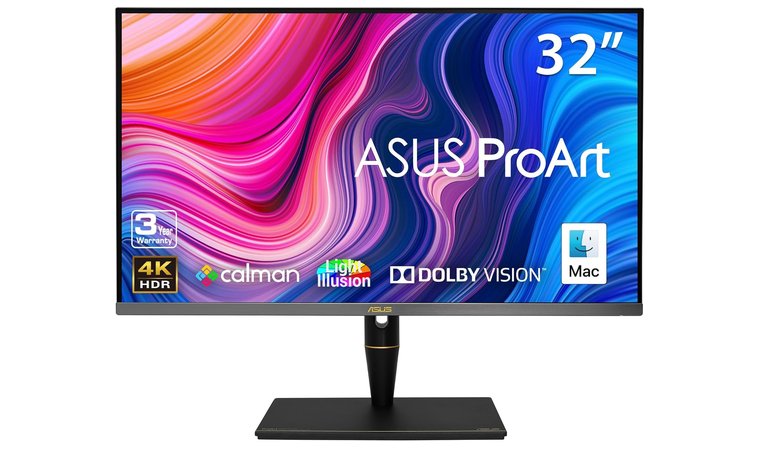
| Specs | Details |
|---|---|
| Screen Size | 32 inches |
| Resolution | 4K UHD 3840 × 2160 |
| Panel Type | Quantum-dot IPS + Mini-LED |
| Color Coverage | 99% Adobe RGB, 100% sRGB, 97% DCI-P3 |
| Brightness | Peak 1200 nits (HDR) |
| Connectivity | Thunderbolt 3, HDMI, USB-C, DP 1.2 |
| Refresh Rate | 60Hz |
The ASUS ProArt Display PA32UCX-PK offers professional-grade color accuracy and HDR performance designed for film, VFX, and high-end photo work. It uses a 1,152-zone mini-LED backlight with up to 1,200 nits peak brightness, giving you detailed highlight control for HDR editing.
Its 1,152-zone mini-LED backlight and reference-grade color accuracy make it a rare monitor that meets studio-level demands while still supporting Thunderbolt workflows for MacBook Pro users.
The panel supports multiple reference modes, covering 99% Adobe RGB, 100% sRGB, and 97% DCI-P3, making it suitable for any studio pipeline. With built-in ProArt Calibration hardware and a factory-verified ΔE < 2 color difference, this great Asus monitor maintains long-term accuracy without relying on software adjustments.
| Pros | Cons |
|---|---|
| ✅ Mini-LED zones provide excellent local dimming and contrast control ✅ Wide color gamut covers Adobe RGB, DCI-P3, and sRGB with high accuracy ✅ Thunderbolt 3 + USB-C supports display, data, and 60W PD for MacBook Pro ✅ Delta-E < 2 factory calibration guarantees trusted color fidelity ✅ HDR support includes Dolby Vision and HLG for broadcast work ✅ Built-in calibration tools simplify studio workflows | ❌ Display is heavier than average, but the build quality is durable and studio-ready |
The Thunderbolt 3 and USB-C ports handle video, data, and charging from a single connection, which makes it an excellent fit for MacBook Pro setups. It also supports Dolby Vision, HDR-10, and HLG formats, giving editors the flexibility to preview across delivery standards.
Final Verdict: The PA32UCX-PK is built for professionals who need true HDR precision and calibrated color output. Its hardware-level tools, wide color coverage, and Thunderbolt convenience make it a high-end match for creative MacBook Pro users.
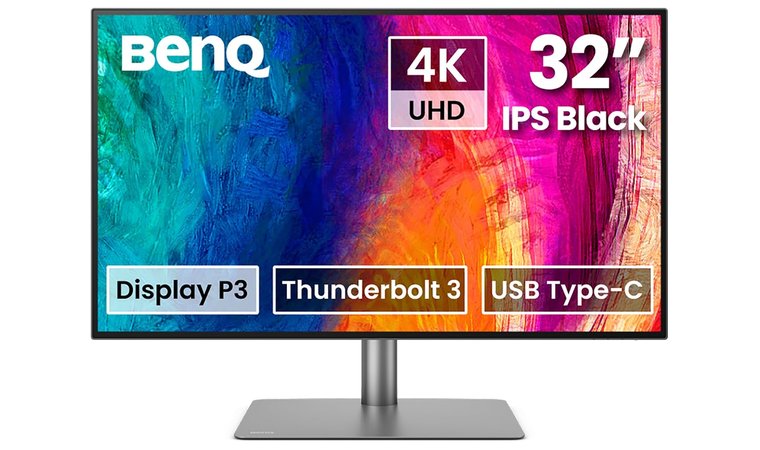
4. BenQ PD3225U [Best 32-Inch Monitor for Mac Creators]
| Specs | Details |
|---|---|
| Screen Size | 32 inches |
| Resolution | 4K UHD 3840 × 2160 |
| Panel Type | IPS with AQCOLOR Technology |
| Color Coverage | 98% P3, 100% sRGB (ΔE ≤ 2) |
| Brightness | 300 nits |
| Connectivity | Thunderbolt 3, USB-C, HDMI, DP |
| Refresh Rate | 60Hz |
The BenQ PD3225U is a top-tier gaming laptop with a color-accurate workspace with single-cable convenience. It uses a 32-inch 4K IPS panel calibrated with BenQ’s AQCOLOR technology, which offers 98% Display P3 and 100% sRGB with Delta E ≤ 2 accuracy.
It pairs a large 32-inch 4K workspace with excellent factory calibration and macOS-optimized color modes, giving creatives a wide, precise canvas that works beautifully with MacBook Pro right out of the box.
The monitor includes Thunderbolt 3 with 85W power delivery, allowing your MacBook Pro to stay charged and connected with one cable. It supports M-Book mode for seamless macOS color matching, along with advanced features like Display Pilot 2, Hotkey Puck, and hardware calibration tools.
| Pros | Cons |
|---|---|
| ✅ 32-inch 4K screen creates a large and detailed creative canvas ✅ Thunderbolt 3 with 85W PD supports clean, single-cable setups ✅ Factory calibration (ΔE ≤ 2) guarantees professional color accuracy ✅ KVM and daisy-chain support simplify multi-device control ✅ Adjustable stand offers tilt, swivel, pivot, and height options | ❌ Larger footprint may not suit compact desks, but it enhances multitasking comfort |
You also get KVM switching and daisy-chain support, which makes it easy to manage dual Mac or Mac/PC setups from a single interface. Its strong contrast ratio (2000:1 Black IPS) adds depth to visuals, which is especially useful for photo and media editing.
Final Verdict: The PD3225U provides studio-grade performance and flexibility for top MacBook users who want a spacious, calibrated display with strong connectivity and pro-level features.
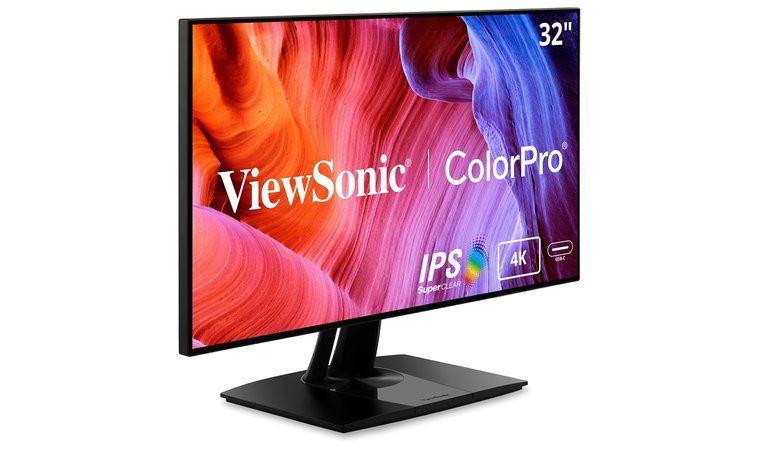
5. ViewSonic VP3268A-4K [Best Professional 4K Monitor for Mac Editors]
| Specs | Details |
|---|---|
| Screen Size | 32 inches |
| Resolution | 4K UHD 3840 × 2160 |
| Panel Type | IPS |
| Color Coverage | 100% sRGB, Rec. 709, Delta E < 2 |
| Brightness | Standard HDR10 range (approx. 350 nits) |
| Connectivity | USB-C, RJ-45, HDMI, DisplayPort |
| Refresh Rate | 60Hz |
The ViewSonic VP3268A-4K earns its spot as a top-tier editing monitor for professionals who prioritize color precision and display consistency. It uses a 32-inch IPS panel with factory hardware calibration and a 14-bit 3D LUT, which guarantees precise color gradients and minimal deviation across the screen — ideal for editors who also review international footage or streaming content through a top VPN for BBC iPlayer to maintain consistent visual quality.
Its professional-grade 14-bit 3D LUT, Delta E < 2 calibration, and built-in USB-C docking make it one of the most dependable color-accurate options for editors who need consistency on macOS.
The monitor supports 100% sRGB and Rec. 709 color spaces, backed by Delta E < 2 accuracy, and it makes it reliable for photo editing, design, and video post-production.
| Pros | Cons |
|---|---|
| ✅ 100% sRGB and Rec. 709 coverage guarantees accurate color output ✅ 14-bit 3D LUT provides smoother tonal transitions and less banding ✅ Factory calibrated with Delta E < 2 for professional confidence ✅ USB-C with 90W PD powers MacBook Pro and transmits video/data ✅ RJ-45 and multi-input ports support broader workstation needs ✅ Thin bezels enhance dual-monitor setups and desk organization | ❌ Lacks DCI-P3 support, but remains excellent for standard color space workflows |
With USB-C and RJ-45 ports, it also functions as a clean docking solution for MacBook Pro users, which handles video, data, and network with one cable. The ultra-thin bezels allow for seamless multi-monitor workflows and contribute to a minimal studio look. The included calibration report and Pantone validation add extra assurance for professional use.
Final Verdict: The VP3268A-4K gives editors a professional-grade 4K canvas with color you can trust, plus flexible connectivity for building a clean and capable Mac-based editing setup.
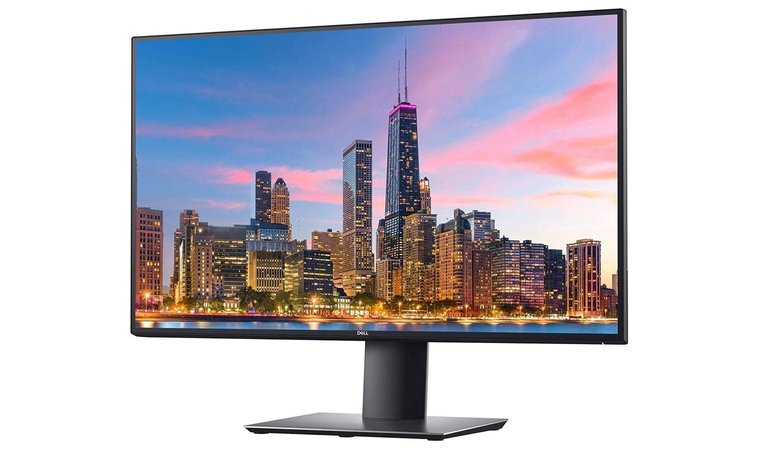
6. Dell UltraSharp U2720Q [Best Value 4K Monitor for MacBook Pro]
| Specs | Details |
|---|---|
| Screen Size | 27 inches |
| Resolution | 4K UHD 3840 × 2160 |
| Panel Type | IPS |
| Color Coverage | Factory-calibrated sRGB |
| Brightness | 350 nits |
| Connectivity | USB-C, DP 1.4, HDMI 2.0, USB 3.0 |
| Refresh Rate | 60Hz |
The Dell UltraSharp U2720Q provides one of the strongest value propositions for MacBook Pro users who want clean visuals, dependable color, and excellent build quality. It features a 27-inch 4K IPS panel with factory calibration for accurate colors right out of the box, ideal for creative and office use.
It hits the perfect value sweet spot by combining sharp 4K resolution, reliable USB-C power delivery, and strong factory calibration without the premium price of pro-grade displays.
The monitor includes USB-C connectivity with 90W power delivery, which allows it to charge a MacBook Pro while transmitting video and data through a single cable.
| Pros | Cons |
|---|---|
| ✅ 4K IPS panel offers clear, color-accurate images for daily and creative tasks ✅ USB-C with 90W PD powers and connects MacBook Pro without extra adapters ✅ Integrated USB hub supports peripherals directly from the display ✅ Slim bezels enhance dual-monitor productivity setups ✅ Factory calibration guarantees good color performance for professional workflows ✅ Reliable Dell warranty and support offers peace of mind | ❌ No wide gamut support like DCI-P3, but sRGB accuracy remains excellent for most workflows |
This best Dell monitor also integrates a built-in USB hub, making it easy to plug in SSDs, keyboards, or webcams directly into the monitor and reduce desk clutter. The three-sided ultra-thin bezel design supports multi-monitor setups without distracting edges, and the fully adjustable stand guarantees a comfortable setup for long work sessions.
Final Verdict: The U2720Q is a dependable choice for MacBook Pro users who want a sharp, clutter-free 4K setup with accurate color and single-cable simplicity.
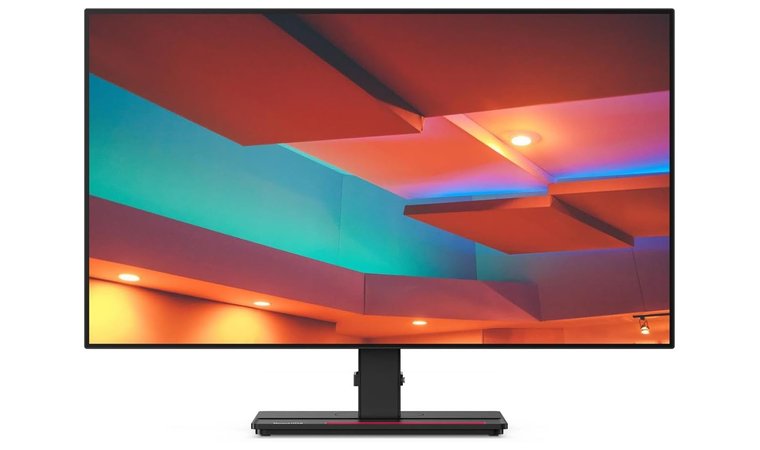
7. Lenovo ThinkVision P27h-20 [Best USB-C Docking Monitor for MacBook Pro]
| Specs | Details |
|---|---|
| Screen Size | 27 inches |
| Resolution | QHD 2560 × 1440 |
| Panel Type | IPS |
| Color Coverage | Wide viewing with macOS-friendly scaling |
| Brightness | Standard business-class brightness |
| Connectivity | USB-C, DisplayPort, HDMI, USB 3.0, Ethernet |
| Refresh Rate | 60Hz |
The Lenovo ThinkVision P27h-20 offers a practical docking solution for MacBook Pro users who want sharp visuals and less cable clutter. It features a 2560 × 1440 resolution that balances sharpness and GPU efficiency, which makes it ideal for productivity workflows where 4K isn’t necessary.
It doubles as a full docking solution with USB-C, Ethernet, and daisy-chain support, giving MacBook Pro users a clean, cable-efficient workstation that’s ideal for productivity setups.
The USB-C port provides power, video, and data, while the built-in Ethernet port adds reliable wired internet for your MacBook without needing a separate hub.
| Pros | Cons |
|---|---|
| ✅ WQHD resolution offers sharp text with lighter GPU load than 4K ✅ USB-C with PD + Ethernet turns the monitor into a workstation dock ✅ IPS panel guarantees wide viewing angles and consistent color ✅ Daisy-chain support allows easy multi-monitor setups ✅ Clean bezel design fits well in dual-screen layouts ✅ Adjustable stand offers tilt, swivel, pivot, and height control | ❌ Lacks wide-gamut color support, but sRGB performance stays solid for most users |
The monitor also includes a DisplayPort output, which supports daisy-chaining another display. With a slim-bezel design and ergonomic stand, it fits well into dual-monitor or hot-desk environments. Lenovo backs it with solid business support and a professional build quality that lasts.
Final Verdict: The P27h-20 works best for users who want a clutter-free MacBook Pro setup with USB-C docking and reliable QHD performance for everyday productivity.
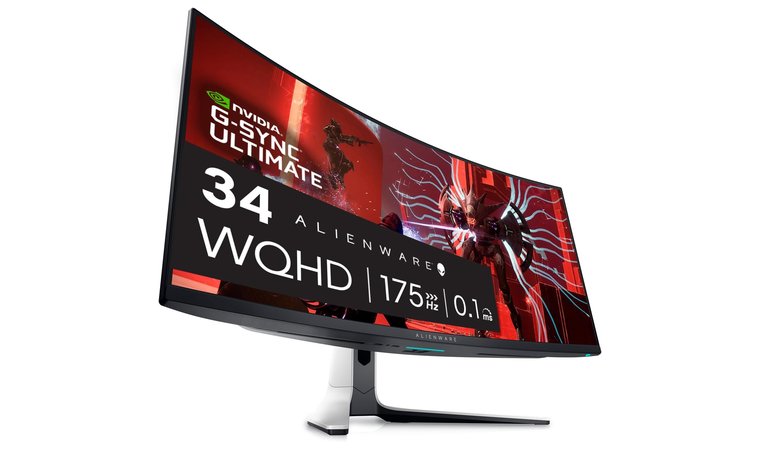
8. Alienware AW3423DW [Best Ultrawide Monitor for MacBook Pro]
| Specs | Details |
|---|---|
| Screen Size | 34.18 inches |
| Resolution | 3440 × 1440 (21:9 ultrawide) |
| Panel Type | Quantum‑Dot OLED (QD‑OLED) |
| Color Coverage | ~99.3% DCI‑P3 / ~149% sRGB |
| Brightness | Typical ~250 nits, Peak up to ~1000 nits |
| Connectivity | 2× HDMI 2.0, 1× DisplayPort 1.4, USB hub |
| Refresh Rate | Up to 175 Hz (via DisplayPort) |
This monitor offers an immersive workspace thanks to its 21:9 ultrawide format, which gives you extra horizontal room for timelines, side‑by‑side windows, and multitasking.
Its QD-OLED panel brings unmatched contrast and immersion to ultrawide workflows, making it perfect for users who want cinematic visuals, expanded screen real estate, and premium image quality.
The QD‑OLED panel provides near‑perfect blacks, superb contrast, and vivid colors. The high 175 Hz refresh rate and 0.1 ms response time give smooth motion clarity that appeals to MacBook Pro users who occasionally game or test video with fluid movement.
| Pros | Cons |
|---|---|
| ✅ Immersive ultrawide aspect ratio expands workspace and enhances multitasking ✅ QD‑OLED panel provides deep blacks, strong contrast, and wide color gamut ✅ High refresh rate and fast response time support motion-intensive workflows and occasional gaming ✅ Premium build quality and standout design elevate a MacBook Pro setup ✅ Multiple input types and an integrated USB hub help with connectivity ✅ Excellent HDR capability with vivid highlight performance | ❌ Text rendering and sub‑pixel clarity may need adjustment, but you gain exceptional image fidelity for visuals |
On the flip side, text clarity may require fine‑tuning because the sub‑pixel layout differs from standard panels, yet the overall image quality remains outstanding.
Final Verdict: For MacBook Pro owners who want a high‑impact ultrawide display with superb image quality, immersive workspace, and creative/gaming crossover appeal, the AW3423DW stands out as a premium choice.
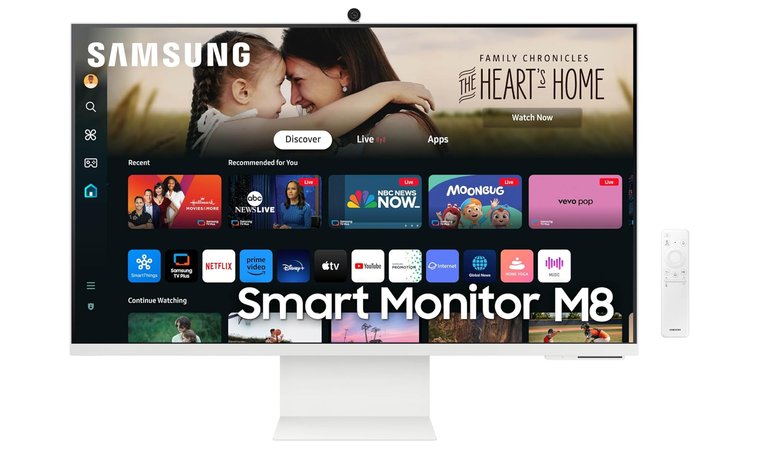
9. SAMSUNG 32-Inch M8 (M80D) Series [Best Smart Monitor for Mac & Streaming]
| Specs | Details |
|---|---|
| Screen Size | 32 inches |
| Resolution | 4K UHD 3840 × 2160 |
| Panel Type | LCD |
| Color Coverage | HDR10+ support |
| Brightness | Estimated ~300–350 nits (typical) |
| Connectivity | USB-C, HDMI, USB-A, USB Hub, Ethernet |
| Refresh Rate | 60Hz |
The Samsung M80D Smart Monitor offers one of the most versatile setups for MacBook Pro users who want display functionality alongside media streaming and smart TV features.
It combines 4K clarity with built-in smart functions, AirPlay, and USB-C connectivity, letting MacBook Pro users switch between work and streaming without needing extra devices or cables.
It combines a 4K UHD panel with native access to Netflix, YouTube, and other streaming apps, allowing you to use the monitor independently without a laptop. It also supports Apple AirPlay, USB-C with power delivery, and low-latency DisplayPort, making it easy to connect and charge a MacBook Pro using one cable.
| Pros | Cons |
|---|---|
| ✅ 4K panel with HDR10+ provides excellent and vibrant visuals ✅ USB-C + smart OS allows work and media streaming without extra devices ✅ AirPlay support makes wireless Mac integration seamless ✅ Built-in speakers and apps reduce external hardware needs ✅ Height-adjustable stand improves ergonomic comfort ✅ Attractive minimalist design fits modern setups | ❌ Color accuracy doesn’t match pro-grade monitors, but media and general visuals remain rich and immersive |
The monitor includes built-in speakers and offers smart assistant integration, while its SlimFit design keeps the desk setup clean. The added support for mouse and keyboard control across devices improves multitasking between your MacBook and mobile gear.
Final Verdict: The M80D is a great option for users who want a hybrid monitor that balances Mac productivity with smart TV convenience, all in one well-designed screen.
How to Pick the Best Monitor for MacBook Pro
When you have to choose the best monitor for MacBook Pro, it requires more than just finding a screen that powers on. macOS has unique display needs, and the right monitor should enhance your workflow, not create friction. Below are the most important factors to evaluate before buying.
Resolution and macOS Scaling
macOS uses Retina scaling, so resolution needs to match the physical screen size to keep text and UI elements sharp. The ideal setup is 4K resolution on a 27-inch display, which scales perfectly at 2× for crystal-clear visuals. If you go larger, such as 32 inches, a 5K display or better is recommended. Even some of the best vertical monitors with awkward scaling can leave text looking soft or UI elements appearing too small or too large.
Color Accuracy and P3 Coverage
Creative professionals should look for factory-calibrated displays with at least 100% sRGB and wide P3 color coverage. Monitors with Delta E < 2 offer reliable color accuracy out of the box. This is essential for photo editing, video grading, or any design work where color precision matters.
USB-C or Thunderbolt Connectivity
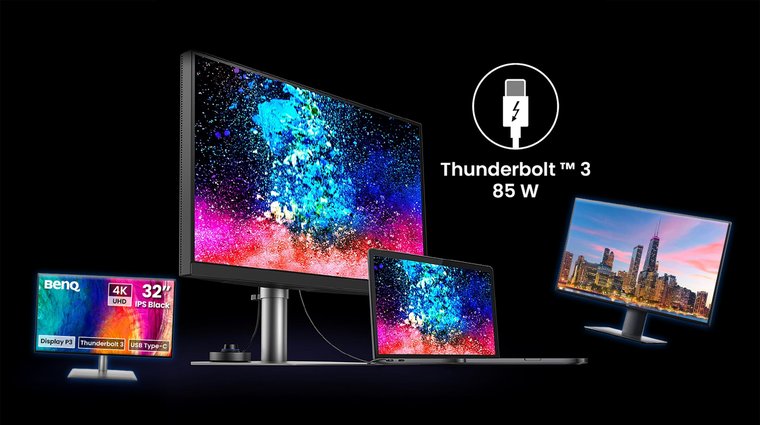
MacBook Pro users benefit the most from a single USB-C or Thunderbolt 3/4 connection that handles power, video, and data at once. Look for monitors with Power Delivery (PD) of 65W or more, especially for 14″ and 16″ MacBooks. Many high-end monitors also offer a built-in USB hub, reducing clutter and eliminating the need for extra dongles or docks.
Brightness and HDR Support
For general productivity, a brightness level of 300 to 400 nits is sufficient for the best monitors for video editing. However, for HDR video editing or content preview, look for 600 nits or higher with HDR10 or DisplayHDR 600 certification. A monitor that supports high dynamic range brings deeper contrast and more vibrant highlights to the screen.
Size and Aspect Ratio
The sweet spot for most users is a 27-inch display, which offers enough space for multitasking without overwhelming your desk. 32-inch models give you more room for full-size windows and toolbars. If you manage timelines, codebases, or wide creative layouts, an ultrawide (34″ or more with a 21:9 ratio) adds value without needing a second screen.
macOS Compatibility
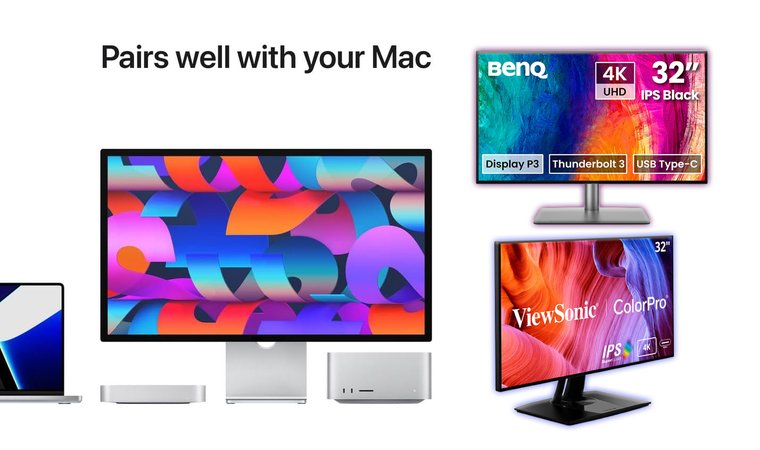
Some monitors look great on spec sheets but behave poorly with macOS. To avoid issues, like poor scaling, broken brightness controls, or lack of firmware updates, always check for macOS support, HiDPI compatibility, and native M1/M2/M3 integration. Monitors that support macOS True Tone or M-Book mode typically offer the best plug-and-play experience.
Use-Case Fit
If you’re a creative professional, focus on color accuracy, HDR, and P3 support for your best studio monitor. For developers and multitaskers, look for ultrawide formats and clear text rendering. If you’re buying for a home office, prioritize USB-C docking, ergonomic stands, and VESA support. No matter your role, the best 4K monitor for Mac should serve your workflow, not slow it down.
My Overall Verdict
Not every MacBook Pro user needs the same kind of monitor; your ideal pick depends on how you use your machine daily. It doesn’t matter if you’re a creative professional, a casual multitasker, or someone building out a dual-screen workspace; the right choice needs to align with your workflow and budget.
- For creative professionals who need macOS-native scaling, accurate P3 color, and seamless Thunderbolt integration, the Apple Studio Display is the best place to start. Its 5K Retina panel and full macOS compatibility make it the top-tier option for serious design and video work.
- For office users or remote workers who want sharp 4K visuals at a budget-friendly price, the Z-Edge U27P4K stands out. It offers a clean, matched-pair setup and does a great job with macOS scaling at an accessible price point.
- For colorists, post-production teams, or HDR content creators who demand reference-grade visuals, the ASUS ProArt PA32UCX-PK is the most advanced option. It combines mini-LED dimming, full color space support, and Thunderbolt flexibility into a studio-ready display.
These three offer strong starting points; scroll up to find the rest that best match your workspace and workflow.
FAQs
The best monitor for MacBook Pro is the Apple Studio Display if you want native 5K resolution, seamless macOS integration, and Thunderbolt connectivity.
Yes, you should buy an Apple display for your Max if you want the best macOS scaling, color accuracy, and plug-and-play support. Other monitors work well, too, but Apple displays offer the most seamless experience.
Yes, MacBooks work well with monitors, especially those that support USB-C or Thunderbolt. Just make sure scaling and resolution are macOS-friendly.
Yes, you can use a Mac monitor as a TV if it’s a smart monitor like the Samsung M8 or has HDMI/streaming apps built in. Apple Studio Display does not support TV features directly.
To know if a monitor is compatible with your MacBook Pro, look for USB-C or Thunderbolt input, macOS support, HiDPI scaling, and power delivery (65–96W). Confirm with the monitor’s specs or Mac compatibility list.