Best VPN for Xbox in 2026: 5 Picks With God-Tier Stability


If you’re hunting for the best VPN for Xbox, you’re probably trying to fix lag, stop random DDoS hits, or sneak into region-locked lobbies. Good call. The right VPN can do all that and open the door to better game deals and early access, too.
I’ve tested the top options myself, and three stood out: NordVPN for speed and stability, Surfshark for budget Xbox gamers, and ExpressVPN if you don’t mind paying a little extra for smooth, lag-free gaming. It doesn’t matter if you’re on Xbox One or Series X/S; these picks actually work where it counts.
Let’s talk about VPNs I’d actually use if I were setting up a console today.
Jump to:
Our Top Picks for Xbox VPN
You don’t need a dozen options, just one best VPN for Xbox that makes your console better. These VPNs passed every test that mattered, from chasing low-ping Warzone lobbies and getting region-specific content to ducking DDoS trolls.
- NordVPN – This one is the total package. NordVPN gave me consistently low ping across distant servers, great speeds, and bulletproof DDoS protection. It also has a massive server network that’s perfect for region-hopping when you want fresh lobbies or early-access content.
- Surfshark – Surfshark’s the one I’d pick if you’ve got a house full of devices and want one VPN to cover everything. You get unlimited device connections, great speeds for the price, and plenty of useful features with proprietary names.
- ExpressVPN – Lightway keeps Xbox latency tight and matchmaking stable when swapping regions for new lobbies or unlocking regional content. Up to 14 devices on the top plan gives you room for multiple consoles, and Network Lock (kill switch) actually holds when your connection drops.
I ranked these VPNs based on performance, ease of setup, stability, security, and how well they worked in real-world matchmaking. If it couldn’t keep up in-game, it didn’t make the cut.
Best VPN for Xbox: 5 Picks You Can Actually Depend On
No native apps, no problem. Setting up a VPN on Xbox takes a little extra work, but these five make it worth it. I’ve played real matches using each one, and they all brought something solid to the table. Here’s the shortlist for Xbox VPNs that actually deliver.
1. NordVPN [Ultimate Xbox Gaming VPN for Speed, Security & Global Lobbies]
| Feature | Specification |
|---|---|
| Servers | 8,000+ servers in 100+ countries |
| Speed | 850-950 Mbps average on nearby servers on a 1 Gbps connection (600-800 Mbps on faraway locations) |
| Simultaneous connections | Up to 10 devices |
| Protocols | NordLynx (WireGuard-based), OpenVPN, IKEv2/IPSec, NordWhisper (restricted network protocol) |
| Security | AES-256/ChaCha20 encryption, kill switch, Threat Protection Pro, dark web monitoring, MFA, Double VPN |
| Privacy | 5x audited no-logs policy, RAM-only servers, based in Panama |
| Gaming speed performance | Near-gigabit regional speeds, 10 Gbps servers, minimal throttling |
| Starting price | $0.90/mo (2-year plan) |
NordVPN’s NordLynx blasted through my real-game tests with zero lag and stutter. I’m talking low pings that actually stay low. Jumping into Warzone and Fortnite, it held steady, even with servers halfway across the globe. Xbox aside, Nord is the best VPN for gaming in my book.
The security side? Solid as a rock. DDoS protection kept my internet connection safe when matches got tense. Plus, the no-logs policy means your data isn’t floating around somewhere shady. There’s also the unbreakable AES-256 encryption, obfuscation to hide your VPN traffic, threat protection to catch malware, and much more.
I never struggled to find a fast VPN server and didn’t experience any lag or server crowding. And geo-blocks? History. I especially liked Meshnet. It’s a slick way to run private virtual LAN parties with friends anywhere. It might look like a gimmick, but it’s actually useful.
The app is clean and simple. Switching servers and toggling features was quick and painless. Honestly, NordVPN felt like a gaming buddy that just worked without any drama.
| Pros | Cons |
|---|---|
| ✅ NordLynx delivers excellent speeds and low pings ✅ Rock-solid, stable connections during intense sessions ✅ Huge server count means zero geo-block headaches ✅ Built-in DDoS protection saves your game from random attackers ✅ No-logs policy keeps you off the radar | ❌ Browser-based login gets annoying after a while |
Why I chose NordVPN:
When it comes to Xbox gaming, speed and stability aren’t negotiable. NordVPN delivers both and then some. The extras like DDoS protection and Meshnet actually made a difference. If you want a VPN that won’t mess with your game, Nord is your pick.
2. Surfshark [Best Value Xbox VPN for Unlimited Devices & Unrestricted Play]

| Feature | Specification |
|---|---|
| Servers | 4,500+ servers in 100 countries |
| Speed | 750-900 Mbps average on nearby servers on a 1 Gbps connection (500-700 Mbps on faraway locations) |
| Simultaneous connections | Unlimited devices |
| Protocols | WireGuard, OpenVPN, IKEv2/IPSec |
| Security | AES-256/ChaCha20 encryption, kill switch, CleanWeb ad blocker, Dynamic MultiHop, Camouflage Mode |
| Privacy | 2x Deloitte audited no-logs policy, RAM-only servers, based in the Netherlands |
| Gaming speed performance | Excellent speeds with 10 Gbps servers, 100 Gbps experimental servers in Amsterdam |
| Starting price | $0.60/mo (2-year plan) |
Surfshark is all about doing more with less. It’s cheaper than most big names, but I didn’t feel like I was cutting corners. In my Xbox tests, it flew me through some of the best FPS games with steady pings, fast matchmaking, and smooth gameplay. Even when I bounced between distant servers just to see if it could keep up (it did).
The real kicker? Unlimited devices. If your household runs on five consoles, three phones, and a smart fridge, Surfshark won’t blink. You can protect everything with one plan and still game without lag. It also has some cool features packed in, like CleanWeb (blocks ads and trackers) and Bypasser, which is essentially split tunneling.
Server selection is wide and weirdly fun – 100 countries means easy access to weird lobbies and region-locked content. Speeds are a step behind NordVPN, but it’s consistent. I never hit unplayable lag, even in peak hours.
| Pros | Cons |
|---|---|
| ✅ Unlimited connections bring incredible value for big households ✅ Fast, reliable speeds for casual and competitive gaming ✅ Easy geo-hopping with servers in 100 countries ✅ CleanWeb blocks ad junk before it hits you ✅ Low price, especially long-term | ❌ Customer support doesn’t always provide great answers right off the bat, but I always got what I needed in the end |
Why I chose Surfshark:
It’s cheap, fast, and flexible. Surfshark gave me stable speeds, let me bounce between regions, and didn’t limit how many devices I could use. If you want great performance without the premium price tag, Surfshark hits the sweet spot.
3. ExpressVPN [Xbox VPN for Reliable Ranked Play]

| Feature | Specification |
|---|---|
| Servers | 3,000+ servers in 100+ countries |
| Speed | 800-900 Mbps average on nearby servers on a 1 Gbps connection (550-750 Mbps on faraway locations) |
| Simultaneous connections | Up to 14 devices |
| Protocols | Lightway (proprietary), OpenVPN, IKEv2/IPSec |
| Security | AES-256 encryption, Network Lock kill switch, Threat Manager, split tunneling |
| Privacy | Audited no-logs policy, TrustedServer RAM-only technology, based in the British Virgin Islands |
| Gaming speed performance | Excellent with Lightway protocol, sub-2-second connection times |
| Starting price | $1.05/mo (28-month plan) |
ExpressVPN quietly has some of the best routing discipline I’ve seen for MMOs and competitive games. On Xbox, the difference shows in moments you actually care about: queue pops, teamfights, rotations, and fights that explode into particle soup without turning into slideshow teleporting nonsense. It’s no wonder I have Express as one of my top VPNs for this year.
The Lightway protocol is lighter than OpenVPN, faster at reconnecting than most alternatives, and built to keep latency overhead small. For ranked grinders, that means fewer ping spikes when you’re swapping regions or dodging DDoS trolls.
The server spread is decent, but the network quality is what we’re interested in. With 100+ countries and 170+ locations, you can bounce from EU to NA to Asia to test lobbies, unlock regional catalogs, or dodge ISP throttling when your connection gets weird. It’s not a “bot lobby hunting tool,” but the network is fast enough to experiment without griefing your teammates.
You don’t get unlimited devices like Surfshark, but 14 connections are enough for most real setups. If you run a full household of consoles, you might hit the cap, but for the average player, it’s plenty. Speeds are high on nearby servers. They hold strong on far routes too, but you can feel the drop versus Nord’s best-case routing. Still, it never hit unplayable territory in my testing notes.
| Pros | Cons |
|---|---|
| ✅ Lightway keeps ping stable and routing clean ✅ 100+ countries for easy geo-hopping ✅ Fast queues and solid latency on Xbox ✅ 10 Gbps backbone for consistent throughput ✅ Network Lock kill switch | ❌ Pricier than value picks |
Why I chose ExpressVPN:
Lightway is fast, reconnects clean, and keeps ping controlled. The privacy stance is strong without getting complicated. If you want a VPN that works great on Xbox, ExpressVPN is a safe pick. You’re paying more, but you’re getting consistency that actually matters when the game is on the line.
4. Proton VPN [Privacy-First Xbox VPN with Accelerated Speeds for Gaming]
| Feature | Specification |
|---|---|
| Servers | 14,000+ servers in 100+ countries |
| Speed | 700-850 Mbps average on nearby servers on a 1 Gbps connection (450-650 Mbps on faraway locations) |
| Simultaneous connections | Up to 10 devices |
| Protocols | WireGuard, OpenVPN, IKEv2/IPSec, Stealth (obfuscation protocol) |
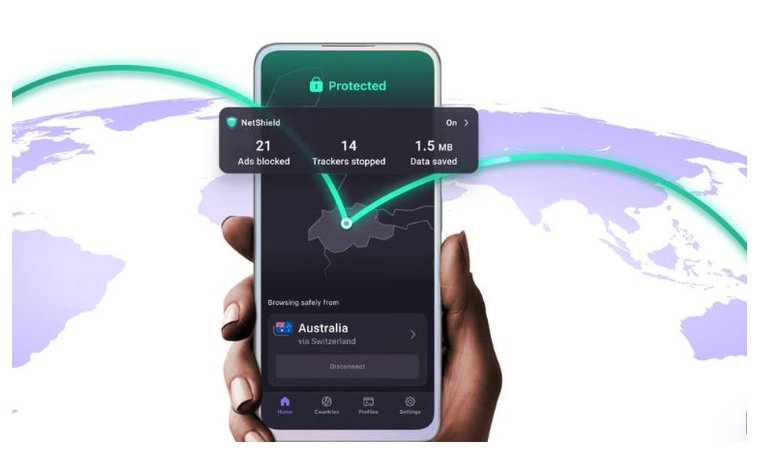
| Security | AES-256/ChaCha20 encryption, kill switch, NetShield ad/malware blocker, Secure Core, Tor over VPN |
| Privacy | Court-tested no-logs policy, open-source apps, based in Switzerland |
| Gaming speed performance | Good regional speeds with VPN Accelerator optimization technology |
| Starting price | $0.90/mo (2-year plan) |
Proton VPN doesn’t scream “gamer,” but don’t let that fool you. Under the hood, it’s built for speed, privacy, and stability. And it holds up surprisingly well on Xbox. I decided to test it with some heavy-hitting battle royale games, and I didn’t expect it to be this fast in real matches.
The big win here is Proton’s VPN Accelerator tech. Speeds felt noticeably better than most other privacy-first VPNs I’ve tried. Matchmaking was quick, pings were low, and I didn’t hit any annoying lag spikes, even when I hopped between the US and EU servers.
Privacy is the real draw, though. Proton is Swiss-based, runs on open-source apps, and doesn’t log anything. If you’re the type who wants to game and keep your data locked down, this is the VPN that gets it right — even if you’re searching for the best VPN for League of Legends.
The server list is strong, and the app is clean without being stripped. No DDoS protection or LAN party nice-to-haves, but what it does, it does well. Switching servers mid-session was fast and never dropped me once.
You will need to go with the paid plan, though, cause Proton’s free VPN doesn’t support this kind of performance. Yes, it dishes out unlimited bandwidth, but you can’t pick specific servers.
| Pros | Cons |
|---|---|
| ✅ WireGuard delivers fast and stable speeds for smooth gaming ✅ Proton Accelerator actually helped out during my testing ✅ Solid server selection for global matchmaking ✅ Swiss-based and independently audited | ❌ Free plan doesn’t work for competitive gaming. You’ll need to go premium for top performance, which is fair |
Why I chose Proton VPN:
If you care about privacy and want to game without hiccups, Proton VPN delivers. It’s fast, stable, and serious about your data. No flash, just a sleek VPN that keeps your matches smooth and your info off the grid.
5. VeePN [Great Budget VPN Pick for Xbox Players]
| Feature | Specification |
|---|---|
| Servers | 2,600+ servers in 80+ countries |
| Speed | 420-560 Mbps on nearby servers on a 1 Gbps connection |
| Simultaneous connections | Up to 20 devices (Max) |
| Protocols | WireGuard, OpenVPN, IKEv2/IPSec, Shadowsocks |
| Security | AES-256 encryption, kill switch, NetGuard (ad/malware blocker), Double VPN, RAM-only servers |
| Privacy | No-logs policy, based in Panama (outside 5/9/14 Eyes) |
| Gaming speed performance | Solid for casual |
| Server coverage | Solid NA and EU coverage; most gaming regions accessible |
| Starting price | $0.60/month (26-month plan) |
VeePN delivers solid Xbox VPN functionality without the premium price tag. Since Xbox doesn’t support native VPN apps, you’re looking at router installation or PC sharing – VeePN handles both, though the setup requires more patience than the desktop experience.
Router configuration is where most Xbox players will land. VeePN provides setup guides for major router firmware, including DD-WRT, Tomato, and some Asus models. Flash your router, input the VeePN credentials, and your entire network routes through the VPN (Xbox included). Once you’ve set it up, you’ll also see that VeePN is an excellent cheap VPN for torrenting, if that’s your thing.
Game Pass downloads stay reasonable with 400+ Mbps speeds on nearby servers. Grabbing a 100GB title doesn’t become an all-day affair, and updates pull through without constant timeouts. The 10-device limit on the Pro plan means your Xbox, PC, phone, and streaming devices all stay protected under one subscription.
Regional game store access works for snagging deals in different Xbox marketplaces. Connect to Argentina or Turkey servers, browse the store, and often find significantly cheaper pricing. VeePN’s coverage includes both regions, though payment methods can still block some purchases regardless of VPN location.
| Pros | Cons |
|---|---|
| ✅ Router support ✅ $0.60/month on long-term plans fits tight budgets ✅ 10-device limit covers your whole gaming setup ✅ Regional store access for hunting game deals ✅ Speeds hold up for Game Pass downloads | ❌ No dedicated gaming servers |
Why I chose VeePN: It’s the wallet-friendly choice for Xbox players. Gets the job done for casual multiplayer and regional store browsing – just expect more legwork than premium alternatives with Smart DNS support.
What To Look for in an Xbox VPN?
You should look at a VPN as the backbone of your connection. If it’s slow and unstable, your games will suffer for it. Here are some essential factors you should keep in mind to make sure that doesn’t happen:
- Speed & low latency – Gaming on a slow virtual private network is like fighting with one hand tied. There’s nothing worse than pixels flying out of your epic gaming monitor. You want top-tier speeds and stable ping. Prioritize providers with fast protocols like WireGuard or NordLynx, plus nearby servers to keep latency down.
- Server Network – More servers mean more options. Look for wide regional coverage, especially in countries where you want access to easier lobbies, specific game servers, or exclusive content.
- Router Compatibility – If you just want to run great PC games, no problem. But the Xbox console doesn’t do VPN apps, so router support is essential. Some VPNs offer preconfigured routers or step-by-step setup guides. Others throw in Smart DNS as a quicker, no-encryption alternative.
- DDoS Protection – Competitive matches can bring out the worst in people. A VPN with built-in DDoS protection shields your real IP address and keeps you in the game when others try to knock you offline.
- Strong Security Features – Encryption and kill switches might sound like overkill for a console, but they’re crucial if you’re routing all your home traffic through a VPN. Look for no-compromise security.
- No-Logs Policy – If a VPN logs your activity, it’s not private. Stick with zero-logs providers that have been independently audited.
- Responsive Support – Setup can get messy. Good support includes live chat, fast email replies, and proper walkthroughs.
In short: prioritize speed, stability, privacy, and easy setup. If you’re on a budget, you can skip the flashy extras and pick a VPN that just works every time you boot up.
How To Use a VPN with Xbox [Great Setup Methods]?
Xbox doesn’t support VPN apps directly, but there are still a few reliable ways to get one running. You can install the VPN on a solid gaming router to protect every device in your home, including your Xbox.
You can also use your PC or Mac as a virtual VPN mobile hotspot or try a Smart DNS service if you only care about location spoofing. Each method has its pros and cons, and I’ll break them down next.
1. VPN Router
A VPN router is the most reliable way to get VPN protection on your Xbox, especially if you’re trying to change your region for Xbox or access location-restricted content. Choosing the best VPN router means you’re essentially routing your connection through a VPN-enabled router, which is the cleanest solution. And it covers every device on your network, not just the console.
There are two ways to do it: you can either buy a pre-configured VPN router or flash compatible firmware (like DD-WRT or OpenWRT) onto your existing one. Pre-configured routers are easier but cost more, while flashing your own takes some effort and care. If you mess it up, you could brick your router.
Once it’s set up, everything on your Wi-Fi network gets protected automatically, including your Xbox. No extra steps every time you turn it on, no fiddling with settings – it just works. If you play on multiple consoles or want full household protection, this is hands down the best method.
2. PC/Mac Internet Sharing
Sharing a VPN connection from your PC or Mac is a solid backup method if you don’t want to mess with your router. It works by turning your computer into a middleman – the VPN runs on your computer, and you share that protected connection with your Xbox.
There are two main ways to do this. The first is using an Ethernet cable to physically connect your Xbox to your PC or Mac, then enabling internet sharing through the system settings. The second is setting up a Wi-Fi hotspot on your computer and having your Xbox connect to that wireless network.
Both ways get the job done, but using an Ethernet connection gives you more stability and lower latency. This matters a lot if you’re playing competitive games. It’s not as seamless as using a router, but it’s cheaper and doesn’t require any extra hardware (except the cable). Just make sure your VPN supports this kind of setup.
3. Smart DNS (With Caveats)
Smart DNS is VPN Lite – you can access region-locked content, but you get zero security. It doesn’t encrypt your traffic or hide your IP, so it won’t protect you from DDoS attacks or snooping. But if you just want to geo-spoof a specific app or server, it’s quick and easy.
Most top VPNs offer Smart DNS as part of their service, and it works well on Xbox because you can manually configure it in the network settings. No router setup, no PC needed.
That said, there are caveats. You don’t get any security benefits, it won’t reduce ping or improve stability, and some services can detect and block Smart DNS outright. Still, it’s an option – just not one I’d rely on for competitive gaming or anything where privacy matters. Treat it as a geo-unblocking tool only.
FAQs
What is the best VPN for Xbox?
NordVPN is the best VPN for Xbox. It’s fast, reliable, and works great when installed on a router or shared from a PC. It also offers Smart DNS for easy geo-unblocking. Whether you want lower ping or access to other regions, Nord has you covered.
Can I use a VPN on Xbox?
Not directly. Xbox doesn’t support VPN apps, but you can still use a VPN by installing it on your router, sharing a VPN connection from your PC or Mac, or using Smart DNS. All three work – it just depends on your setup and what you’re trying to do.
Is VPN on Xbox bannable?
No, using a VPN with Xbox is perfectly safe. You won’t get banned for it, and it’s a common workaround for things like region locks or lag. Just avoid using it to cheat. That’s where you might run into trouble.